VigorPro5300 Series User’s Guide
186
3
3
.
.
1
1
3
3
.
.
4
4
C
C
a
a
l
l
l
l
C
C
o
o
n
n
t
t
r
r
o
o
l
l
Some applications require that the router (only for the ISDN models) be remotely activated,
or be able to dial up to the ISP via the ISDN interface. Vigor routers provide this feature by
allowing user to make a phone call to the router and then ask it to dial up to the ISP.
Accordingly, a teleworker can access the remote network to retrieve resources. Of course, a
fixed IP address is required for WAN connection and some internal network resource has to
be exposed for remote users, such as FTP, WWW.
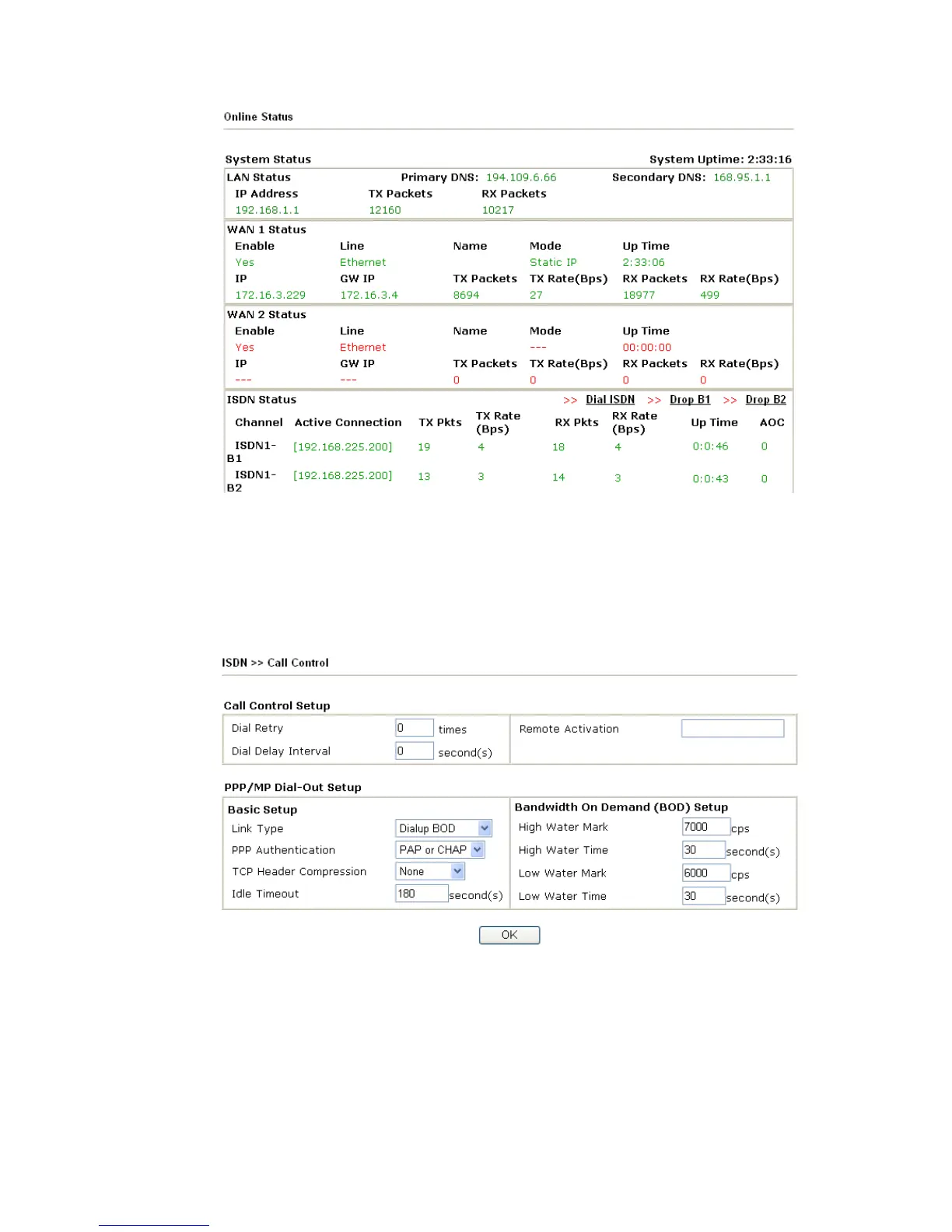
Call Control Setup Dial Retry - It specifies the dial retry counts per triggered
packet. A triggered packet is the packet whose destination is
outside the local network. The default setting is no dial retry.
If set to 5, for each triggered packet, the router will dial 5
times until it is connected to the ISP or remote access router.
Dial Delay Interval - It specifies the interval between dialup
retries. By default, the interval is 0 second.
Remote Activation – It can help users who would like to












 To Next Page