VigorPro5300 Series User’s Guide
256
4
4
.
.
6
6
B
B
a
a
c
c
k
k
u
u
p
p
a
a
n
n
d
d
U
U
p
p
g
g
r
r
a
a
d
d
e
e
S
S
i
i
g
g
n
n
a
a
t
t
u
u
r
r
e
e
f
f
o
o
r
r
A
A
n
n
t
t
i
i
-
-
I
I
n
n
t
t
r
r
u
u
s
s
i
i
o
o
n
n
/
/
A
A
n
n
t
t
i
i
-
-
V
V
i
i
r
r
u
u
s
s
You can get the most updated signature from DrayTek’s server if the license key of
anti-virus/anti-intrusion for the VigorPro 5300 is not expired. Before you upgrade the
signature, please check the validation information either from WEB user interface of
VigorPro 5300 or account information from www.vigorpro.com.
1. Open a web browser on your PC and type http://192.168.1.1. A pop-up window will
open to ask for username and password. Do not type any word on the window and click
OK.
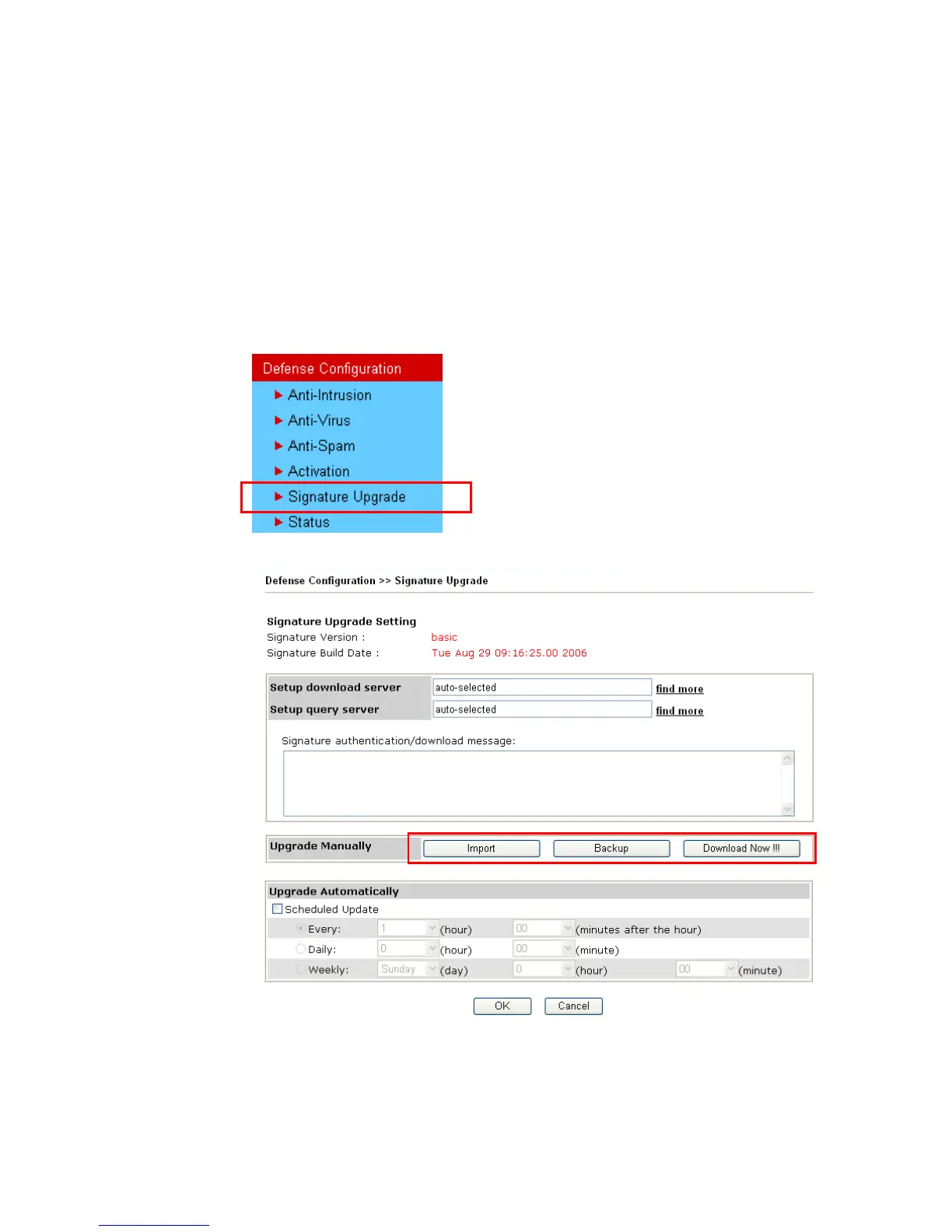
2. From the router’s web page, please open Defense Configuration >>Signature
Upgrade. You will see the following web page.
3. On Signature Upgrade web page, locate Backup and Download Now!!!.
T
T
i
i
m
m
e
e
f
f
o
o
r
r
B
B
a
a
c
c
k
k
u
u
p
p
Before changing other license, it is suggested for you to backup the original signature first.
To backup current signature with the filename vigorpro.sig, click Backup.












 To Next Page