VigorPro5300 Series User’s Guide
71
Web surfing because each of multiple load balanced database servers can handle millions of
requests for categorization.
Note: The priority of URL Content Filter is higher than Web Content Filter.
3
3
.
.
5
5
.
.
1
1
I
I
M
M
/
/
P
P
2
2
P
P
F
F
i
i
l
l
t
t
e
e
r
r
P
P
r
r
o
o
f
f
i
i
l
l
e
e
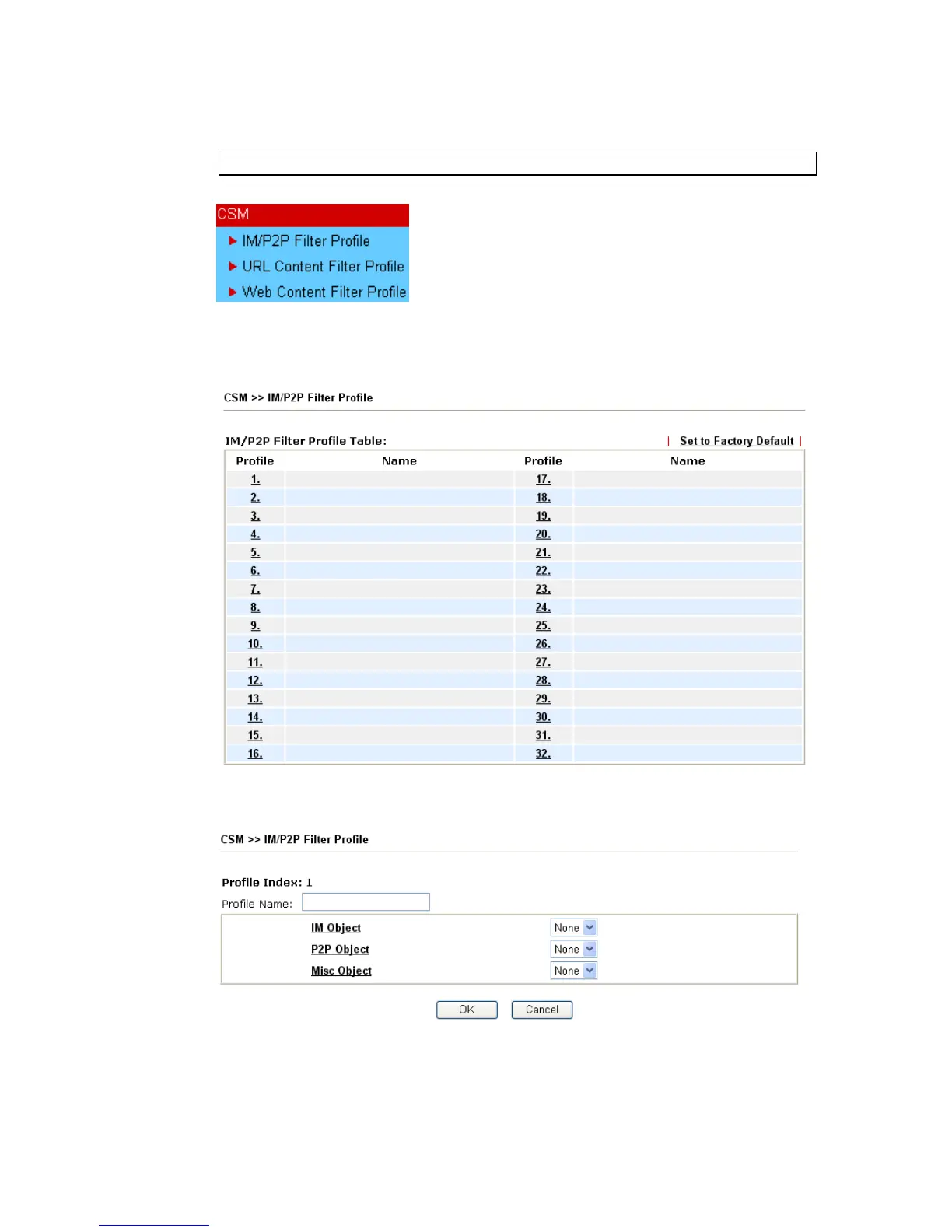
You can define policy profiles for different policy of IM (Instant Messenger)/P2P (Peer to
Peer) application. CSM profile can be used in Filter Setup page.
Set to Factory Default Clear all profiles.
Click the number under Index column for settings in detail.
Profile Name Type a name for the CSM profile.
Each profile can contain three objects settings, IM Object, P2P Object and Misc Object.
Such profile can be applied in the Firewall>>General Setup and Firewall>>Filter Setup
pages as the standard for the host(s) to follow.












 To Next Page