VigorPro5300 Series User’s Guide
163
Any as ring port for specified SIP account. By the way,
ISDN-S0 can be used by mapping with MSN numbers.
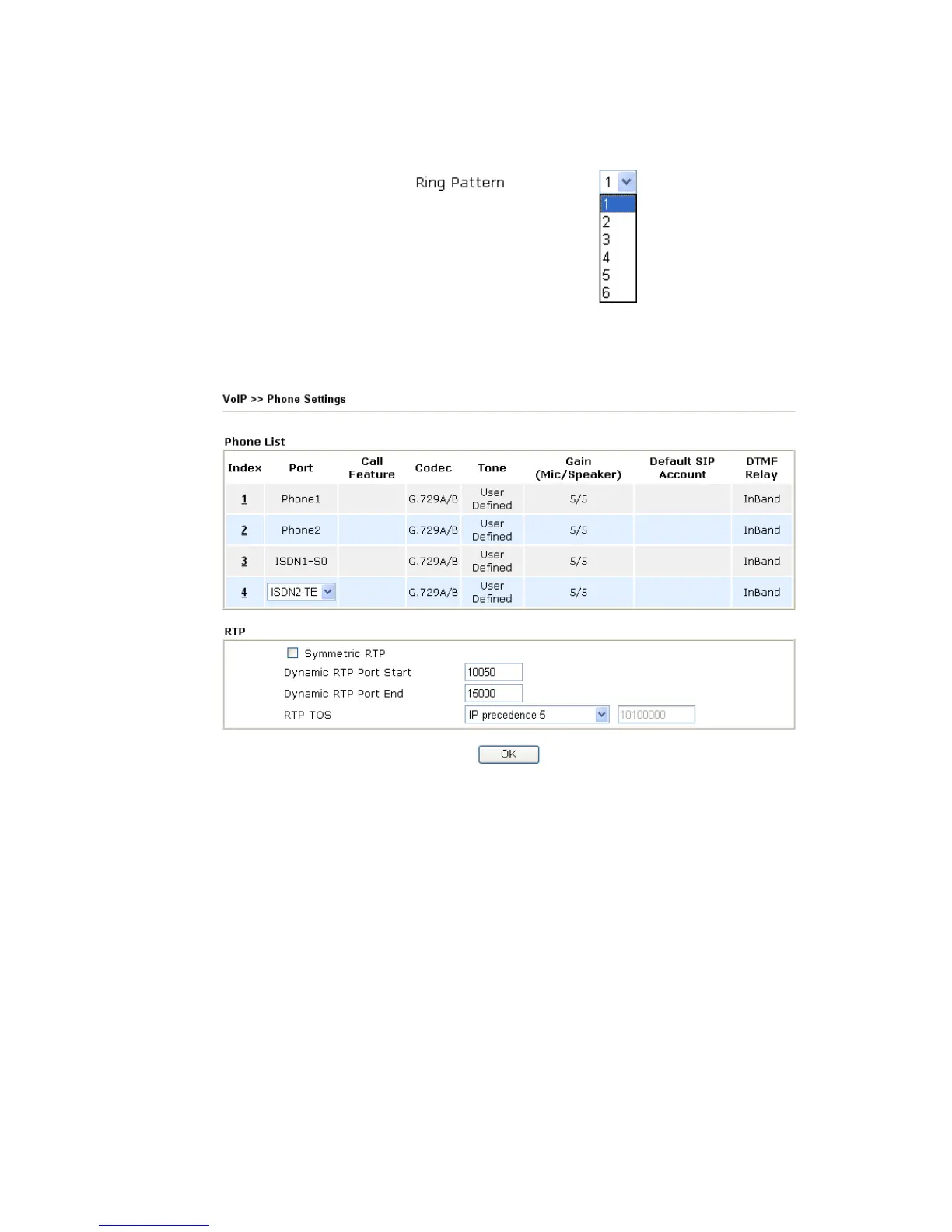
Ring Pattern Choose a ring tone type for the VoIP phone call.
3
3
.
.
1
1
2
2
.
.
3
3
P
P
h
h
o
o
n
n
e
e
S
S
e
e
t
t
t
t
i
i
n
n
g
g
s
s
This page allows user to set phone settings for Phone1, Phone2, ISDN1-S0 and
ISDN2-TE/S0 respectively.
Phone List Port – There are four phone ports provided here for you to
configure. Three (Index 1 to 3) are fixed and one (Index 4) is
configurable. Phone1 and Phone2 allow you to set general
settings for PSTN phones. ISDN1-S0 and ISDN2-TE allow
you to set common settings for ISDN network connection.
ISDN2 port is configurable. Please use the drop down list to
choose ISDN2-TE for Internet connection or choose
ISDN2-S0 (ISDN intern) for ISDN phone. In addition, you
can connect six phones to this router in certain case. Please
refer to Section 4-1 for detailed information of ISDN
phone/network connection.
If you want to enable function of ISDN On-Net/Off-Net, you
have to choose ISDN2-TE.
Call Feature – A brief description for call feature will be
shown in this field for your reference.
Codec – The default Codec setting for each port will be
shown in this field for your reference. You can click the
number below the Index field to change it for each phone port.












 To Next Page