VigorPro5300 Series User’s Guide
216
Set Community Set community by typing a proper name. The default setting is
private.
Manager Host IP Set one host as the manager to execute SNMP function. Please
type in IP address to specify certain host.
Trap Community Set trap community by typing a proper name. The default
setting is public.
Notification Host IP Set the IP address of the host that will receive the trap
community.
Trap Timeout The default setting is 10 seconds.
3
3
.
.
1
1
6
6
.
.
7
7
R
R
e
e
b
b
o
o
o
o
t
t
S
S
y
y
s
s
t
t
e
e
m
m
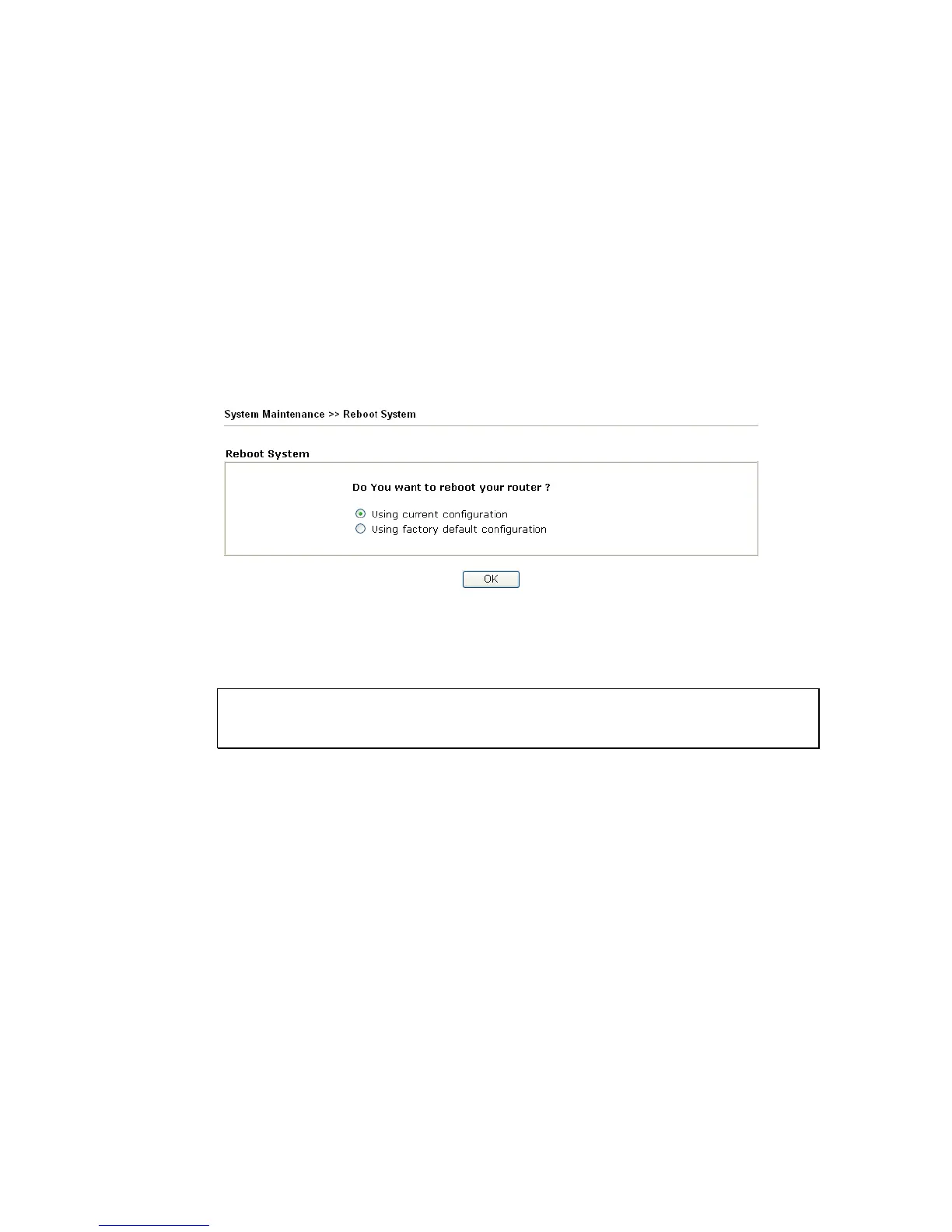
The Web Configurator may be used to restart your router. Click Reboot System from
System Maintenance to open the following page.
If you want to reboot the router using the current configuration, check Using current
configuration and click OK. To reset the router settings to default values, check Using
factory default configuration and click OK. The router will take 5 seconds to reboot the
system.
Note: When the system pops up Reboot System web page after you configure web settings,
please click OK to reboot your router for ensuring normal operation and preventing
unexpected errors of the router in the future.












 To Next Page