VigorPro5300 Series User’s Guide
274
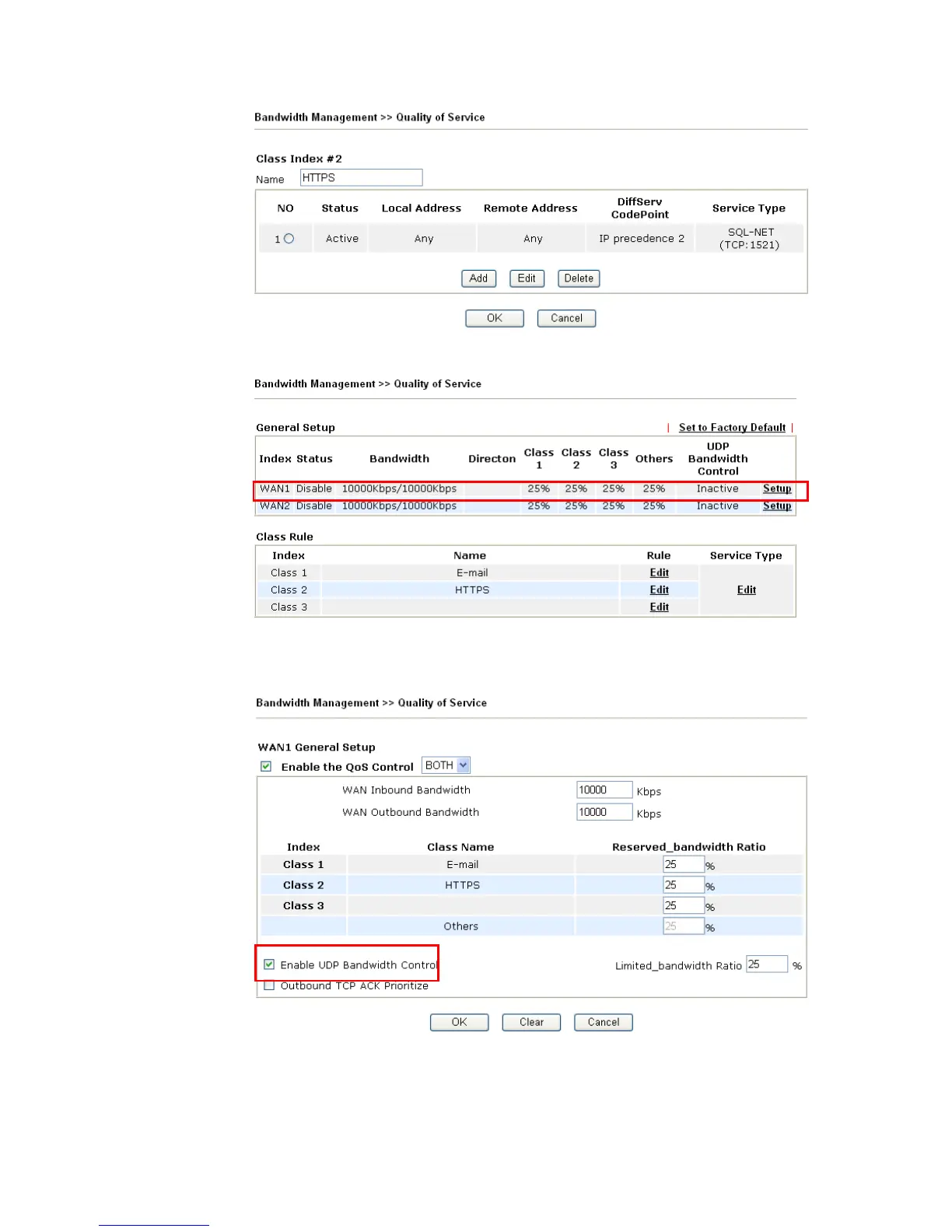
7. Click Setup link for WAN1.
8. Check Enable UDP Bandwidth Control on the bottom to prevent enormous UDP
traffic of VoIP influent other application, and click OK.
9. If the worker has connected to the headquarter using host to host VPN tunnel. (Please
refer to Chapter 3 VPN for detail instruction), he may set up an index for it. Enter the
Class Name of Index 3. In this index, he will set reserve bandwidth for 1 VPN tunnel.












 To Next Page