VigorPro5300 Series User’s Guide
104
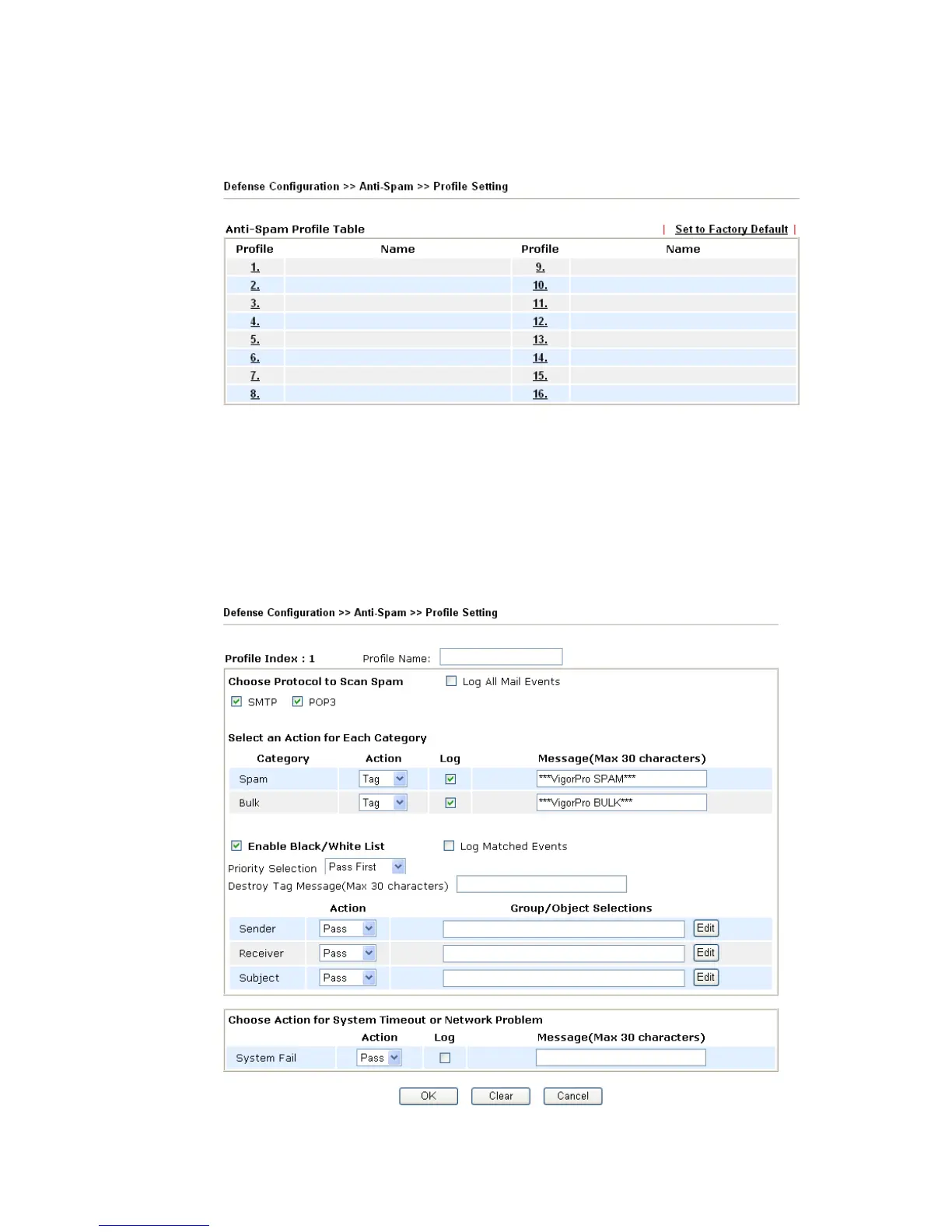
To activate function of Anti-Spam, you have to configure profile(s) for your computer
first. Please open Defense Configuration>>Anti- Spam menu to access into the following
page. There are sixteen profiles provided by this system for you to define.
Profile (1 ~16) There are sixteen profiles provided for you to define. Simply
click the number link under Profile, the setting page for that
number will be open for you to configure.
Name List the name for the profile setting.
3
3
.
.
7
7
.
.
3
3
.
.
1
1
P
P
r
r
o
o
f
f
i
i
l
l
e
e
S
S
e
e
t
t
t
t
i
i
n
n
g
g
Simply click number under Profile item. The detailed page will be shown right away. The
following graphic is the web page for the profile marked with number 1.












 To Next Page