VigorPro5300 Series User’s Guide
143
remote peer requires the Vigor router to callback, the local
ISDN number will be provided to the remote peer. Check
here to allow the Vigor router to send the ISDN number to
the remote router. This feature is useful for i model only.
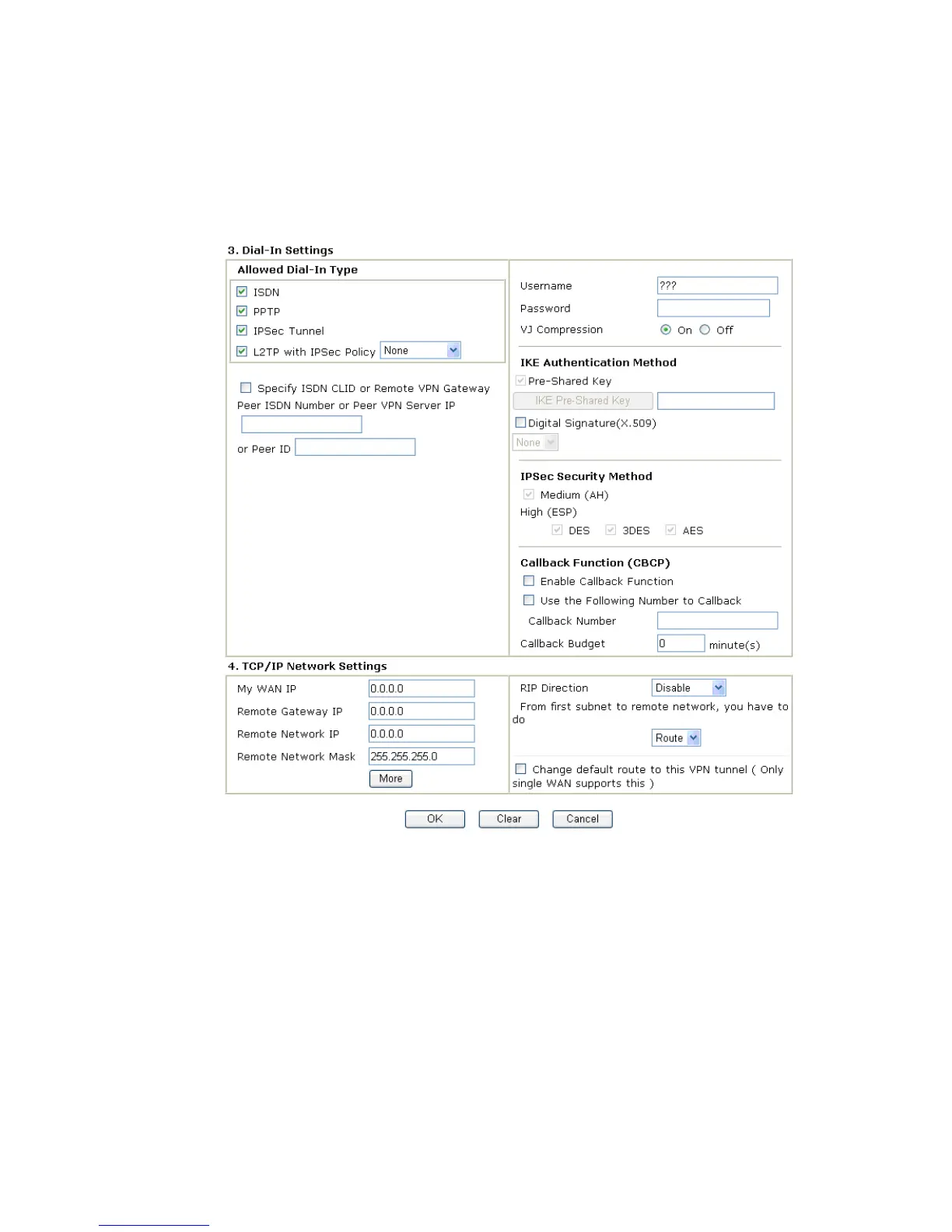
Allowed Dial-In Type Determine the dial-in connection with different types.
ISDN Allow the remote ISDN LAN-to-LAN connection. You
should set the User Name and Password of remote dial-in user
below. This feature is useful for i model only. In addition, you
can further set up Callback function below.
PPTP Allow the remote dial-in user to make a PPTP VPN
connection through the Internet. You should set the User
Name and Password of remote dial-in user below.
IPSec Tunnel Allow the remote dial-in user to trigger an IPSec VPN
connection through Internet.
L2TP Allow the remote dial-in user to make a L2TP VPN
connection through the Internet. You can select to use L2TP
alone or with IPSec. Select from below:












 To Next Page