VigorPro5300 Series User’s Guide
158
R
R
e
e
g
g
i
i
o
o
n
n
a
a
l
l
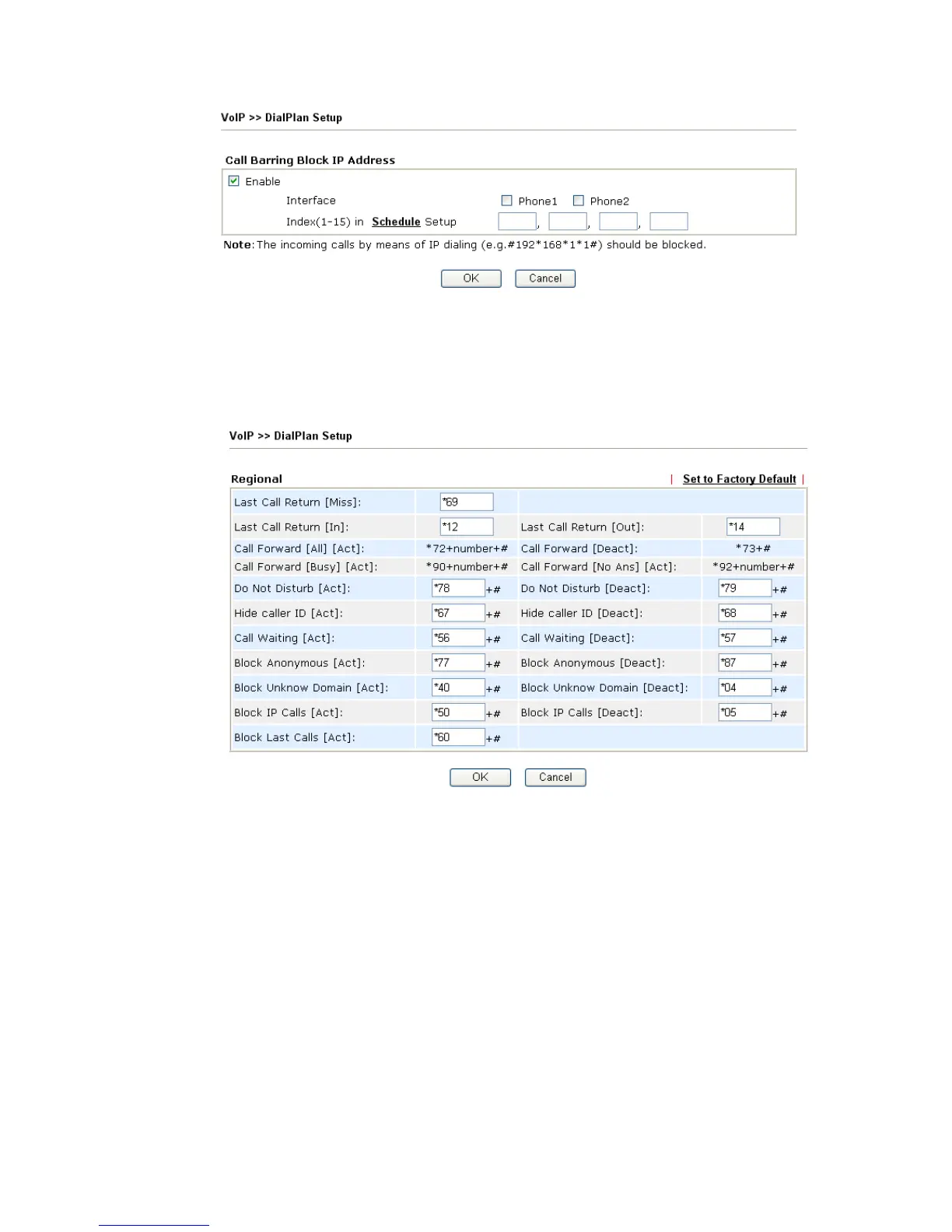
This page allows you to process incoming or outgoing phone calls by regional. Default
values (common used in most areas) will be shown on this web page. You can change the
number based on the region that the router is placed.
Last Call Return [Miss] Sometimes, people might miss some phone calls. Please dial
number typed in this field to know where the last phone call
comes from and call back to that one.
Last Call Return [In] You have finished an incoming phone call, however you want
to call back again for some reason. Please dial number typed
in this field to call back to that one.
Last Call Return [Out] Dial the number typed in this field to call the previous
outgoing phone call again.
Call Forward [All][Act] Dial the number typed in this field to forward all the incoming
calls to the specified place.
Call Forward [Deact] Dial the number typed in this field to release the call forward
function.












 To Next Page