VigorPro5300 Series User’s Guide
161
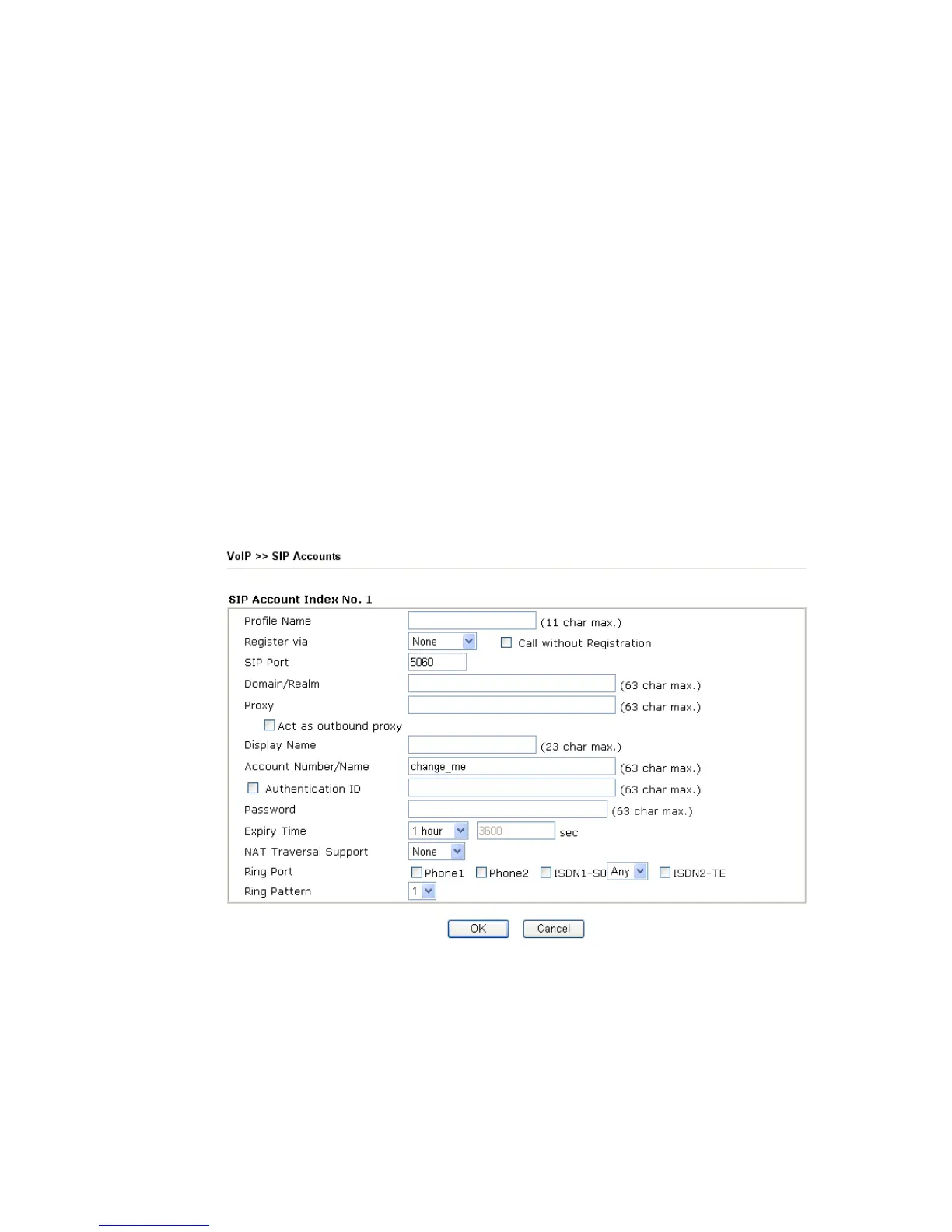
Domain/Realm Display the domain name or IP address of the SIP registrar
server.
Proxy Display the domain name or IP address of the SIP proxy
server.
Account Name Display the account name of SIP address before @.
Ring Port Specify which port will ring when receiving a phone call. Set
Phone1, Phone2, ISDN1-S0 or ISDN-TE as the default ring
port for the SIP account. If you choose Phone1, Phone2 or
ISDN1-S0, the ISDN2-TE selection will be dimmed, vice
versa. There are ten internal lines with numbers (30 – 39)
offered for ISDN-S0. You can specify any one of them as ring
port for specified SIP account. By the way, ISDN-S0 can be
used by mapping with MSN numbers.
STUN Server Type in the IP address or domain of the STUN server.
External IP Type in the gateway IP address.
SIP PING interval The default value is 150 (sec). It is useful for a Nortel server
NAT Traversal Support.
Status Show the status for the corresponding SIP account. R means
such account is registered on SIP server successfully. – means
the account is failed to register on SIP server.
Profile Name Assign a name for this profile for identifying. You can type
similar name with the domain. For example, if the domain
name is draytel.org, then you might set draytel-1 in this field.
Register via If you want to make VoIP call without register personal
information, please choose None and check the box to achieve
the goal. Some SIP server allows user to use VoIP function
without registering. For such server, please check the box of
Call without registration. Choosing Auto is recommended.












 To Next Page