VigorPro5300 Series User’s Guide
9
On The port is connected with 100Mbps. Right LED
(Green)
Off The port is connected with 10Mbps.
On The port is connected.
Off The port is disconnected.
Left LED
(Green)
Blinking The data is transmitting.
On The port is connected with 100Mbps.
LAN 1/2/3/4
Right LED
(Green)
Off The port is connected with 10Mbps.
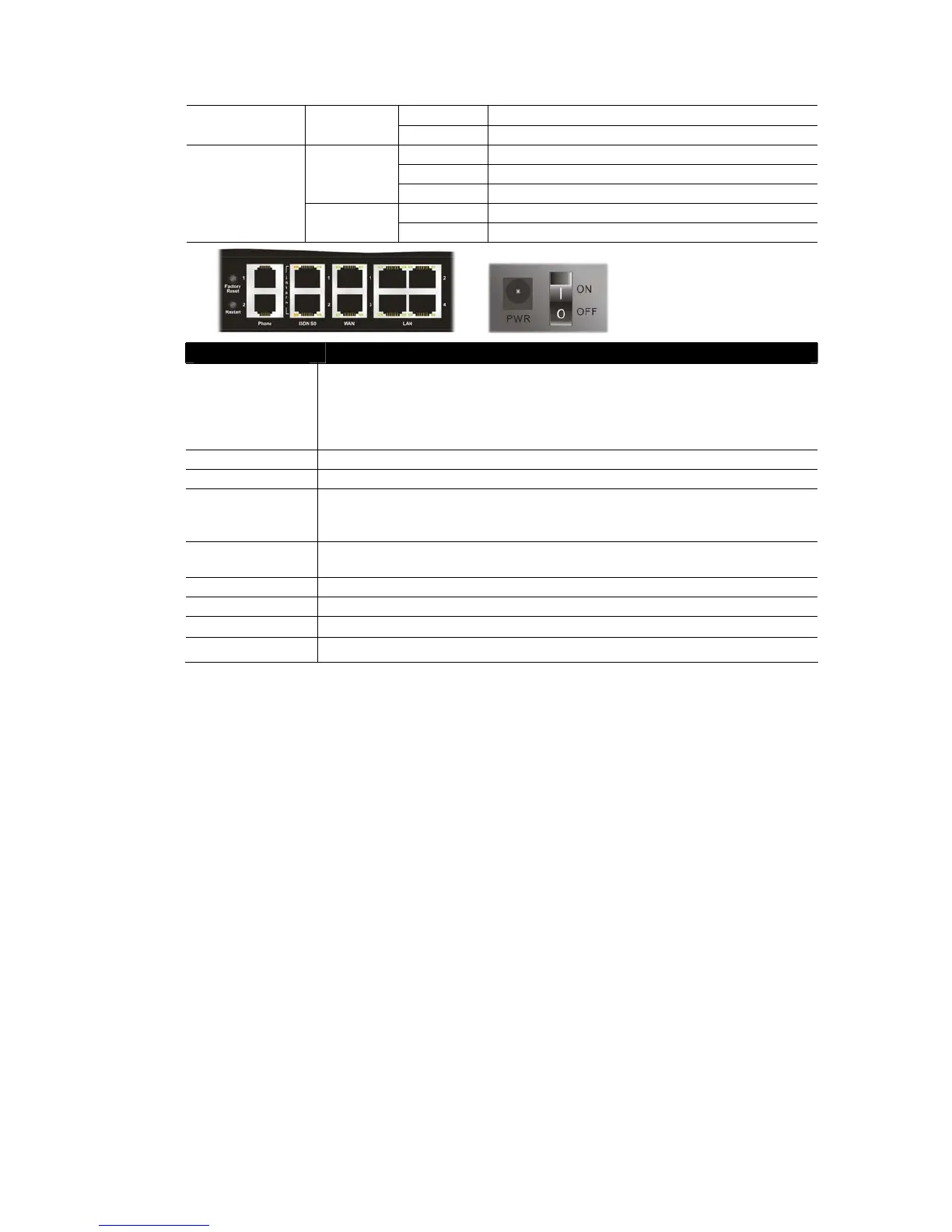
Interface Description
Factory Reset Restore the default settings.
Usage: Turn on the router (ACT LED is blinking). Press the hole and keep for
more than 5 seconds. When you see the ACT LED begins to blink rapidly than
usual, release the button. Then the router will restart with the factory default
configuration.
Restart Restart the router forcefully.
Phone (1/2) Connecters for PSTN phones.
ISDN S0 1 Connecter for ISDN phone(s) only via ISDN phone adapter. Do not connect any
other device to such port or connect ISDN line, otherwise the router might be
damaged.
ISDN S0 2 Connecter for ISDN line or ISDN phone adapter in particular condition. Refer to
section 2.2 for more details.
WAN (1/2) Connecters for remote networked devices.
LAN (1-4) Connecters for local networked devices.
PWR
Connecter for a power adapter.
ON/OFF
Power Switch.












 To Next Page