VigorPro5300 Series User’s Guide
204
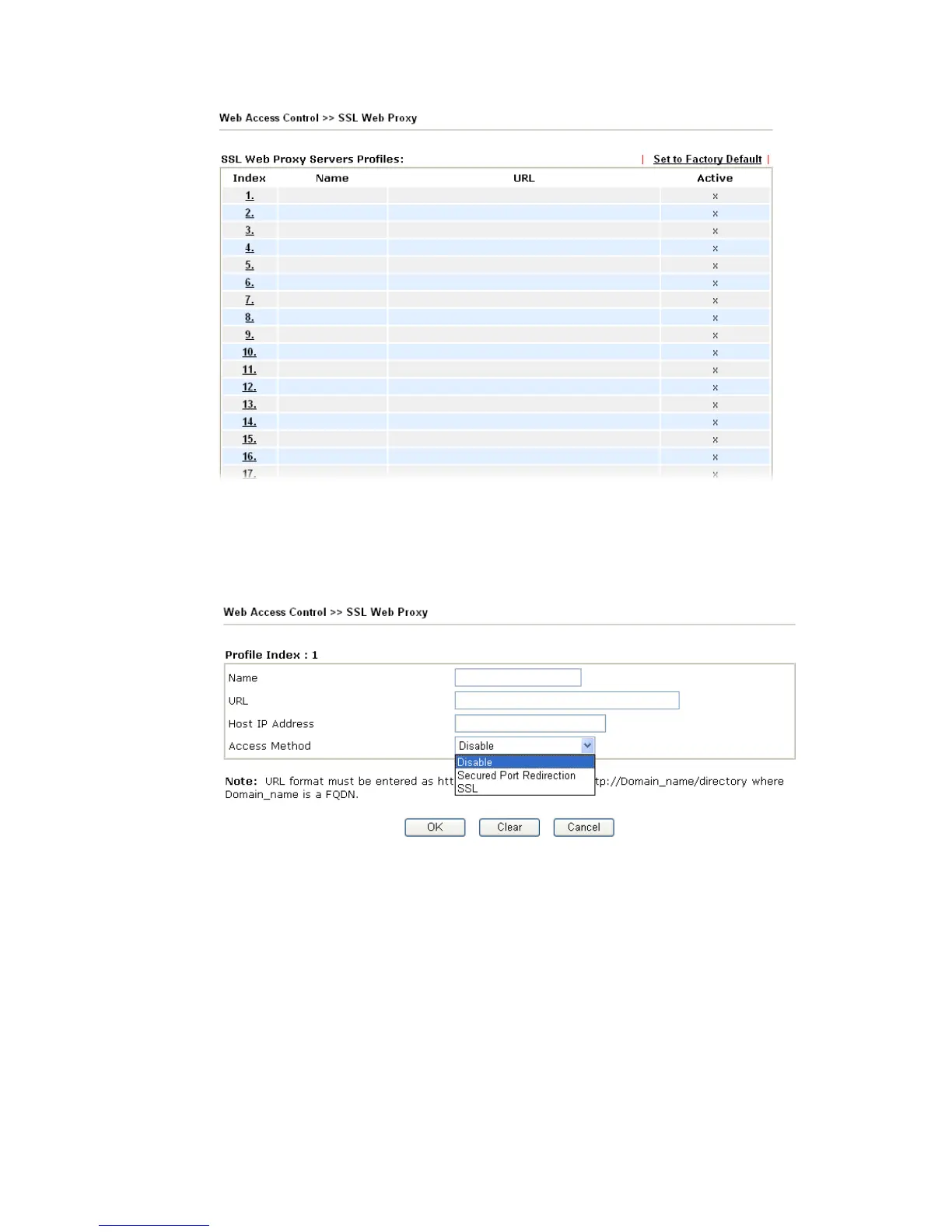
Name Display the name of the profile that you create.
URL Display the URL.
Active Display current status (active or inactive) of such profile.
Click number link under Index filed to set detailed configuration.
Name Type name of the profile.
URL Type the address (function variation or IP address) or path of
the proxy server.
Host IP Address If you type function variation as URL, you have to type
corresponding IP address in this filed. Such field must match
with URL setting.
Access Method There are three modes for you to choose
Disable – the profile will be inactive. If you choose Disable,
all the web proxy profile appeared under VPN remote dial-in
web page will disappear.
Secured Port Redirection – such technique applies private
port mapping to random WAN port. There are two restrictions
for proxy web server for such selection: 1) it is only used for












 To Next Page