VigorPro5300 Series User’s Guide
55
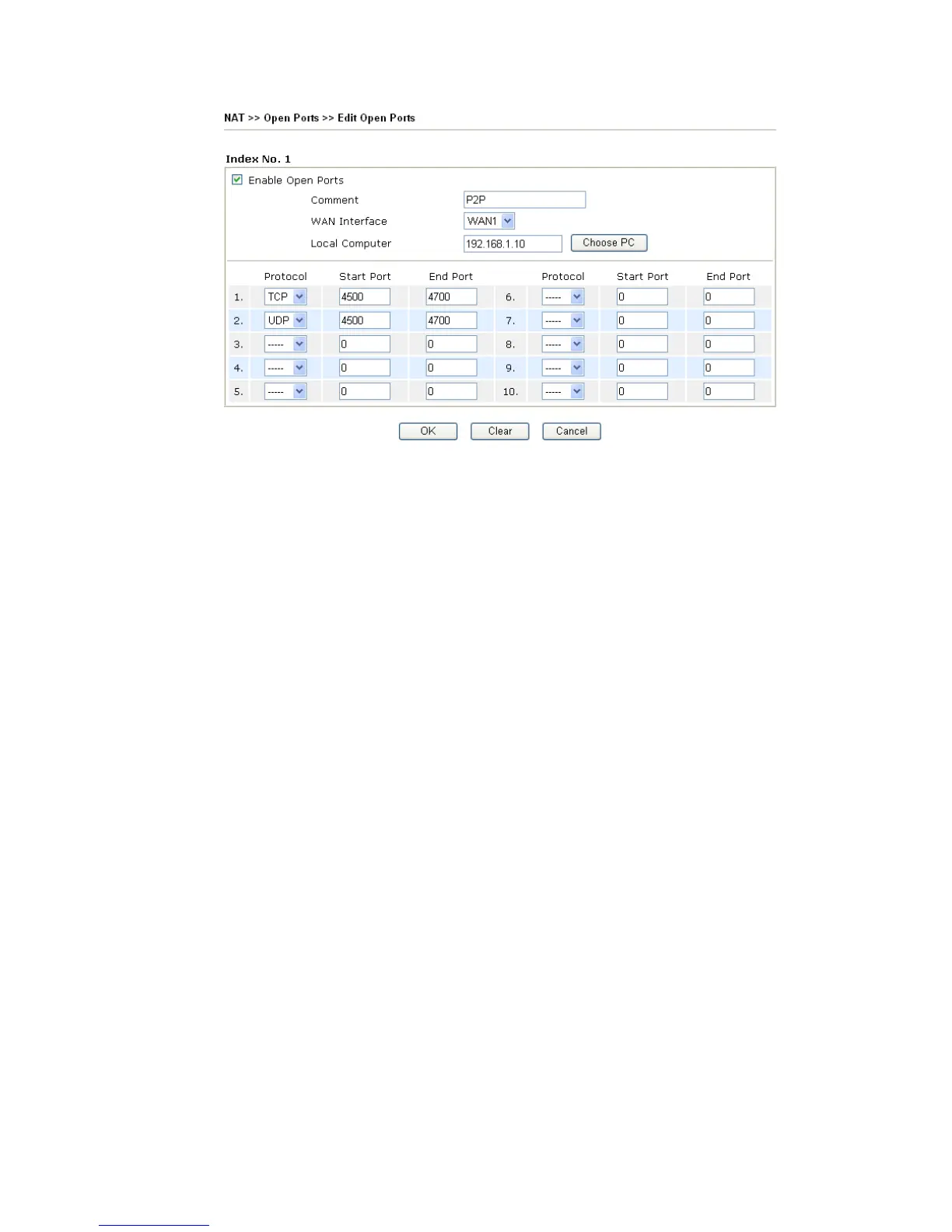
Enable Open Ports Check to enable this entry.
Comment Make a name for the defined network application/service.
WAN Interface Specify the WAN interface that will be used for this entry.
Local Computer Enter the private IP address of the local host or click Choose PC to
select one.
Choose PC Click this button and, subsequently, a window having a list of
private IP addresses of local hosts will automatically pop up. Select
the appropriate IP address of the local host in the list.
Protocol Specify the transport layer protocol. It could be TCP, UDP, or -----
(none) for selection.
Start Port Specify the starting port number of the service offered by the local
host.
End Port Specify the ending port number of the service offered by the local
host.












 To Next Page