VigorPro5300 Series User’s Guide
80
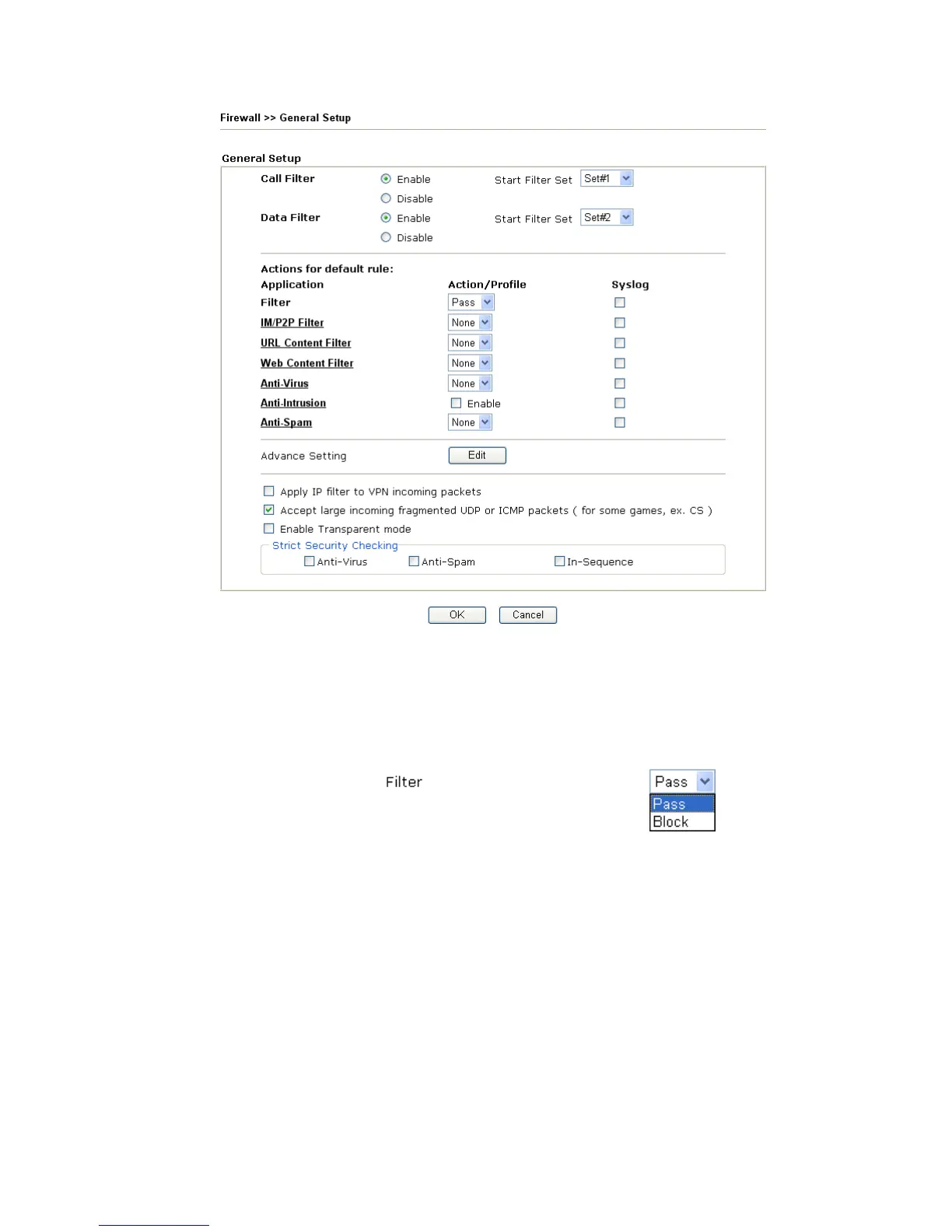
Call Filter Check Enable to activate the Call Filter function. Assign a start
filter set for the Call Filter.
Data Filter Check Enable to activate the Data Filter function. Assign a start
filter set for the Data Filter.
Filter Select Pass or Block for the packets that do not match with the
filter rules.
IM/P2P Filter
Select a CSM profile for global IM/P2P application blocking. All
the hosts in LAN must follow the standard configured in the
CSM profile selected here. For detailed information, refer to the
section of CSM profile setup. For troubleshooting needs, you can
specify to record information for IM/P2P by checking the Log
box. It will be sent to Syslog server. Please refer to section 3.14.4
Syslog/Mail Alert for more detailed information.
URL Content Filter Select one of the URL Content Filter profile settings (created in
CSM>> URL Content Filter) for applying with this router. Please
set at least one profile for choosing in CSM>> URL Content
Filter web page first. For troubleshooting needs, you can specify to
record information for URL Content Filter by checking the Log
box. It will be sent to Syslog server. Please refer to section 3.14.4
Syslog/Mail Alert for more detailed information.












 To Next Page