8.6 Reset menu
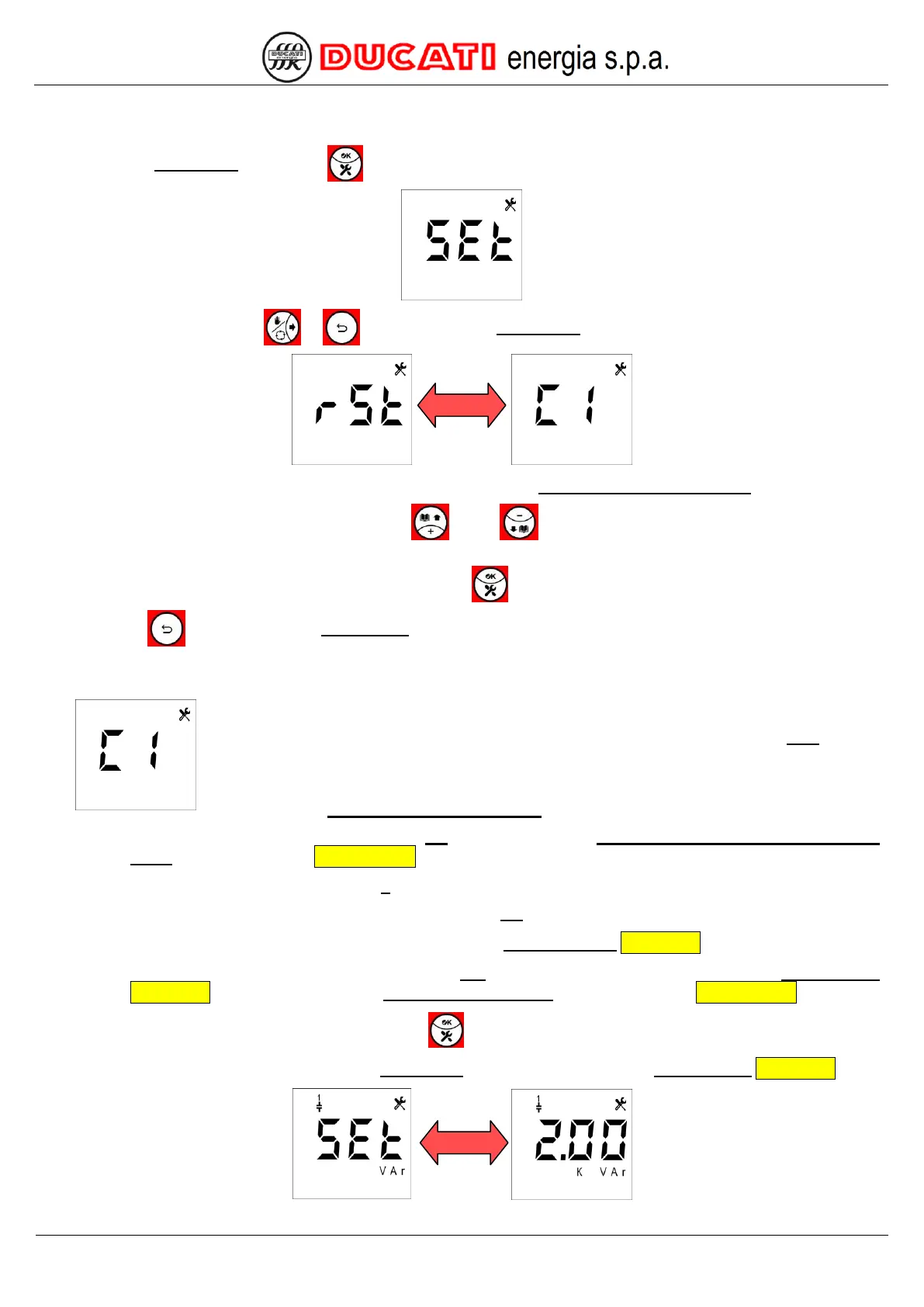
Access the Setup Menu by pressing
for at least 2sec. The following screen will appear:
Scroll the menu using keys or
until displaying the Reset Menu:
that will be alternately shown with the string “C1”, corresponding to Bank 1 Parameters/Statistics.
Access parameter editing mode by pressing key or key , then use the same keys to scroll the values until
reaching the desired parameter.
To confirm the reset of the selected parameter, press key for at least 2sec.
Press key
for 2sec to quit the Setup Menu.
8.6.1 Bank n parameters/statistics reset (n=1,2,3,4,5)
If you want to reset bank n, scroll the suggested values until reaching parameter “Cn” flashing
(with n=1,2,3,4,5). The screens relating to bank 1 are described hereinafter.
The reset of Bank n Parameters/Statistics will cause:
o the reset to 0 of the number of insertions Ins of bank n (then any Maximum number of bank n insertion
alarm will be reset as well Chap. 8.5.2.12;
o the reset to 0 of the operating hours h of bank n;
o the reset to 0 of the number of switching manoeuvres OP of the contactor associated to bank n;
o the reset to the default “CAP” value for the parameter Step n function Chap. 7.2.5;
o the reset of the estimated reactive power value ESt of bank n to the nominal value defined by Step n power
Chap. 7.2.6 (as a consequence, any Bank n breakage alarm will be reset as well Chap. 8.5.2.11.
Confirm the reset of the parameter by pressing key for at least 2sec.
The controller will automatically move to the Setup Menu page relating to parameter Step n power Chap. 7.2.6:


 To Next Page