8.8 Manual power factor correction mode
The manual operating mode allows to manually arm and disarm capacitor banks in case some checks have to be
made on the equipment.
The manual power factor correction mode can be activated:
o setting parameter Manual power factor correction mode = “ON” in Setup Menu (Chap.7.2.2);
o from any page of the Measurement Menu, by pressing key for at least 2sec;
o if the controller is waiting to perform the auto-acquisition procedure with no current or, in case of current,
before setting the parameter CT primary winding (refer to Complete auto-acquisition Chap. 6.1 and
Reduced auto-acquisition Chap. 6.2), by keeping key pressed for at least 2sec.
If the manual power factor correction mode is activated before the auto-acquisition procedure, the corresponding
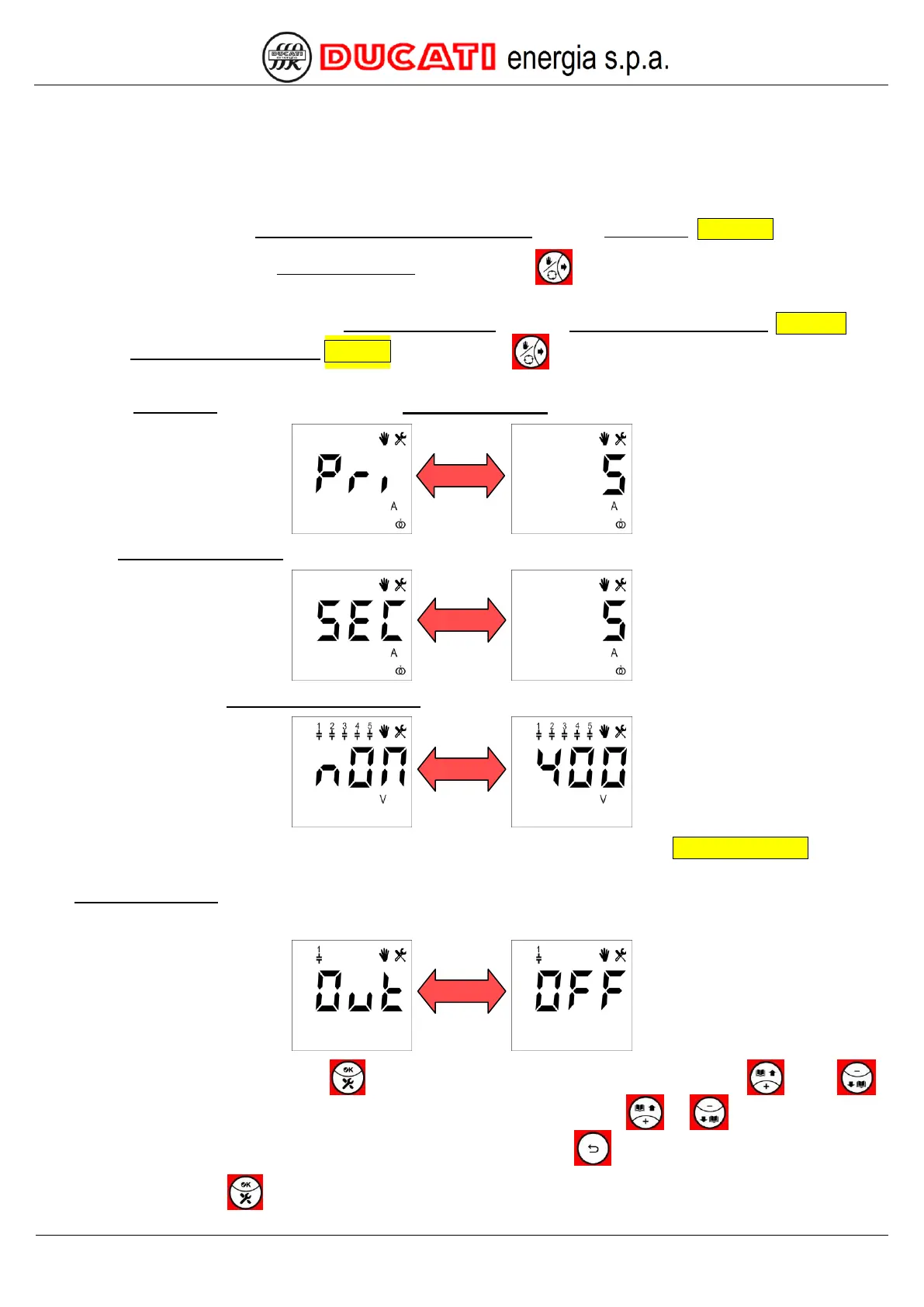
pages of the Setup Menu will prompt user to set the CT primary winding:
of the CT secondary winding:
and, if necessary, the Capacitor nominal voltage:
For further information on the entering procedure of the previous parameters, refer to Chap. 7 - SETTINGS. The user
will have then to set the output status by confirming or editing it in the pages displayed after.
Bank status setting
At first the page relating to bank 1 will be displayed alternately with the current status ("OFF" or "ON").
To confirm current status, press key . To edit status, access the edit mode by pressing key or key ,
the display will show only the value of the current parameter flashing. Press keys
or
to scroll the possible
values [ON; OFF]. The change in progress can be cancelled by pressing key
.
To confirm, press key .


 To Next Page