8.7 Communication interfaces
8.7.1 RS485 serial connection
NOTE: the RS485 serial connection is optional; refer to Chap. 1 - R5 MODELS for the list of models with this
connection.
For further details on interface connection, refer to Chap. 5.2 - RS485 serial connection.
For detailed information on configuration parameter setting, refer to Chap. 7.4 - Communication interface settings.
For all the information on Modbus-RTU and ASCII Ducbus protocol specifications, refer to the documents available at
the following link: https://www.ducatienergia.com/product.php?lang=en&id=8&cat=13&product=89
8.7.2 868Mhz Radio Interface
NOTE: the 868Mhz Radio interface is optional; refer to Chap. 1 - R5 MODELS for the list of models with this
connection.
To use the interface, a Energy Bridge device by Ducati Energia is required. The available documents can be
consulted at the following link: www.ducatienergia.com.
For detailed information on configuration parameter settings, refer to P.16 - 868MHz radio address and P.17 -
868MHz radio channel. (refer to Chap. 7.6).
8.7.3 NFC
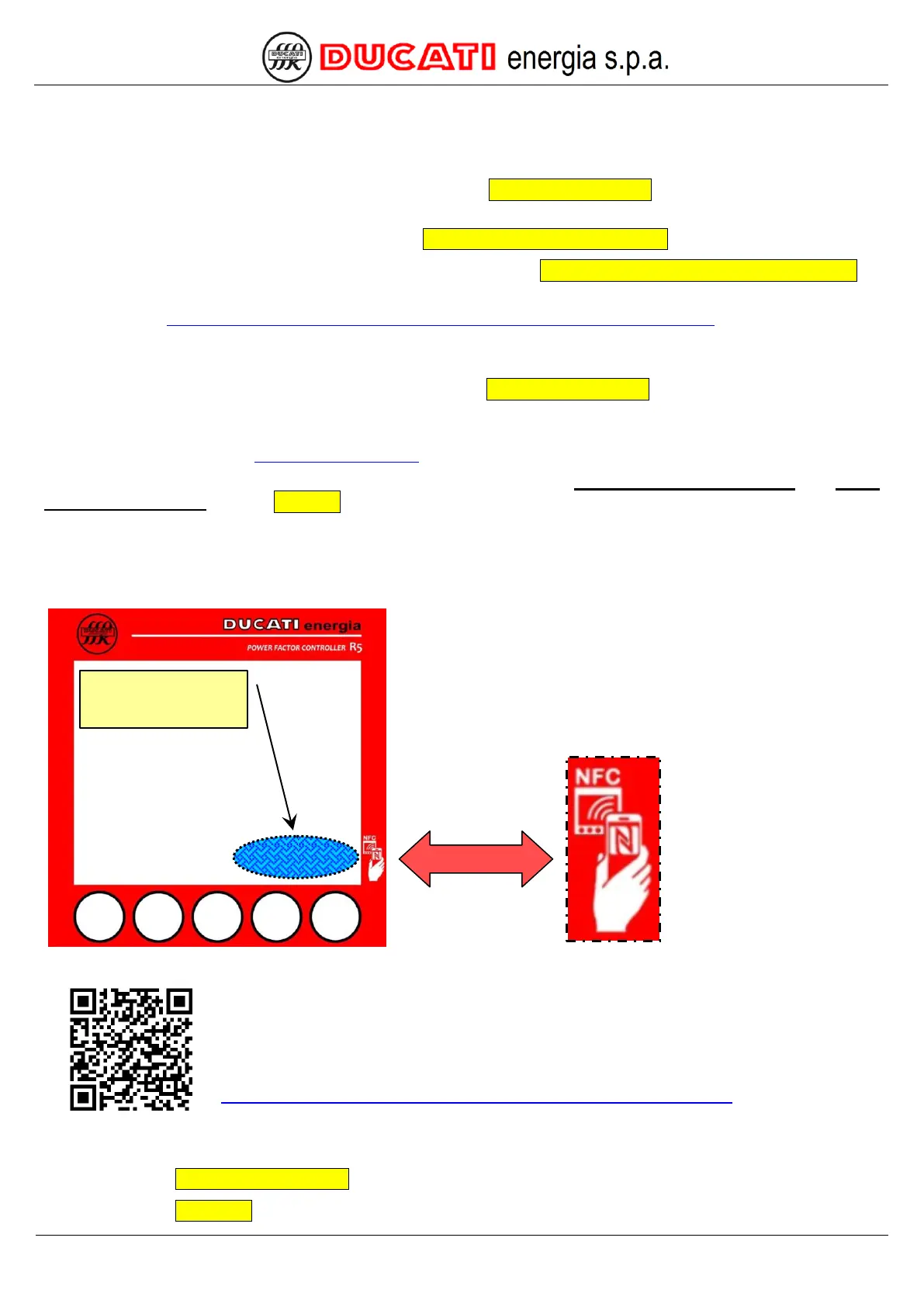
The NFC interface is present on all R5 models and its antenna is positioned in the bottom right area of the display of
R5 Controller.
It is possible to interact with the R5 Controller through the interface with Android devices
with installed Ducati Smart Energy App, which can be downloaded by framing the QR-code at
the side.
For any use information, refer to the on-line guide of the App:
https://play.google.com/store/apps/details?id=it.ducatienergia.smartenergy
GO BACK TO USING THE CONTROLLER
GO BACK TO CONTENTS
NFC Antenna
position behind the
display


 To Next Page