7.2.7 Alarm n (n=1,2,3,4,5)
By scrolling the Setup Menu for each relay output (1 to 5) there are a first page for function definition (Step n function)
and a second page for further parameter specification (Step n power or Alarm n) based on the selected function.
NOTE: the parameter Alarm n is displayed only for the relay outputs for which the parameter Step n function has been
set to “ALA”. Refer to Chap. 7.2.5 for further details on parameter Step n function.
NOTE: the images and the description below show the Alarm 1 parameter, i.e. all what can be applied for all steps
with n index with n = 1,2,3,4,5.
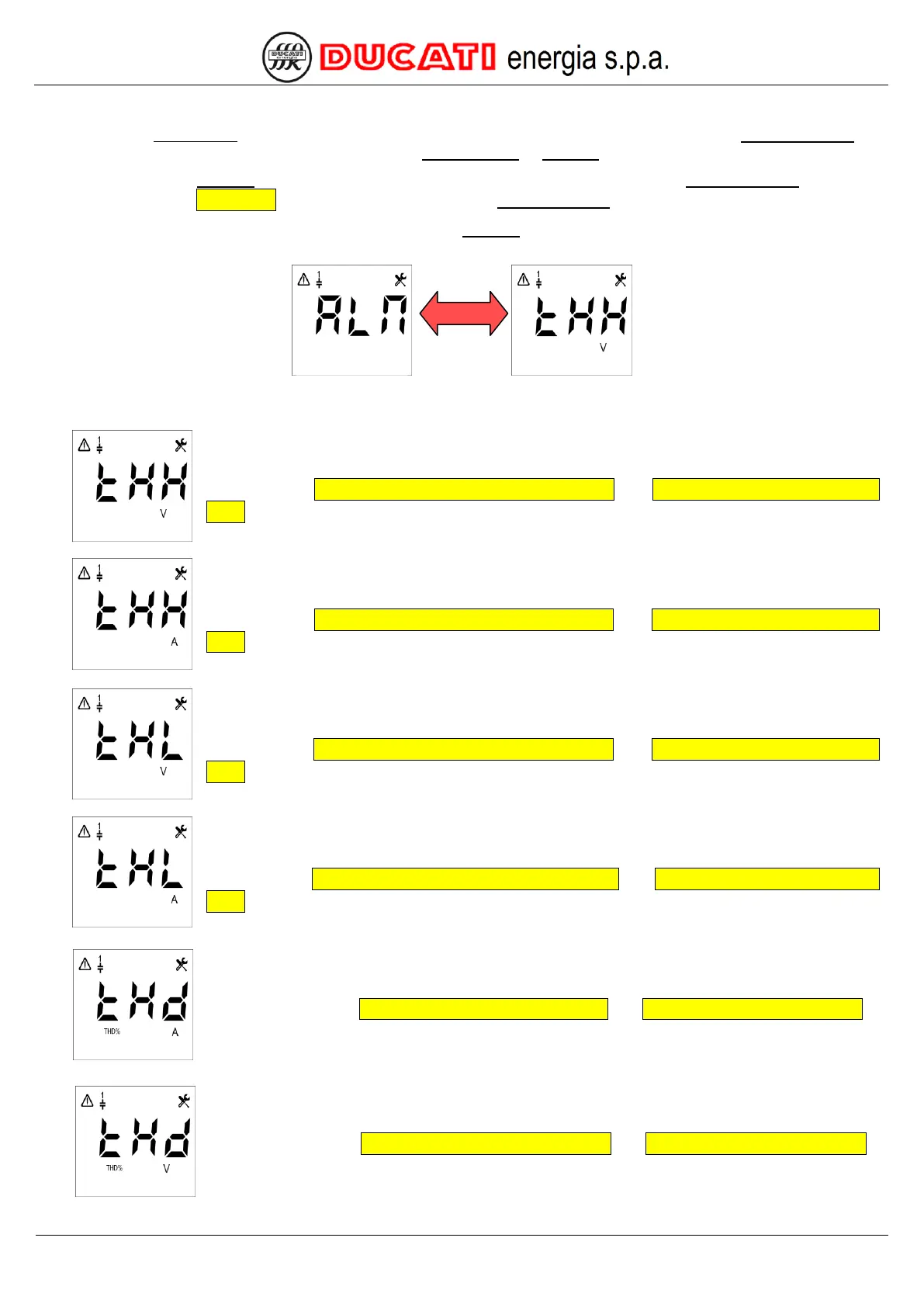
The default value is "THHV". The possible permitted values for the parameter are [THHV; THHA; THLV; THLA;
THD%A; THD%V; TMP°C; HIcosphi; LOcosphi; ALL].
Select the “THHV” value to associate the relay output n to the overvoltage alarm (for further
details refer to Chap. 7.5.1 - Overvoltage alarm threshold and Chap. 7.5.2 - Overvoltage alarm
delay).
Select the “THHA” value to associate the relay output n to the overcurrent alarm (for further
details refer to Chap. 7.5.3 - Overcurrent alarm threshold and Chap. 7.5.4 - Overcurrent alarm
delay).
Select the “THLV” value to associate the relay output n to the low voltage alarm (for further
details refer to Chap. 7.5.5 - Low voltage alarm threshold and Chap. 7.5.6 - Low voltage alarm
delay).
Select the “THLA” value to associate the relay output n to the low current alarm (for further
details refer to Chap. 7.5.7 - Low voltage current threshold and Chap. 7.5.8 - Low current alarm
delay).
Select the “THD%A” value to associate the relay output n to the high THDI% alarm (for
further details refer to Chap. 7.5.11 - THDI alarm threshold and Chap. 7.5.12 - THDI alarm delay).
Select the “THD%V” value to associate the relay output n to the high THDV% alarm (for
further details refer to Chap. 7.5.9 - THDV alarm threshold and Chap.7.5.10 - THDV alarm delay).


 To Next Page