8.4 Statistics menu
The Statistics Menu includes the information relating to capacitor banks and to the alarms occurred during operation.
The Statistics Menu can be accessed from the Measurement Menu by pressing key for more than 2sec.
Now press one of keys , or to scroll the pages or one of keys or
to scroll pages back.
The information relating to each capacitor bank relates to the number of insertions InS, the number of manoeuvres of
the associated contactor OP,the number of operating hours h and the estimated reactive power ESt.
GO TO Chap. 8.4.1 - Capacitor bank statistics.
In addition, there are also the contactors relating to the occurrences of the following alarms: overvoltage,
overcurrent, low voltage, low current, THDI, THDV, temperature, power factor overcorrection, power factor
correction failed and micro-interruptions. For detailed information on threshold and delay time settings of the single
alarms, refer to Chap. 7.3 - Power factor correction settings, Chap. 7.5 - Alarm settings, Chap. 7.6 - Advanced settings.
GO TO Chap. 8.4.2 - Alarm statistics.
GO BACK TO USING THE CONTROLLER
GO BACK TO CONTENTS
8.4.1 Capacitor bank statistics
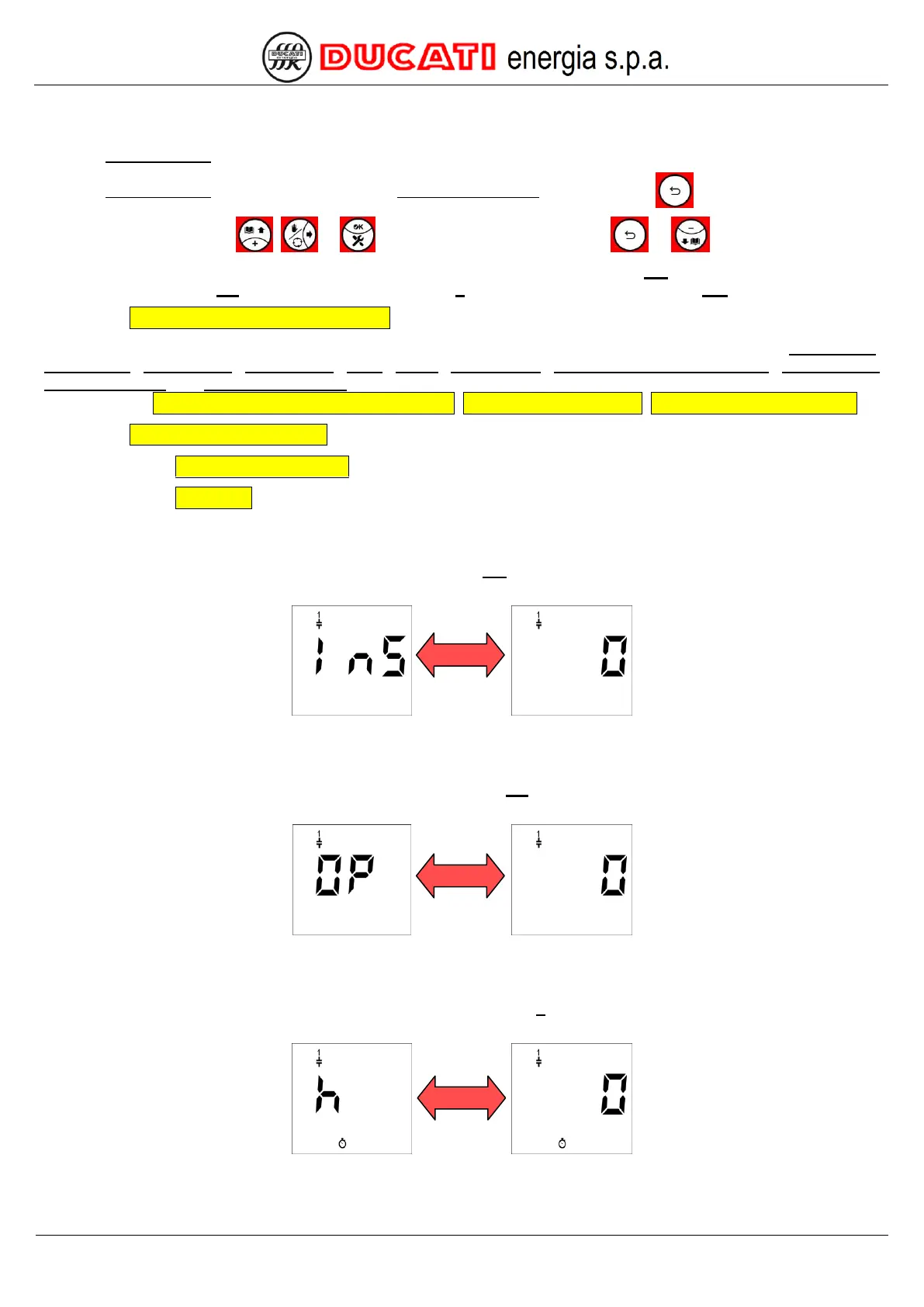
The first displayed page relates to the number of insertions InS of the first capacitor bank. The following screen will
appear:
that will be alternately shown with the numerical value.
The next 4 pages show the number of insertions of banks from 2 to 5.
The next displayed page relates to the number of manoeuvres OP of the contactor associated to the first capacitor
bank. The following screen will appear:
that will be alternately shown with the numerical value.
The next 4 pages show the number of manoeuvres of the contactors associated to banks from 2 to 5.
The next displayed page relates to the number of operating hours h of the first capacitor bank. The following screen
will appear:
that will be alternately shown with the numerical value.
The next 4 pages show the number of operating hours of banks from 2 to 5.


 To Next Page