15 | Examples of settings
D-ISC 100 x xx2
169
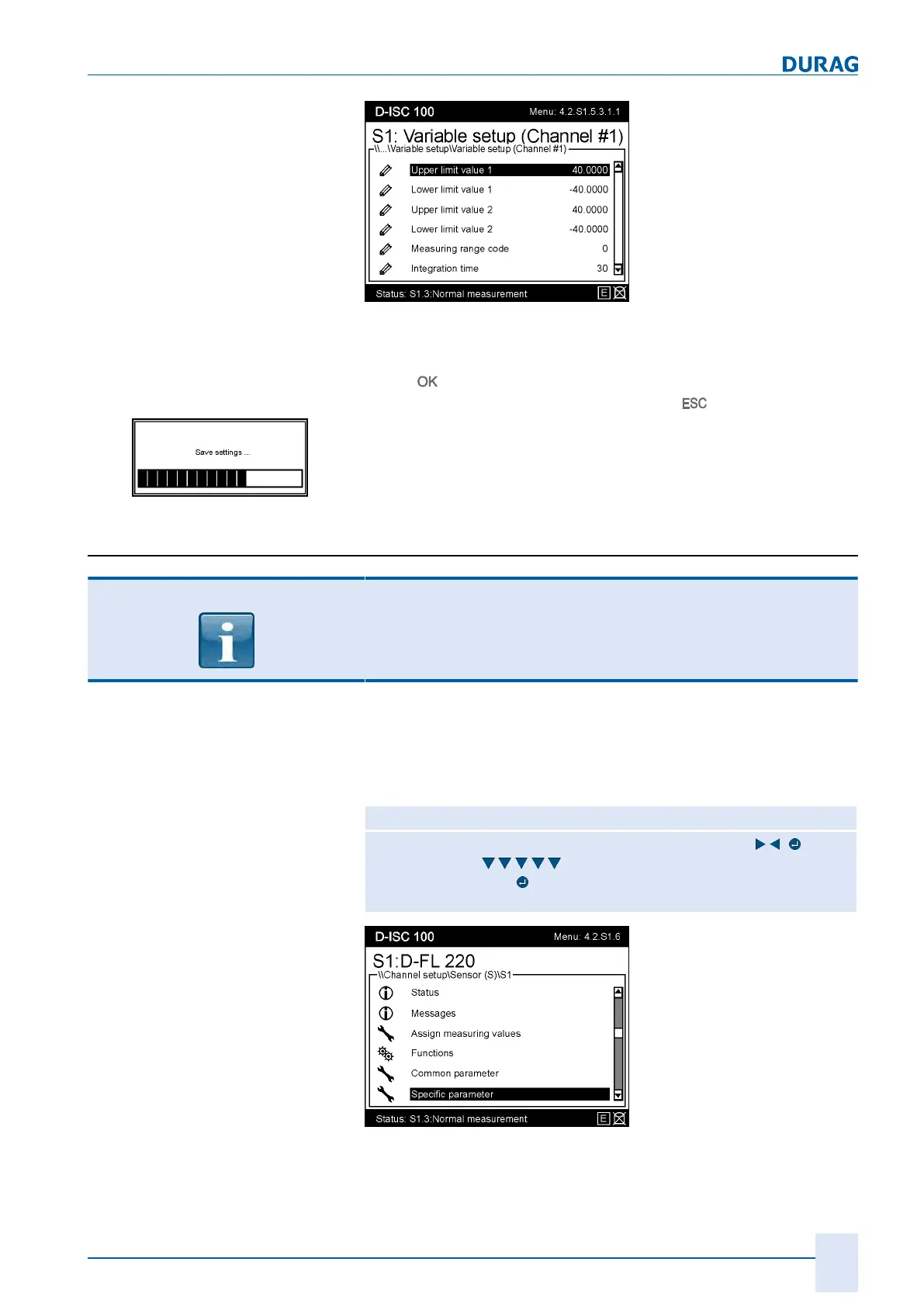
Fig.15.21: Menu 4.2.S1.5.3.1.1 (example)
While editing parameters:
● The entry is temporarily loaded into the device by pressing
the
key.
● The entry is discarded by pressing the
key.
Fig.15.22: Message when saving
The change will be loaded from the temporary to the permanent
device memory on return to the measured value/status display.
15.8.2 Sensor: Specific parameter
NOTICE
The parameters ("Specific parameters") whose settings are to be
edited are device-dependent and the scope and content may
vary depending on the device!
For the individual steps, proceed in accordance with the
D‑ISC100 menu path (for an explanation of this, see Section7.1
Navigation guide within this manual [}79]). Comments on the
settings are included in the appropriate text where necessary.
D‑ISC100 menu path:
Standard display (select the desired sensor if necessary ) (e.g.
menu4.2. S1.1)
Specific parameter
(e.g. menu4.2. S1.6)
= MENU4.2.S1.6.1
Fig.15.23: Menu 3.2.S1.6


 To Next Page
 Loading...