10 | Channel setup menu 4
D-ISC 100 x xx2
123
● Absolute pressure that is used if "Fixed value" has been se-
lected for the source assignment.
10.4.1.7 Modbus TCP (NE0)
Module must first be activated (10.4.1.2 [Activate modules]
[}116]) and enabled (10.4.1.3 Enable/disable modules [}116])
(optional software module)
Status display:
● Online: indicates (if active) that an active Modbus TCP con-
nection (TCP [}204]) currently exists.
If no Modbus request takes place for the TimeOut time set
under "Bus information", this status is set to inactive.
● Rx: Modbus package is received (if active),
number: Number of Modbus packages already received.
● Tx: Modbus package is sent (if active),
number: Number of Modbus packages already sent.
● Error: Modbus package was identified as faulty
(if active),
number: Number of Modbus
packages already incorrectly received.
● Information: Displays the set IP address and the TCP port
(permanent) used.
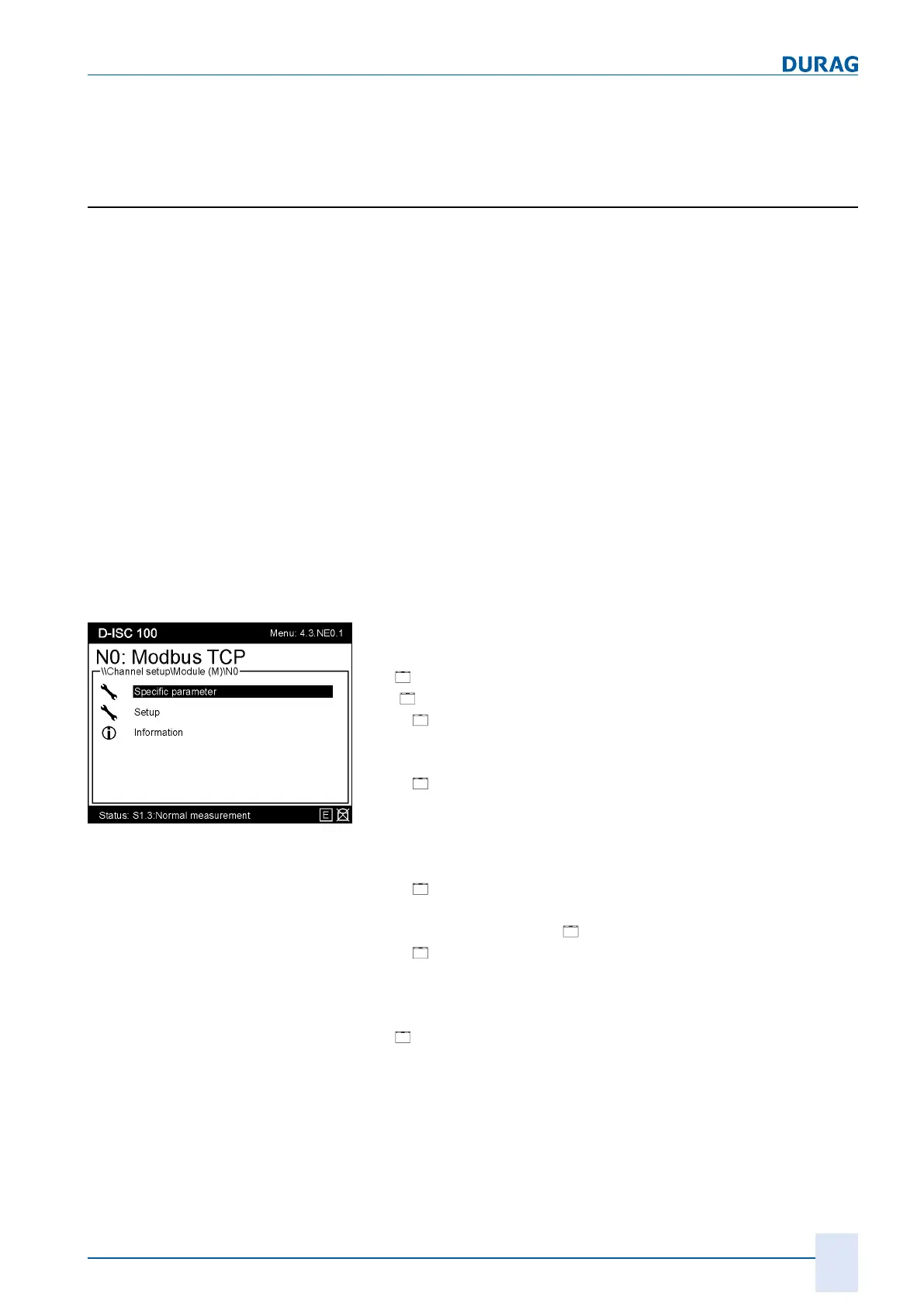
Fig.10.27: Modbus TCP menu
Additional information on the module menu (see
10.4.3.1.1 Mod-
ule name (e.g. AOx, MCx …)* [}127]
) for SX:
● [
Specific parameter (4.3.NE0.1)]
● ][
NE0 setup (4.3.NE0.1.1]
○
[
IP address]:
Address via which the D-ISC 100 is available in the IP net-
work. (Default: 192,168,000,001)
○
[
Subnet mask]:
Together with a device's IP address, the net mask defines
which IP addresses this device searches for in the internal
network and which IP addresses it could reach in other
networks using a router. (Default: 255,255,255,000)
○
[
Gateway]:
(Default: 000,000,000,000)
● Settings (4.3.NE0.2.1)[
Setup]
○
[
Common]
Customer name:
Enter the name to be used to identify the device in the cus-
tomer system.
● [
Information]:
○
See section 10.3.8 [Information] [}114]
For information on the connection and plug assignment of the
Ethernet interface, see Section 4.2.4 Bus connection [}36].
On the Ethernet connection, 2 LEDs display the current status.


 To Next Page
 Loading...