15 | Examples of settings
172
D-ISC 100 x xx2
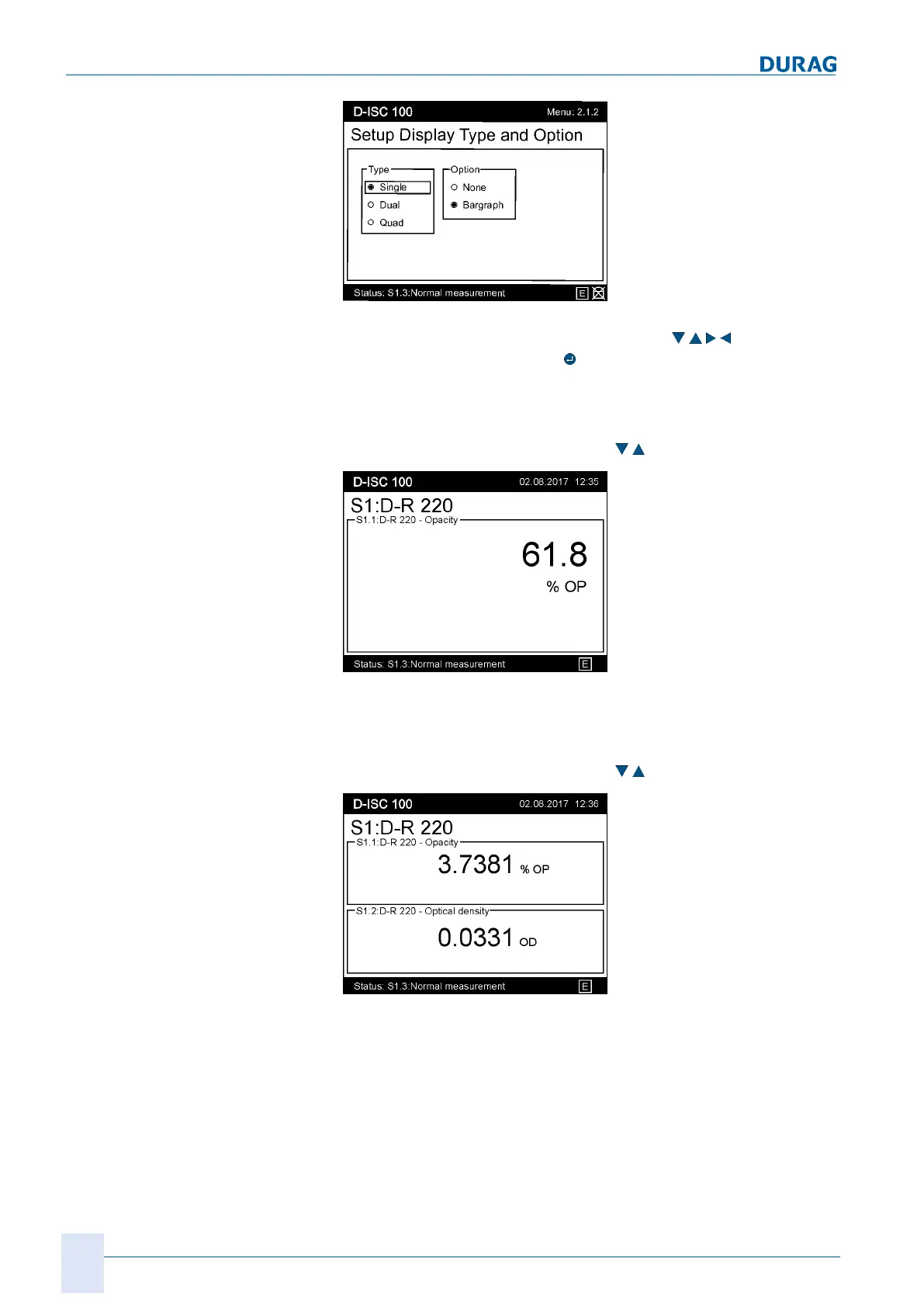
Fig.15.27: Example display 2.1.2
Select the desired display type (arrow keys
) and confirm
the selection by pressing the
key.
For the "Single" display type: Displays 1 measurement channel/
device output in each case.
Additional channels can be displayed in the measured value dis-
play using the up/down arrow keys (
).
Fig.15.28: Displaying a single measurement channel
For the "Dual" display type: Displays 2 measurement channels/
device output in each case.
Additional channels can be displayed in the measured value dis-
play using the up/down arrow keys (
).
Fig.15.29: Displaying a dual measurement channel
For the "Quad" display type: Displays 4 measurement channels
for one output.


 To Next Page
 Loading...