25
800.788.5572 DuraLabel.com
Printer settings in windows
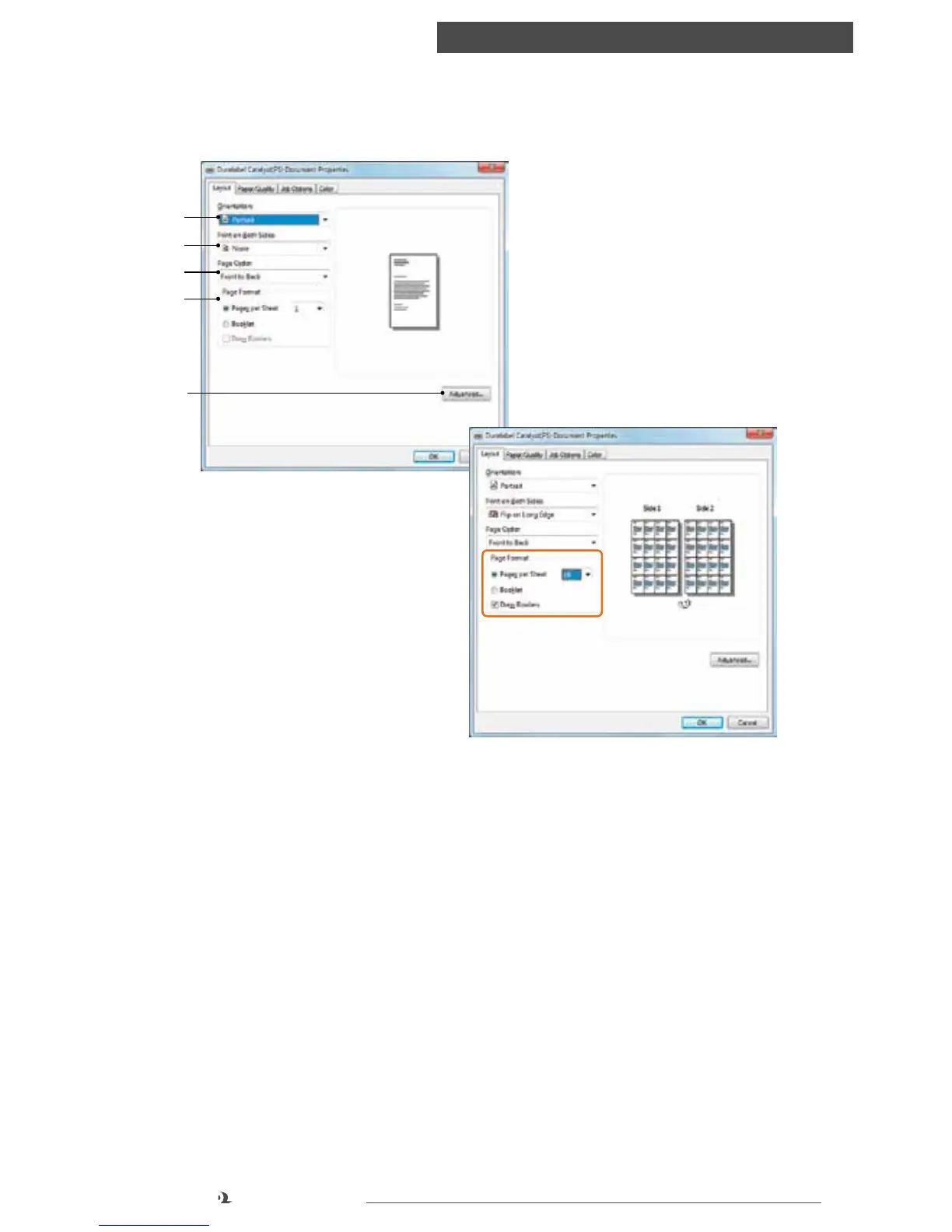
LAYOUT TAB
1. Orientation: can be set to either
Portrait (tall) or Landscape (wide)
2. Print on Both Sides: lets you
choose the orientation of the
reverse side, if printing two-sided
3. Page Order: lets you choose
which order to print your
documents or labels
4. Page Format: lets you print
multiple pages on a single page. This option will automatically reduce page size
and lay out the document as shown to the right of the Page Format setting. You
can choose to print up to 16 pages per sheet (two-sided if printing to paper),
with or without borders. You can also print the document as a booklet
5. Advanced: offers advanced options (see next section)
Setup tab
1
2
3
4
5
Page Format - print multiple pages per sheet



 To Next Page