28
DuraLabel.com 800.788.5572
Printer settings in windows
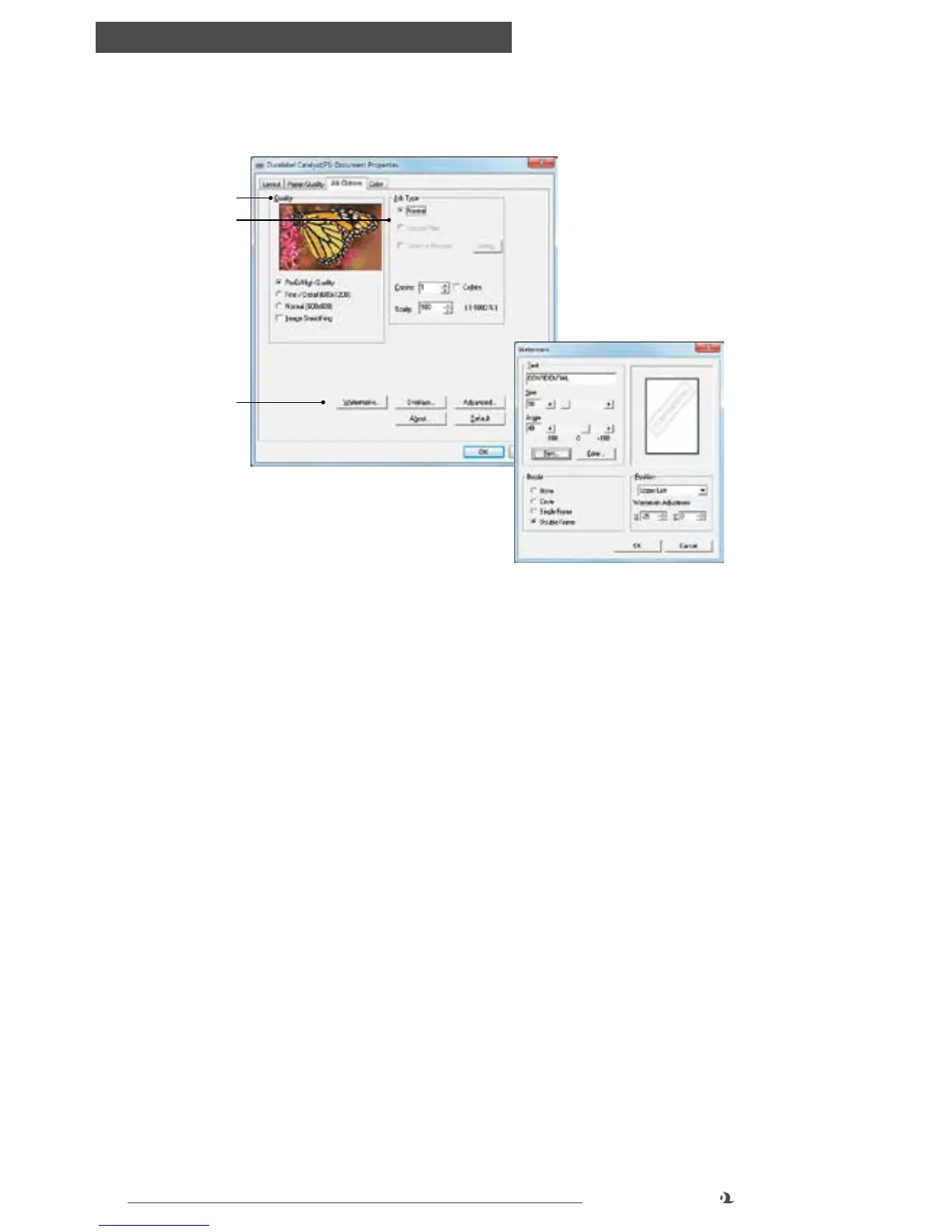
JOB OPTIONS TAB
1. Quality: this setting adjusts the amount of toner that is placed onto the print. It
can be adjusted for fine lines or detailed work
2. Job Type: this setting allows you to set the number of copies or scaling size of a
print job
3. Other options: Watermarks or Overlays lets you create an automatic watermark
or postscript form overlay to be placed over printed items
Advanced lets you print as a mirror image of the document, change line detail,
or run a maintenance cycle prior to printing
About shows the current printer driver version and PPD version in use
Default restores default settings to anything previously selected within this tab
Job options tab
1
2
3
Setting a watermark



 To Next Page