62
DuraLabel.com 800.788.5572
Maintenance
REPLACING THE TRANSFER BELT UNIT
The belt unit is located under the image drum assembly. Turn off the printer and
allow the fuser to cool for about 10 minutes before opening the cover.
1. Press the cover release and open the printer’s top cover fully.
If the printer has been powered on, the fuser will be hot. This area
is clearly labelled. Do not touch.
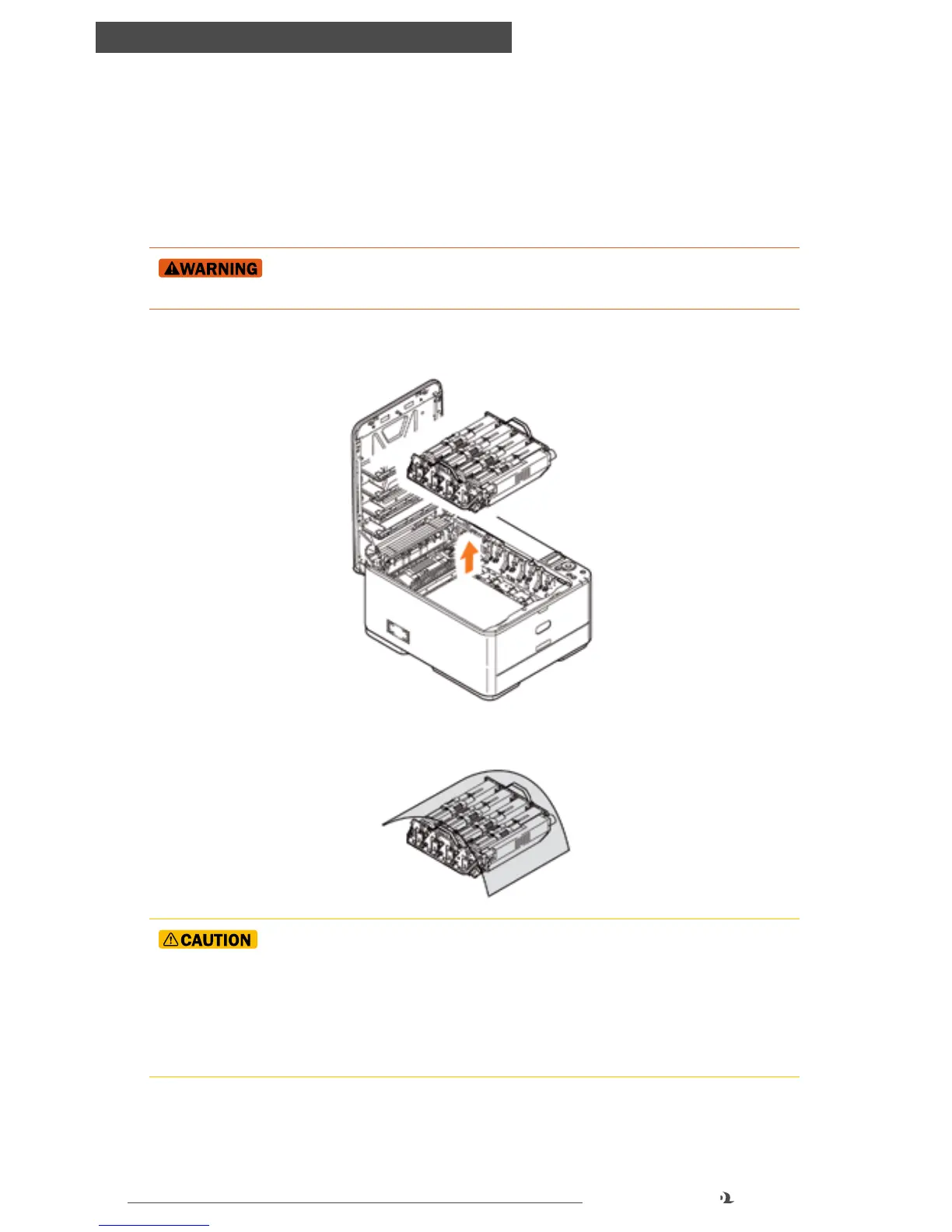
2. Holding it by its handles, lift the image drum assembly, complete with toner
cartridges, up and out of the printer.
3. Place the assembly in a safe place away from direct sources of heat and light.
The green image drum surface at the base of each cartridge is very
delicate and light sensitive. Do not touch it and do not expose it to normal room
light for more than 5 minutes. If the drum unit needs to be out of the printer for
longer than this, please wrap the cartridge inside a black plastic bag to keep
it away from light. Never expose the drum to direct sunlight or very bright room
lighting.



 To Next Page