35
800.788.5572 DuraLabel.com
Menu functions
10. Menu Functions
This section lists the menus accessed via the controls on the printer’s operator
panel and displayed in the LCD window.
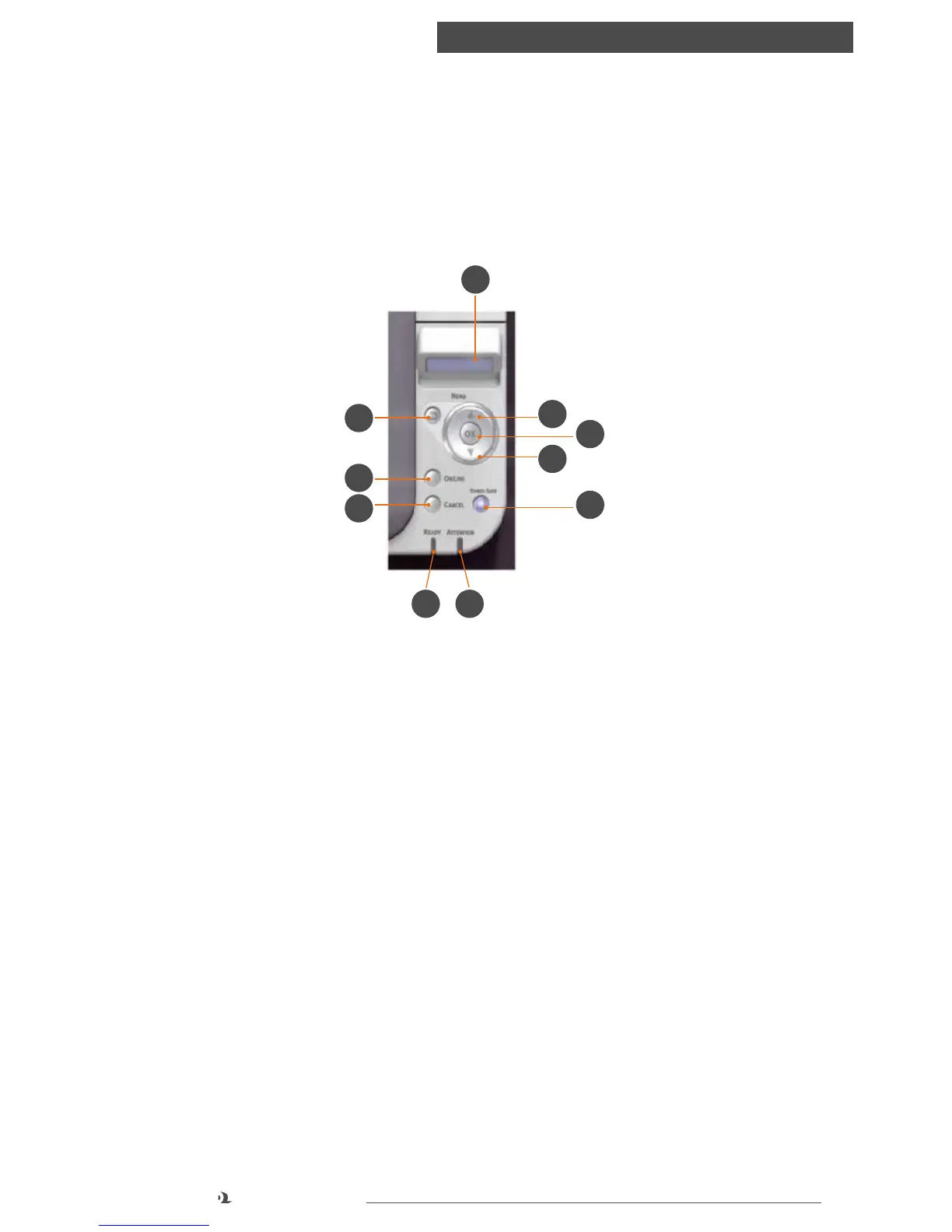
10.1 Operator Panel
1. READY LED
◦ ON: Ready to receive data.
◦ BLINKING: Processing data.
◦ OFF: Offline.
2. DISPLAY
◦ Displays the printer status and any error messages.
3. MENU Buttons
◦ In the ONLINE or OFFLINE mode: enters the Menu mode.
◦ In the Menu mode: forwards or reverses the menu item displayed.
◦ Press for 2 secs. or longer to fast forward or reverse.
4. ON LINE Button
◦ Switches between ONLINE and OFFLINE.
◦ Exits the menu and goes ONLINE when pressed in the Menu mode. Forces
printing on the paper currently loaded when pressed with “WRONG PAPER” or
“WRONG PAPER SIZE” displayed.
6
4
8
1 5
3
7
9
3
2



 To Next Page