64
DuraLabel.com 800.788.5572
Maintenance
b
a
b
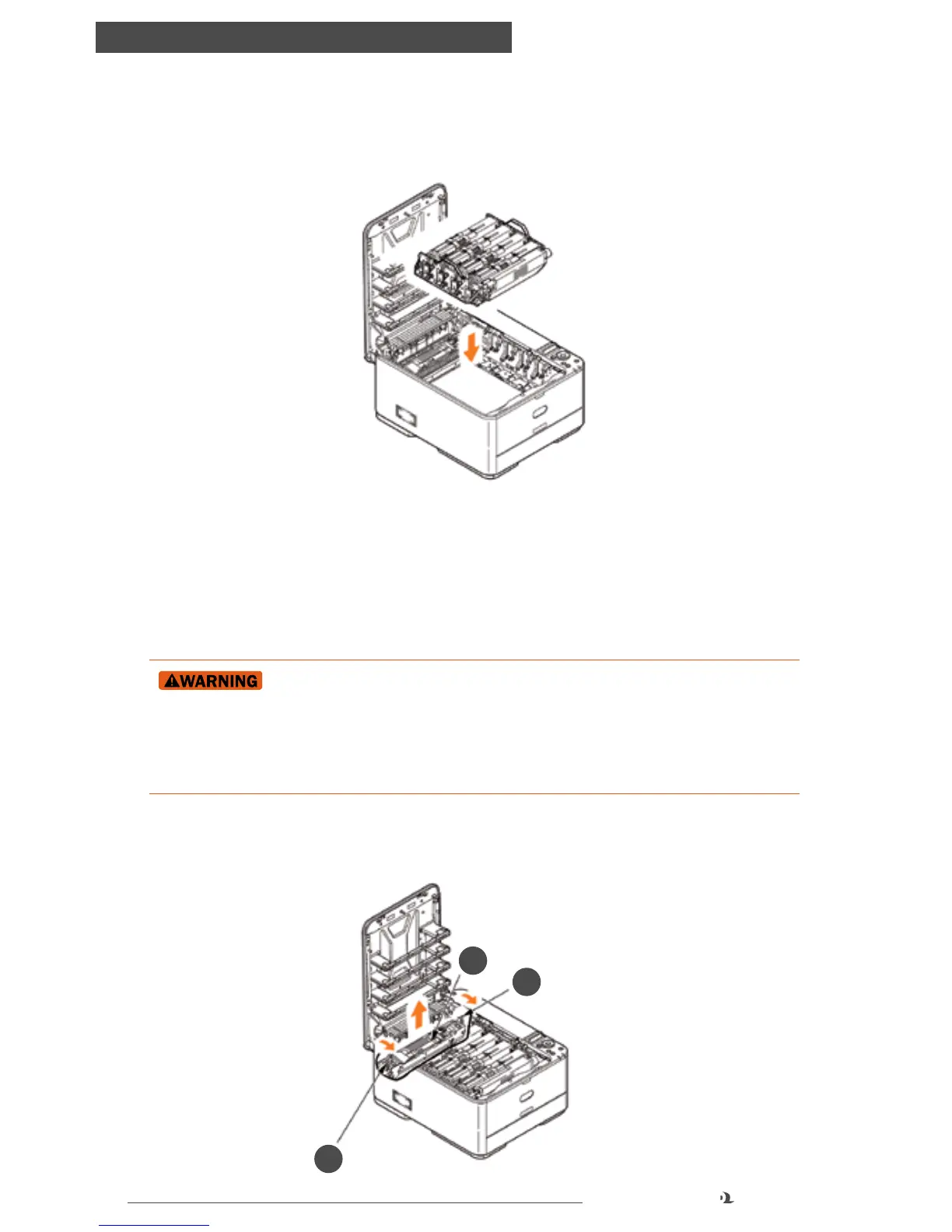
8. Holding the image drum assembly by its handles, lower it into place in the
machine, locating the pegs at the sides into their slots in the sides of the printer
cavity.
9. Finally, close the top cover and press down firmly at both sides so that the cover
latches closed.
FUSER REPLACEMENT
The fuser is located inside the printer just behind the toner cartridges.
If the printer has recently been powered on, some fuser
components will be very hot. Handle the fuser with extreme care, holding it
only by its handle, which will only be mildly warm to the touch. A warning label
clearly indicates the area. If in doubt, turn the printer off and wait at least 10
minutes for the fuser to cool before opening the printer cover.
1. Press the cover release and open the printer’s top cover fully.
2. Identify the fuser handle (a) on the top of the fuser unit.



 To Next Page