67
800.788.5572 DuraLabel.com
Troubles hooTing
12. Troubleshooting
Provided that you follow the recommendations in this guide on the use of print
media, and you keep the media in good condition prior to use, your printer should
give years of reliable service. However, paper jams occasionally do occur, and this
section explains how to clear them quickly and simply.
Jams can occur due to paper misfeeding from a paper tray or at any point on the
paper path through the printer. When a jam occurs, the printer immediately stops,
and the Attention LED on the control panel informs you of the event. If printing
multiple pages (or copies), do not assume that, having cleared an obvious sheet,
others will not also be stopped somewhere along the path. These must also be
removed in order to clear the jam fully and restore normal operation.
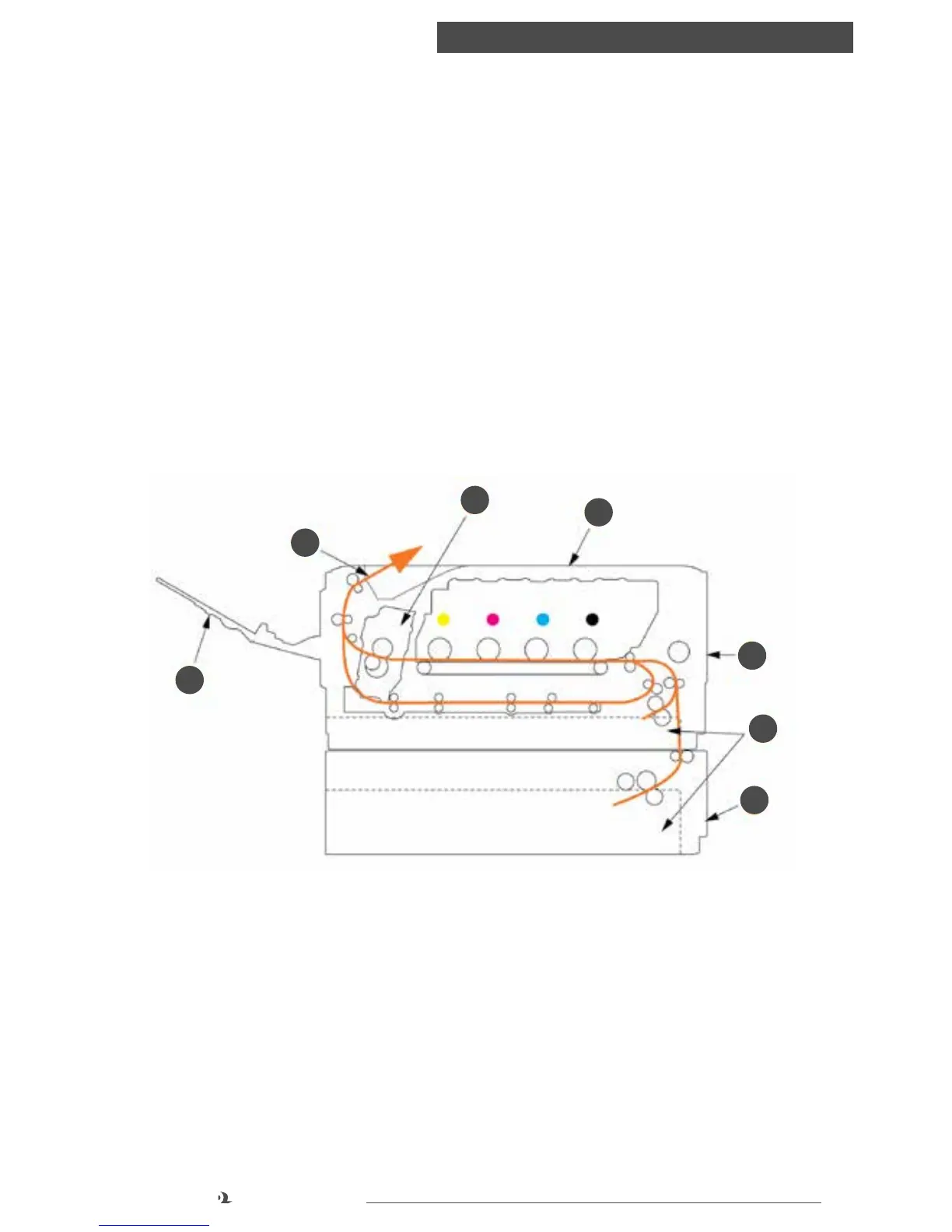
12.1 Major Printer Components and Paper Path
1. Face-up stacker
2. Paper exit
3. Fuser unit
4. Top cover
5. Front cover
6. Tray 1
7. Tray 2
1
2
3
4
5
6
7



 To Next Page