26
DuraLabel.com 800.788.5572
Printer settings in windows
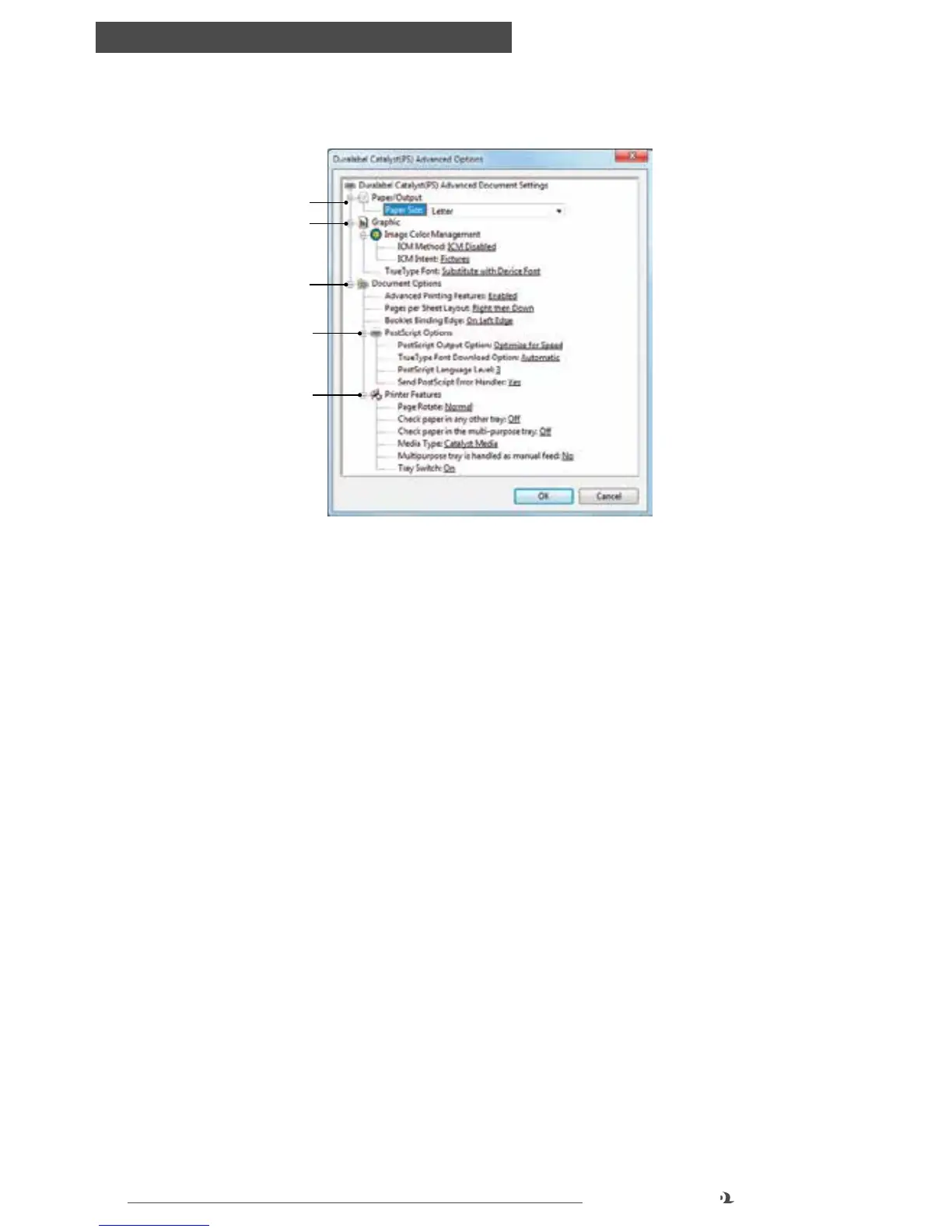
ADVANCED OPTIONS
1. Paper Size: Choose paper size from a drop-down list
2. Graphic: ICM is a color matching system which adjusts colors to make them
more accurately represent your document. Selecting this setting may result in a
slower printing speed
TrueType Font: Substitute with Device Font will print documents faster by
substituting equivalent printer fonts if a document font is unavailable. (Font
substitutions are already set but if you prefer to choose your own, see “Font
Substitution Table” in Device Settings tab.) If unexpected characters print,
change this setting to Download as Softfont which will download the document
fonts to the printer
3. Document Options: Advanced Printing Features allows access to advanced
operations
Pages Per Sheet Layout and Booklet Binding Edge impact the layout of items
described in the Page Format setting (setting #4 in the “Layout tab” section)
4. Postscript Options: These options can be adjusted if some characters or fonts
are not printing as expected
5. Printer Features: These settings affect which trays Catalyst will pull media
from. By default it will pull from Tray 1 (upper tray), then Tray 2 (lower tray) if
Tray 1 is empty. It will only pull from the multi-purpose tray when print settings
specify this. (This is covered in the next section.) You can adjust these settings
if different behavior is desired. You can also set the Media Type to thinner or
thicker if printer is jamming frequently or toner is not adhering well to media
Advanced Options
1
2
3
4
5



 To Next Page