65
800.788.5572 DuraLabel.com
Maintenance
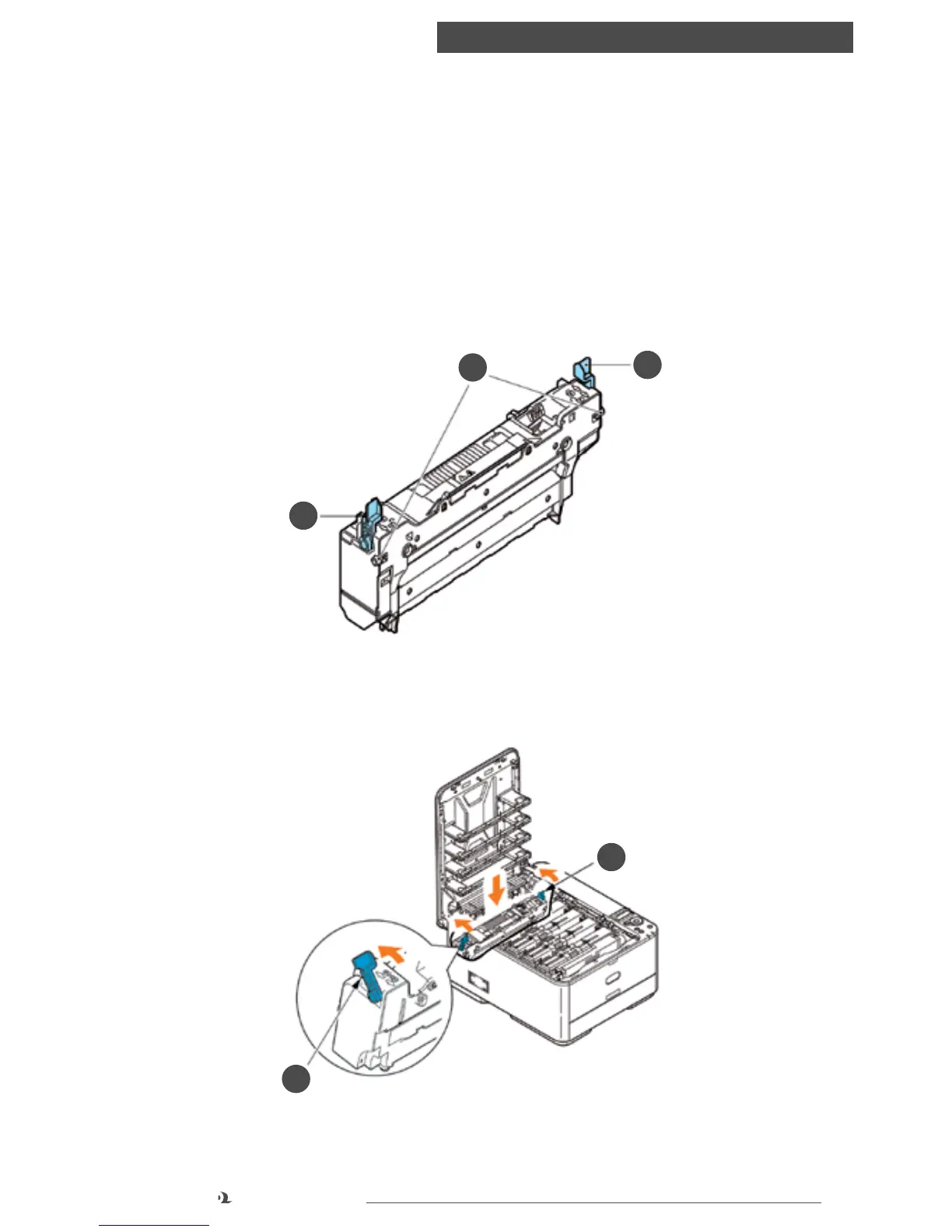
3. Pull the two fuser retaining levers (b) towards the front of the printer so that
they are fully upright.
4. Holding the fuser by its handle (a), lift the fuser straight up and out of the
printer. If the fuser is still warm, place it on a flat surface which will not be
damaged by heat.
5. Remove the new fuser from its packaging and remove the transit material.
6. Holding the new fuser by its handle, make sure that it is the correct way round.
The retaining levers (b) should be fully upright, and the two locating lugs (c)
should be towards you.
7. Lower the fuser into the printer, sliding the two lugs (c) into their slots in the
sides of the printer cavity.
8. Push the two retaining levers (b) towards the rear of the printer to lock the fuser
in place.
b
b
c
b
b
9. Finally, close the top cover and press down firmly at both sides so that the cover
latches closed.



 To Next Page