59
800.788.5572 DuraLabel.com
Maintenance
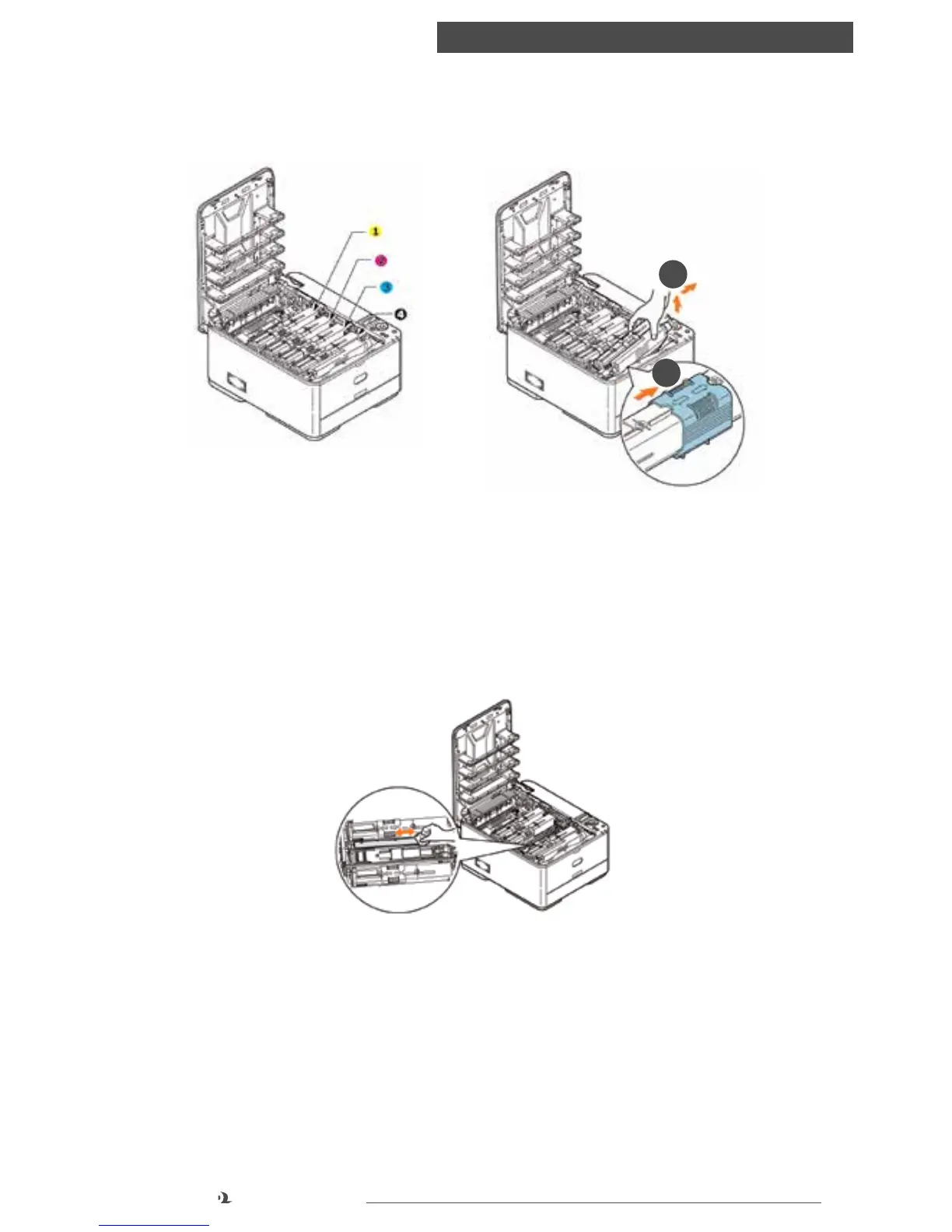
2. Note the positions of the four cartridges. It is essential that they go back in the
same order.
a. Slide the colored release collar on the empty cartridge fully towards the right
hand side of the printer.
b. Lift the right-hand end of the cartridge and then draw the cartridge to
the right to release the left-hand end as shown, and withdraw the toner
cartridge out of the printer.
3. Put the cartridge down gently onto a piece of paper to prevent toner from
marking your furniture.
4. Remove the new cartridge from its box but leave its wrapping material in place
for the moment.
a
b
1. Yellow cartridge
2. Magenta cartridge
3. Cyan cartridge
4. Black cartridge



 To Next Page