74
DuraLabel.com 800.788.5572
Troubles hooTing
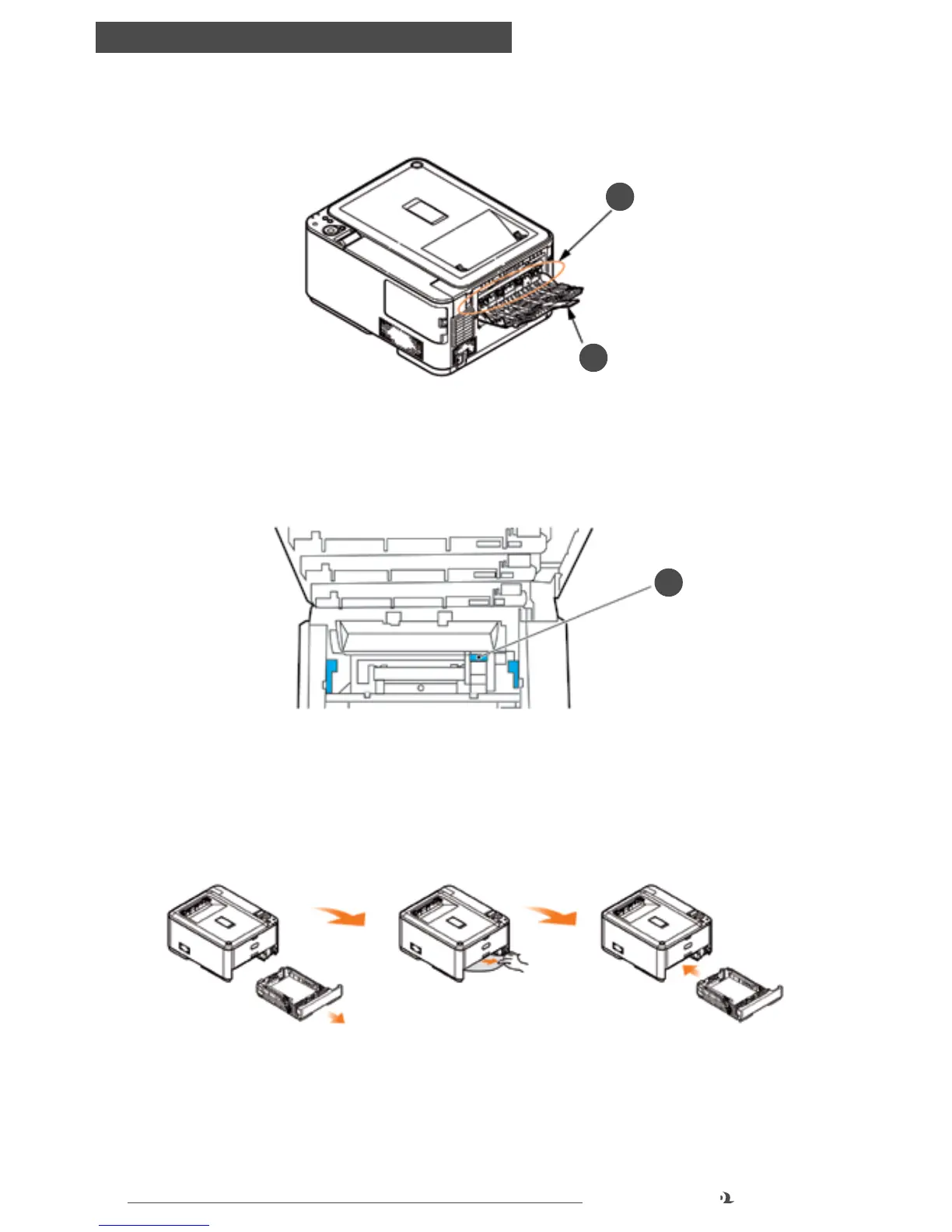
9. Open the rear exit tray (h) and check for a sheet of paper in the rear path area (i).
•Pull out any sheets found in this area.
•If the sheet is low down in this area and difficult to remove, it is probably still
gripped by the fuser. In this case raise the top cover, reach around and press
down on the fuser pressure release lever (d).
10. If you are not using the rear exit tray, close it once any paper has been removed
from this area.
11. Pull out the paper tray and ensure that all paper is stacked properly, is
undamaged, and that the paper guides are properly positioned against the
edges of the paper stack. When satisfied, replace the tray.
12. Finally, close the top cover and press down firmly so that the cover latches
closed.
When the jam has been cleared, if JAM RECOVERY is set to ON in the SYS CONFIG
MENU, the printer will attempt to reprint any pages lost due to paper jams.
i
h
d



 To Next Page