How to operate the unit with an optional 5.1 ch decoder/AV matrix unit connected
167
5.1 ch
decoder
3. Display settings
Screen settings when the optional 5.1 ch decoder/
AV matrix unit is connected
Up to two external monitors can be connected when the 5.1 ch decoder/AV matrix unit is
connected. Separate images can be displayed on each external monitor.
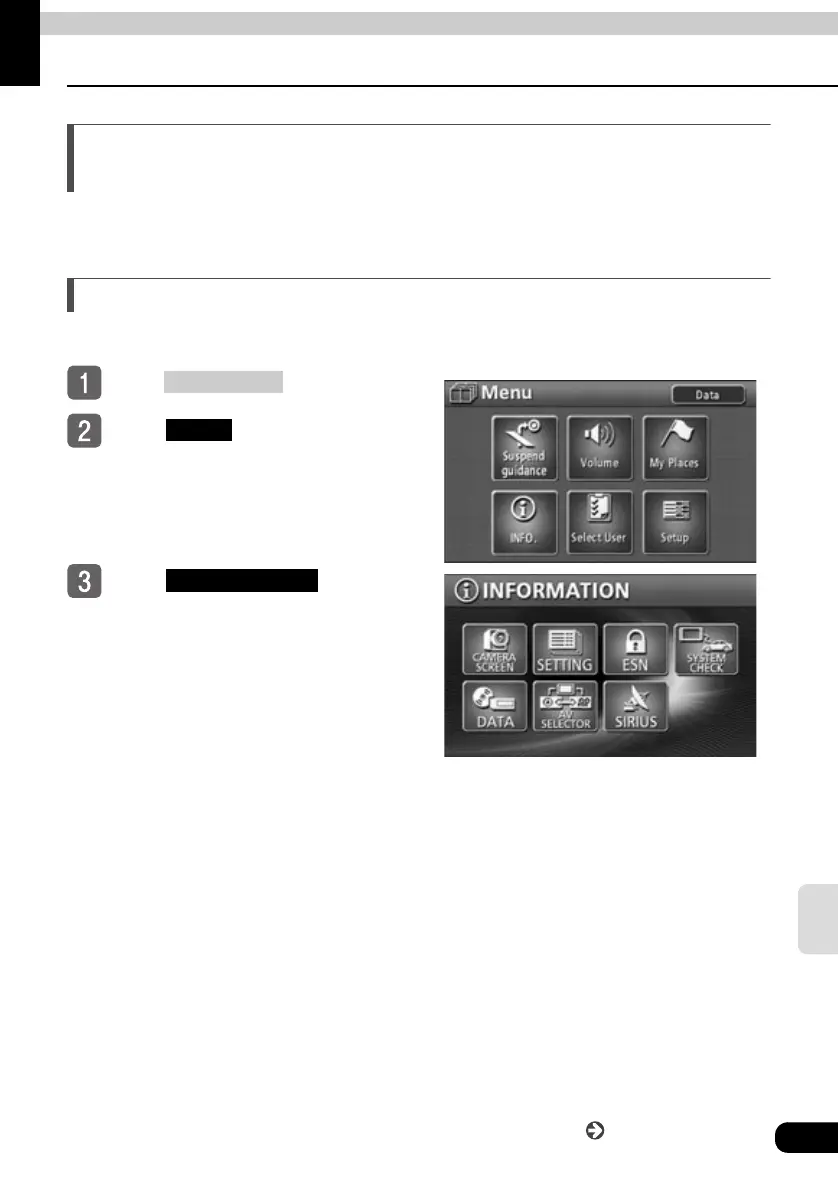
External monitor image settings
Select the image to be displayed on the external monitors.
Press .
Touch in the MENU
screen.
To u ch .
NAVI MENU
INFO.
AV SELECTOR
Continue to the next page



 To Next Page