VE-1010 Veterinary PC ECG User Manual Operation Instructions for Resting ECG
- 23 -
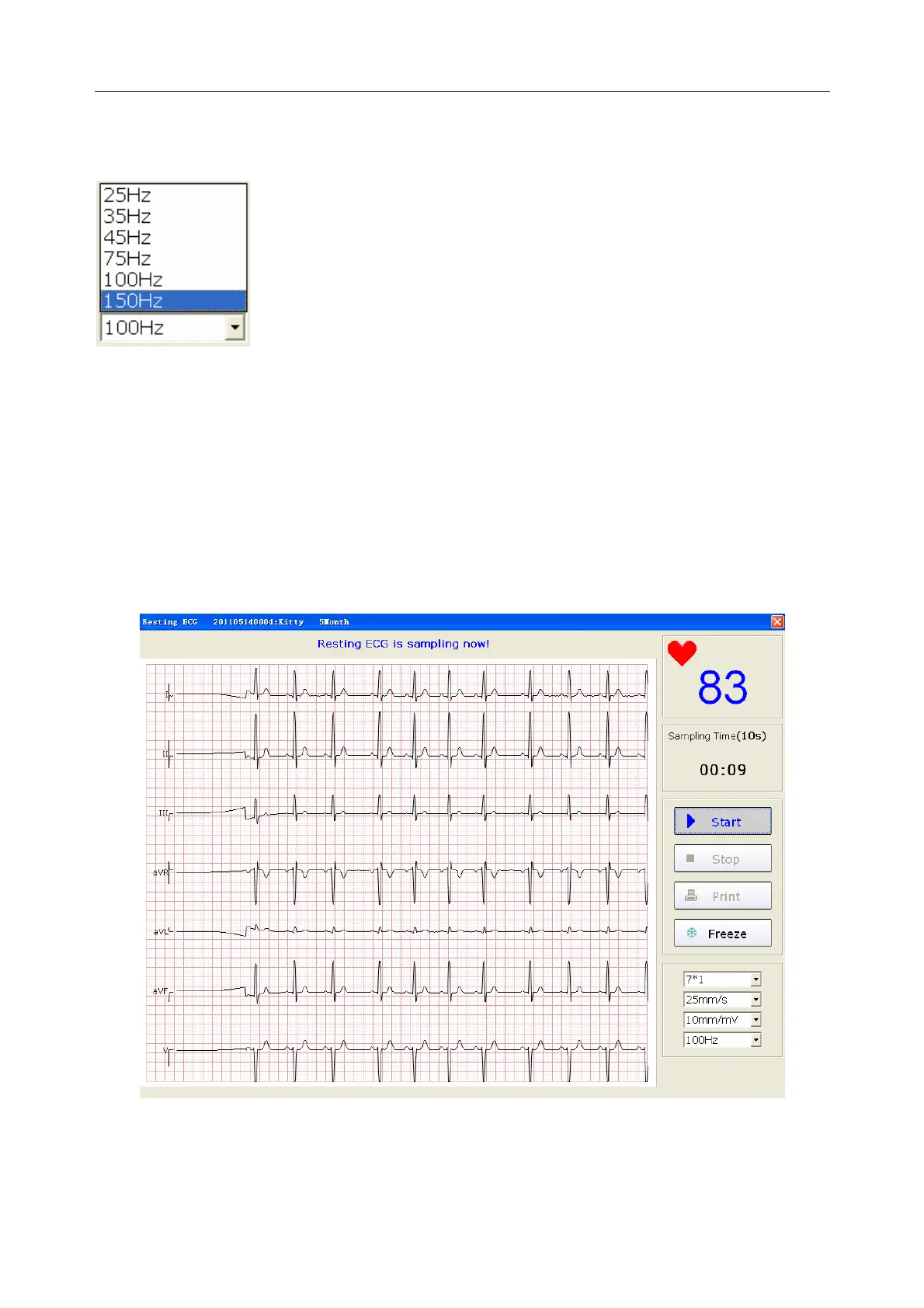
6.4.4 Specifying Lowpass Filter
Lowpass Filter restricts the bandwidth of input signals. The cutoff frequency can be set to 25Hz,
35Hz, 45Hz, 75Hz, 100Hz, or 150Hz. The input signals whose frequency is higher than the set
cutoff frequency will be attenuated.
6.4.5 Recording ECG Data
When the pre-sample ECG waves are steady, you can click on the Start button to save the
sampled ECG data to the designated directory. Please refer to data saving specification in Section
8.1.4, “Specifying the Storage Path of the ECG Data”.
Figure 6-5 ECG Sampling Interface
Note: After you click on the Start button, the system will save the sampled ECG data. If
you don’t click on the Start button, the system won’t save the sampled ECG data.



 To Next Page