| 15
Magni GO Overview
Introducing Magnifi
®
GO
Magni GO is the software running on Reddy
®
. It is a powerful and easy-to-use acquisition and analysis
software especially designed for surface inspection and relies on intuitive wizards to congure setups.
Magni GO has a graphical user interface (GUI) designed to simplify the inspection process and enhance
your experience. The multi-touch display is the best way of interacting with Magni GO, but you can also
use a USB mouse and keyboard.
Through the GUI, all the functions associated to inspection project management, the global
settings, and the preferences are in what is referred to as the backstage view. All inspection work,
calibration, acquisition, and analysis is in what is referred to as the front-stage view. This is how
Magni GO offers a streamlined and coherent interface that makes the learning process easy.
Note
Magni SR: This version of the Magni software allows you to perform advanced analysis of the data
acquired with Reddy directly on your computer. Magni SR offers the same graphical user interface than
Magni GO so any analyst can be up and running in next to no time, with a wider range of large monitor
data layouts than Magni GO. This means that Reddy units can be out acquiring data in the eld while
analysts are hard at work on their computers extracting value from the data. Furthermore, with
Magni SR you can easily plan and set up inspections for several Reddy instruments to make the most of
your hardware.
Backstage Overview
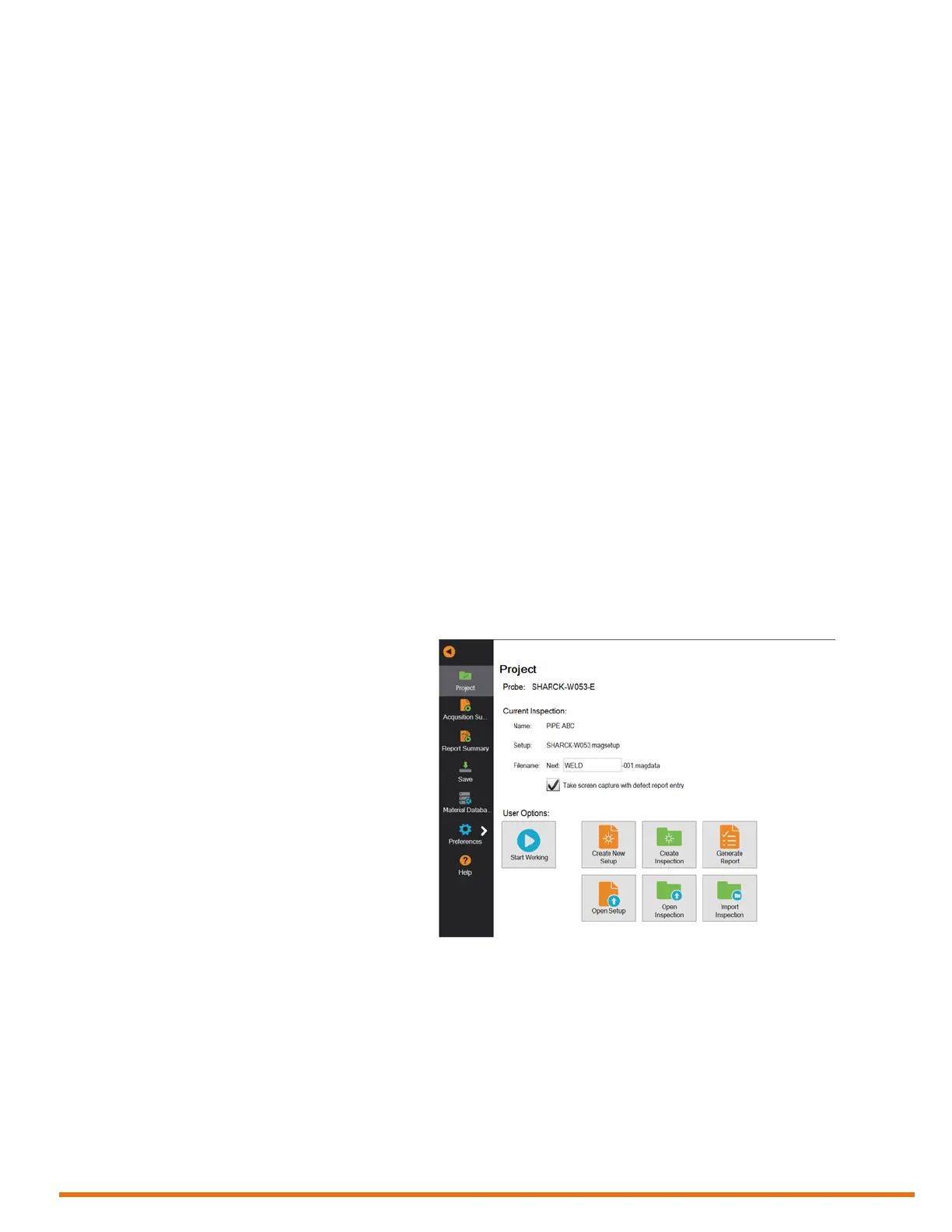
The backstage view is composed of seven sections that supply different information.
Project Section
The default section and rst section of the backstage view is the Project section, which contains
information about:
• Probe currently connected to
Reddy
• Inspection and currently loaded
setup
• File naming prex
• Automatic screen capture option
This is where you:
• Create a setup
• Open an existing setup
• Create an inspection
• Open an existing inspection
• Generate a report
• Import an existing inspection from
an external USB mass storage
device
Under most circumstances, this is the only section that you’ll need to manage inspection projects.
Other sections are described below.



 To Next Page