| 43
Using Reddy with Sharck Probes
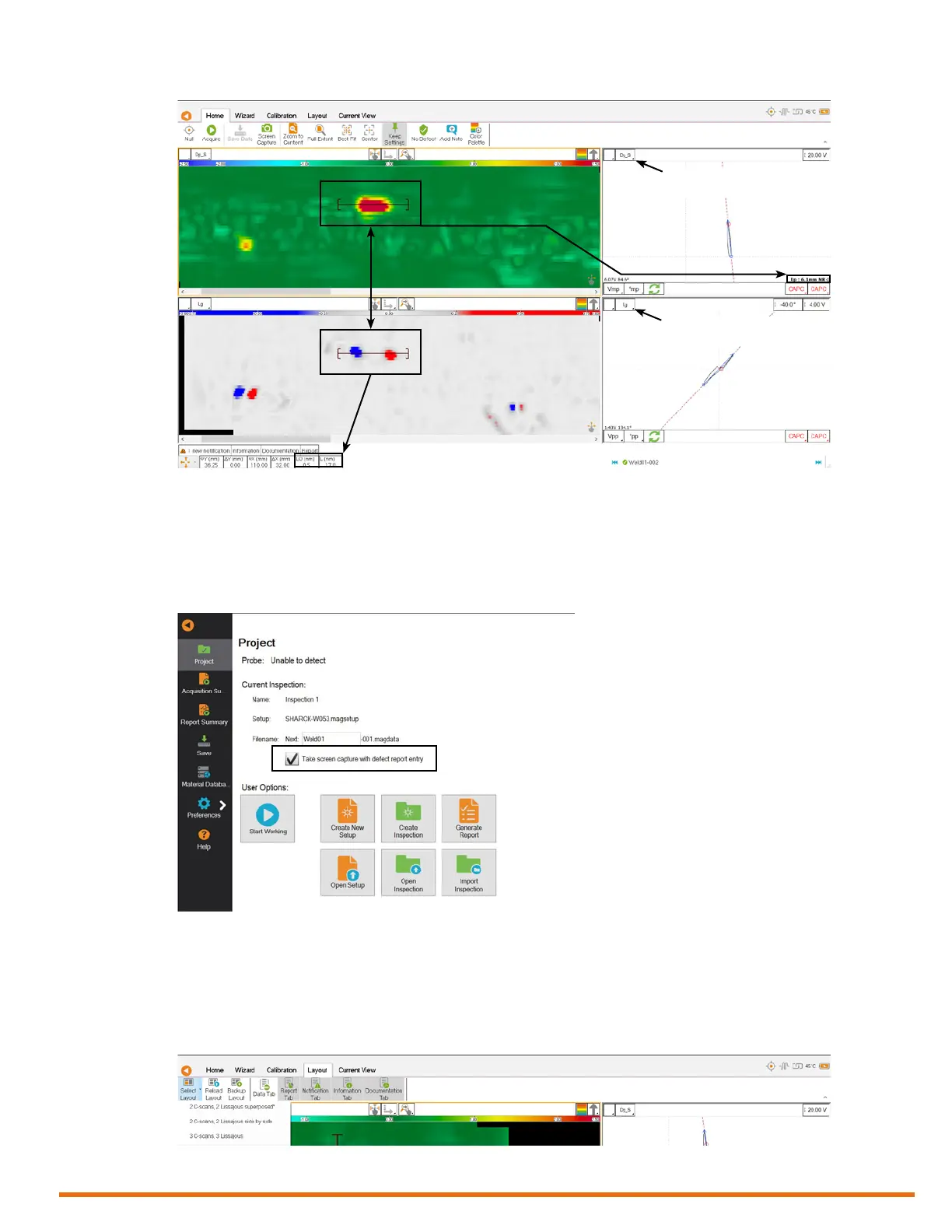
Figure 5–30 Sizing information
Analyzing Data with Reddy
Before analyzing data, if you want to include screen captures in your report, make sure that the check
box below is selected in the Project section of the backstage view. If you do not, reports only include
summaries of your ndings.
Figure 5–31 Take screen captures with defect report entry check box
To analyze data with Reddy, proceed as follows:
1. Find the le navigator at the bottom of the Magni GO front-stage view.
2. Tap the le that you want to open.
3. On the Layout ribbon, tap Select Layout, and then tap the layout that you want to use.
Figure 5–32 Selecting a layout
4. Review your data and move your cursor to an area of interest.
Impedance plane
of Depth C-scan
Impedance plane
of Length C-scan



 To Next Page