10 11
1
2
9
3
4
5
6
7
8
12
13
14
15
16
17
18
| 3
Reddy Overview
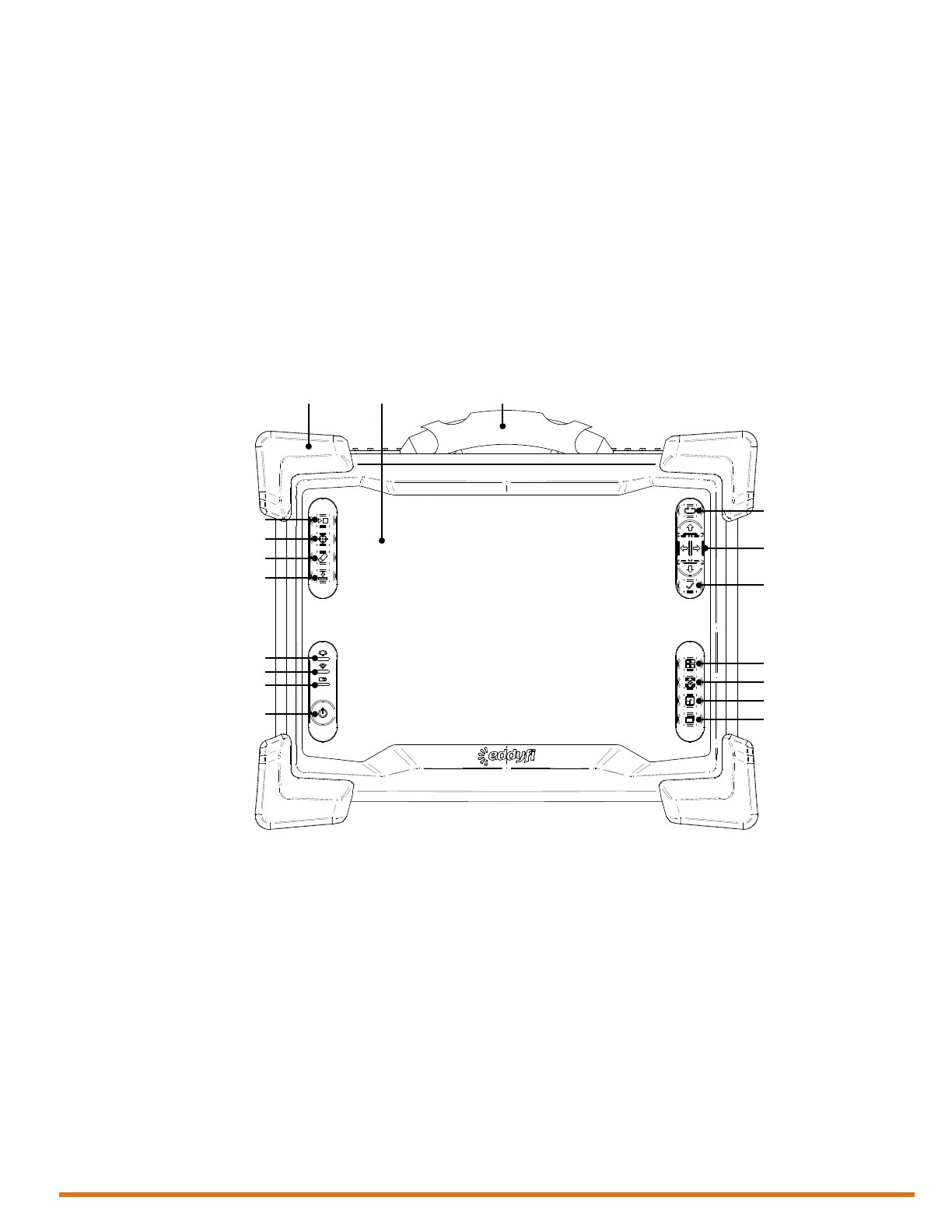
Instrument Overview
Front
1. Power button
Use this button to turn the instrument on
and off. The power indicator at the center
of the button behaves as follows:
• Green: Reddy is on
• Blinking yellow/orange: Reddy is on
standby
• Unlit: Reddy is off
2. Battery indicator
This indicator displays the state of Reddy’s
batteries when the instrument is on.
Depending on the power mode (DC or
battery), the indicator behaves differently:
DC power
• Green: batteries fully charged
• Blinking green: batteries charging
• Red: battery or charger error
• Unlit: no batteries in Reddy
Battery power
• Unlit: remaining charge over 40 %
• Orange: remaining charge 20–40 %
• Blinking yellow: remaining charge less
than 20 %
• Red: battery error
• Two, high-capacity batteries
• One power adapter (100–240 V)
• Power cords (one for North America, one
for Europe)
• DVD containing the user’s guide
• Stylus
• Transport case
Introducing Reddy
®
Thank you for purchasing Eddy’s Reddy. This chapter is intended to give you an overview of the system
and its components before operation.
What’s in the Box
Reddy comes with the following standard accessories:



 To Next Page