32 | www.eddy.com
Using Reddy with Sharck Probes
Getting Ready
1. Connect the Sharck probe’s 160-pin ECA connector to the ECA connector on the right side of
Reddy.
See chapter 1 for details about connector positions.
2. Connect the Sharck probe’s encoder connector (12 pins) to the I/O connector on the right side of
Reddy.
3. If it is not already on, press the power button on the front of Reddy to turn it on.
Notes
• You may connect and disconnect Sharck probes when the instrument is on.
• Reddy veries the probe’s compatibility to make sure that the current setup is valid.
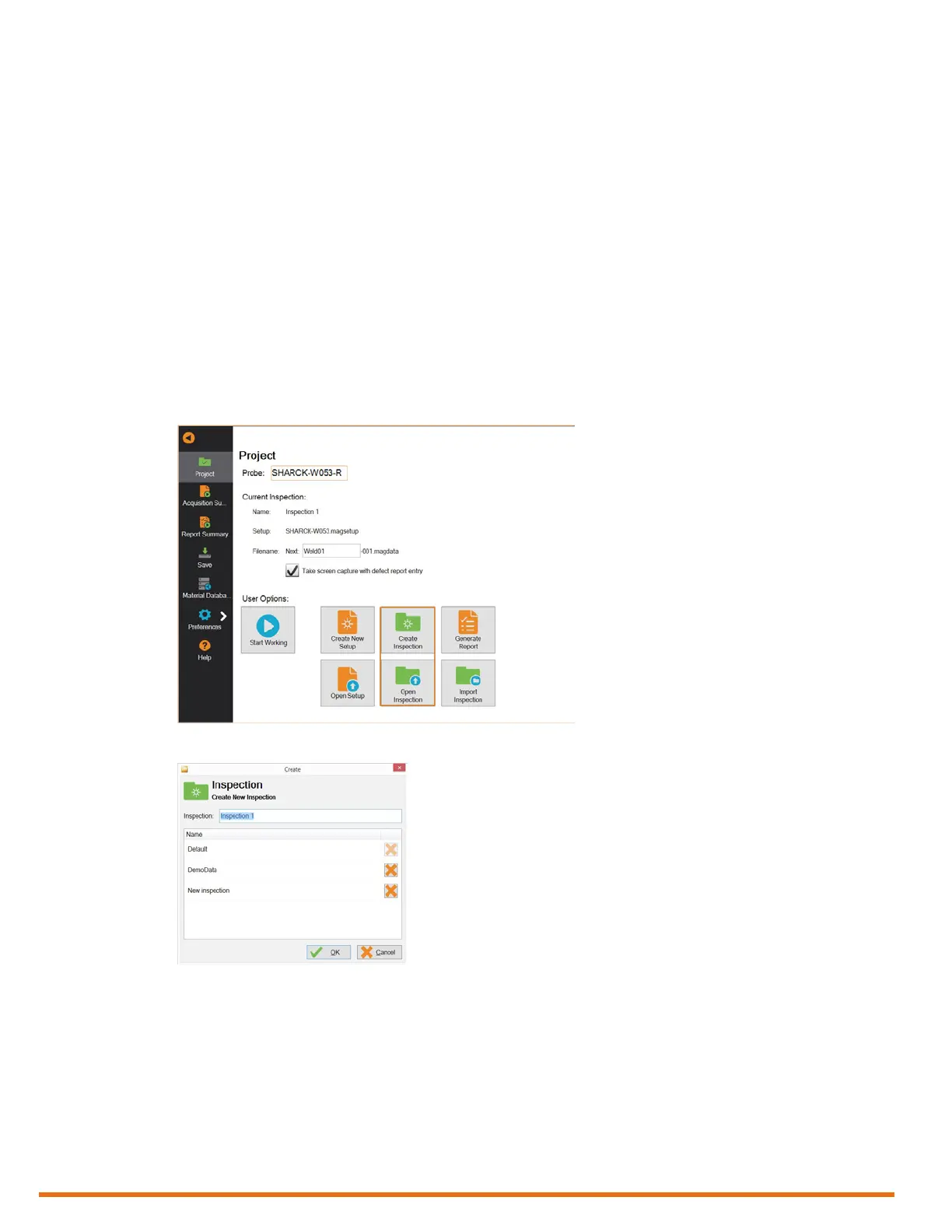
4. In the backstage view, tap Project.
5. Create a new inspection folder or open an existing one by tapping Create Inspection or Open
Inspection, respectively.
Figure 5–8 Backstage view: Create/Open inspection
Figure 5–9 Creating an inspection project
6. If you are creating a new inspection folder, type its name in the Inspection text box.
7. Tap OK.



 To Next Page