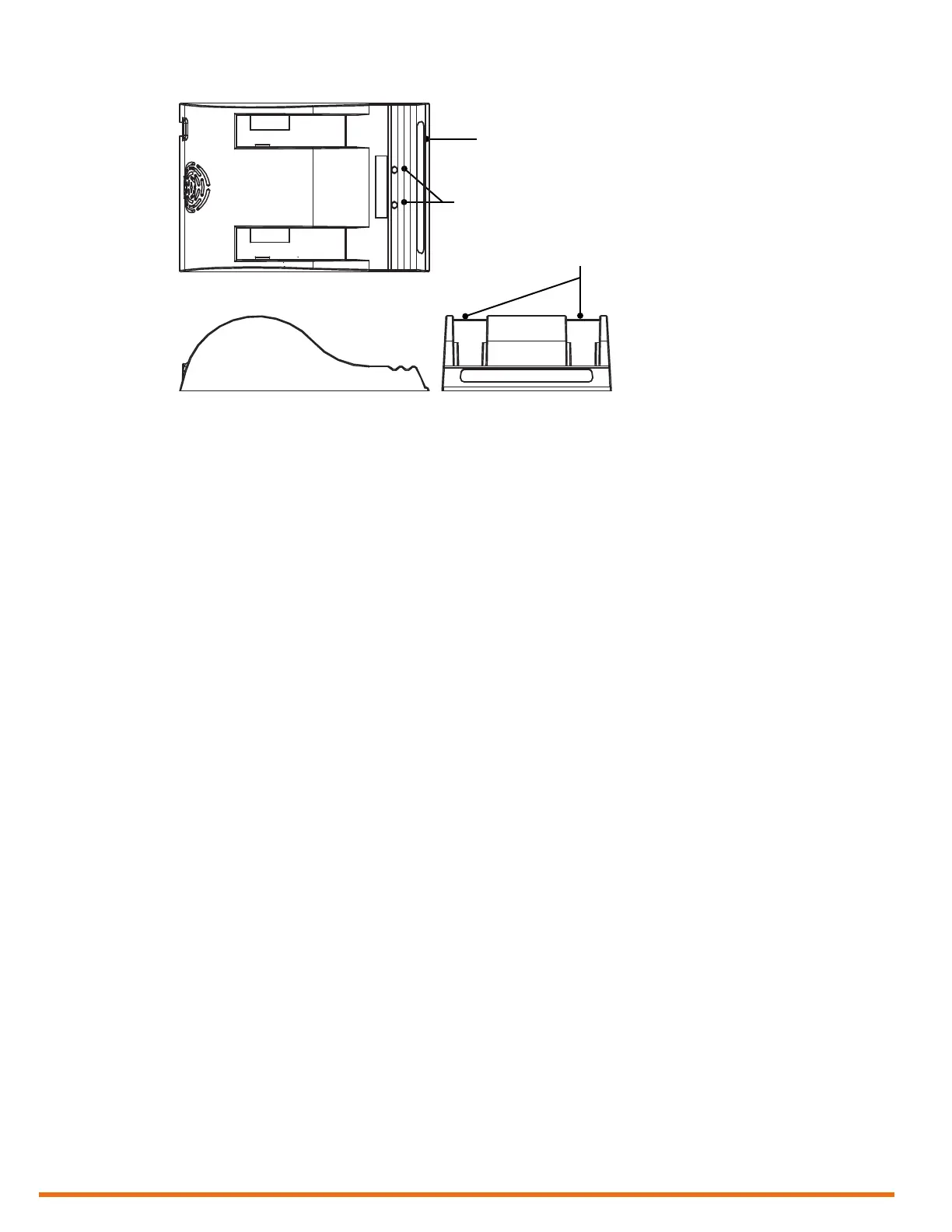
Status window
Calibration buttons
Battery slots
12 | www.eddy.com
Reddy Overview
Figure 1–4 Optional battery charger
To charge the batteries with the optional charger:
1. Place the charger on a at and level surface, away from heat and moisture sources.
2. Insert the power supply’s DC connector into the back of the external charger.
3. Connect the power supply to an AC supply using the supplied cable.
All the LEDs ash momentarily to let you know that power is present.
4. Insert the batteries into the battery slots while making sure that the contacts are fully seated.
The charger automatically begins charging the batteries and the LEDs in the status window display
the following information:
• Blinking green: battery charging
• Green: battery fully charged
• Blinking blue: battery calibrating
• Blue: battery charge gauge calibrated
• Blinking red: battery charge gauge in need of calibration
• Red: error
Calibrating Batteries
To ensure that your batteries perform at their full capacity for the longest possible time, it is important
to calibrate them on a regular basis. Calibration involves a standard battery charge followed by a deep
discharge, and then a complete charge. This procedure usually takes 10 to 13 hours, whereas a standard
charge only takes approximately 3.5 hours.
Calibrate batteries by placing them in the optional charger and then pressing the calibration button. We
recommend calibrating your batteries at least every six months.
Storing Batteries
Whenever transporting Reddy in its case, remove the batteries from the instrument and make sure
that they cannot come in contact during transport, as this is a signicant re and explosion hazard.
Reddy’s transport case is outtted with two slots intended for the batteries. We recommend that you
take advantage of them.



 To Next Page