34 | www.eddy.com
Using Reddy with Sharck Probes
Setting Up Your Inspection
Opening an Existing Setup
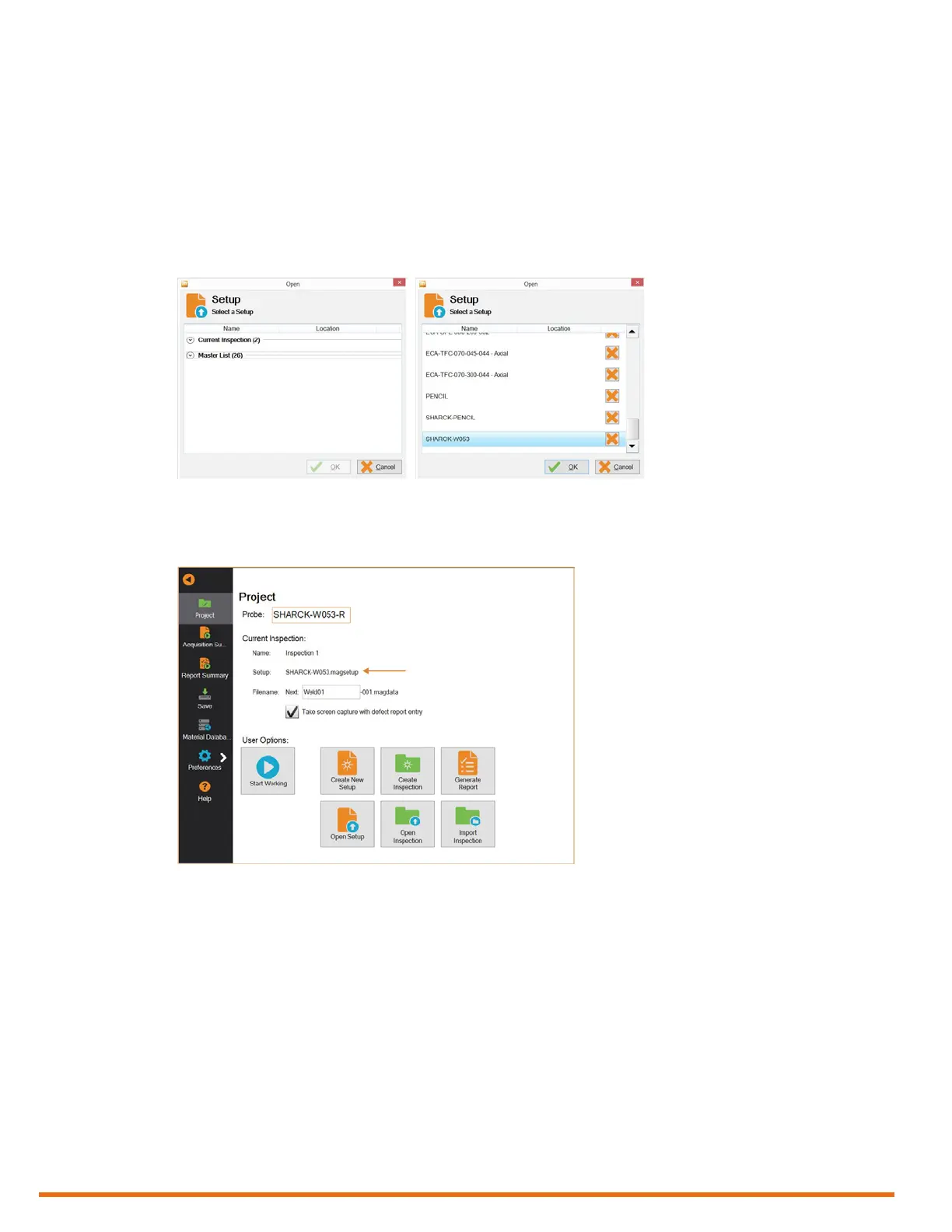
1. In the backstage view, tap Open Setup.
2. In the Open Setup dialog box, on the Master list, select the appropriate setup le (in this case,
SHARCK-W053).
All standard Reddy probe setups are available on this list.
Figure 5–12 Open Setup dialog box
3. Tap OK.
4. Verify that the setup le is correctly applied.
Figure 5–13 Verifying the applied setup
Creating a New Setup with the Setup Wizard
1. In the backstage view, tap Create New Setup.
The new setup wizard starts.
Note
Every step of the setup wizard has default values. You can modify them to suit your needs and
applications.
2. In the Component Denition dialog box, select Carbon steel weld, and then adjust the
parameters for the part(s) to be inspected, if desired.
Note
From this point on, all the default values of the wizard are designed to be appropriate for the Sharck
probe.



 To Next Page