44 | www.eddy.com
Using Reddy with Sharck Probes
5. Resize the cursor in such a way that the aw-like indication in the Length C-scan is completely inside
the cursor.
The width of your cursor should be equal to the defect’s measured length plus 15 mm (0.59 in).
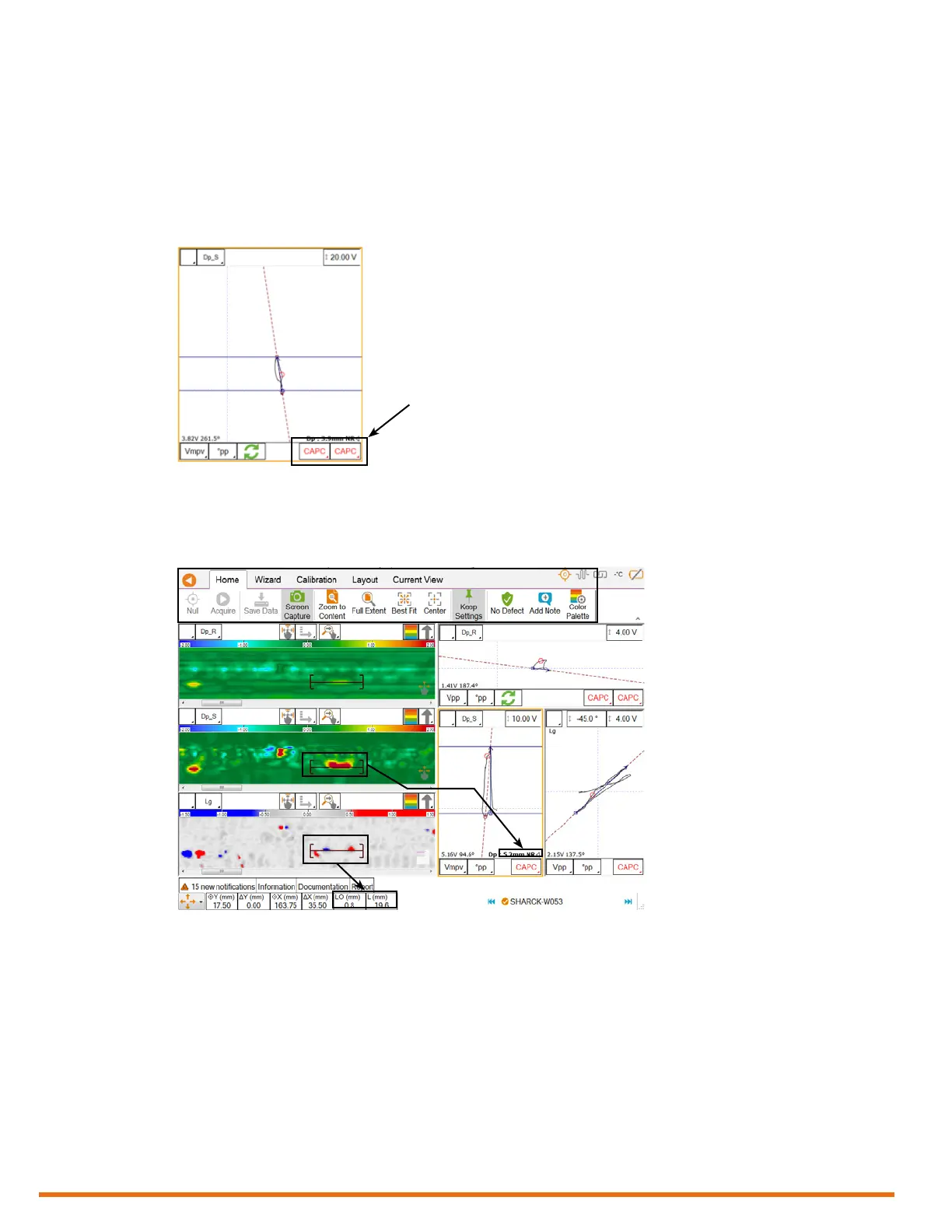
6. To enter the detected defect as an entry in your report, select the adequate indication code, and
then tap it in an impedance plane.
The entry is grayed to show that it is now part of the summary report.
Figure 5–33 Entering a detected defect
Notes
• The current sizing method appears at the bottom of impedance planes. Tap it to switch methods
in each view. For appropriate measurements, use the Average Peak Vertical (Vmpv).
Figure 5–34 Measurement methods
• To quickly view your report entries, tap the Report tab at the bottom of the Magni GO front
stage view.
Tap indication code



 To Next Page