101
Manage Calibration Sets
Calibration sets define linearization for a specific paper type, including settings that affect calibration results. A set contains information
about the media, the engine’s halftone screen setting and other media-specific variables. Calibration normalizes the tonal output of the
device so that color responses for this combination of print settings are normalized. These new calibration sets control all variables for how
a medium is calibrated, ensuring consistency for recalibration in the future.
Fiery Calibrator makes it much easier for users to create new sets, edit existing sets and delete unneeded sets. The ability to create and
manage calibration sets increases the effectiveness of calibration because it ensures that calibration applies to a specific set of printing
conditions.
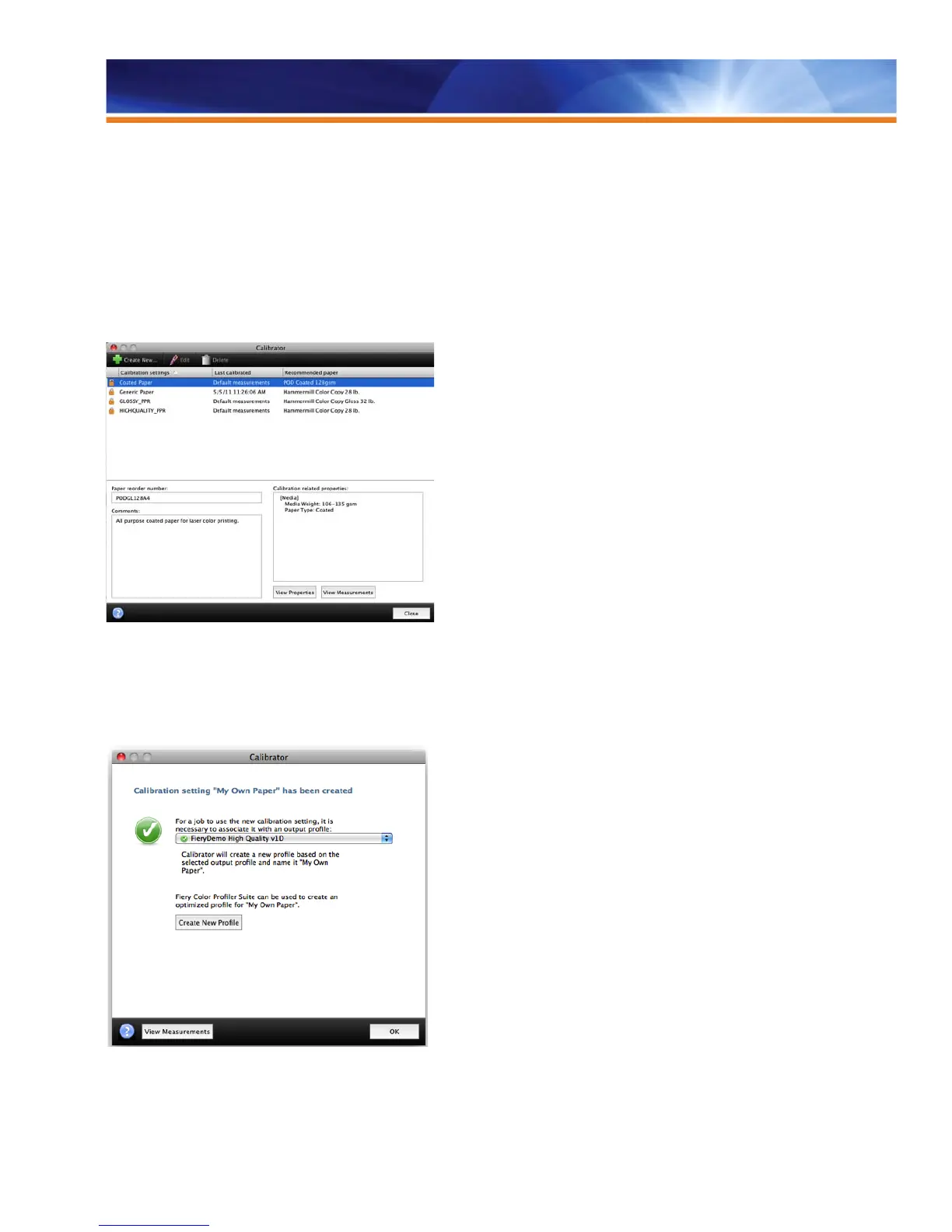
Manage calibration sets in Calibrator.
In addition, the Color Profiler Suite is integrated directly with the Fiery Calibrator to create new ICC profiles. The calibrator wizard leads the
user directly into the Color Profiler Suite at the conclusion of calibration to make an ICC color profile for the media. Creating a new profile
from this stage ensures that the right settings are in use in Job Properties because the user already selected paper properties in
Calibrator.
Create new profiles in Color Profiler Suite without leaving the Calibrator interface.



 To Next Page