102
Benefits:
Allows any authorized user to create new sets, edit existing sets and delete unneeded calibration settings.
Increases the effectiveness of calibration because it ensures that calibration applies to a specific set of printing conditions.
Calibration Guard
Fiery servers have now incorporated Calibration Guard to provide calibration status, warnings and alerts to require the use of Fiery
calibrations. If a calibration has expired, Calibration Guard can prevent jobs from printing, ensuring color consistency in every job.
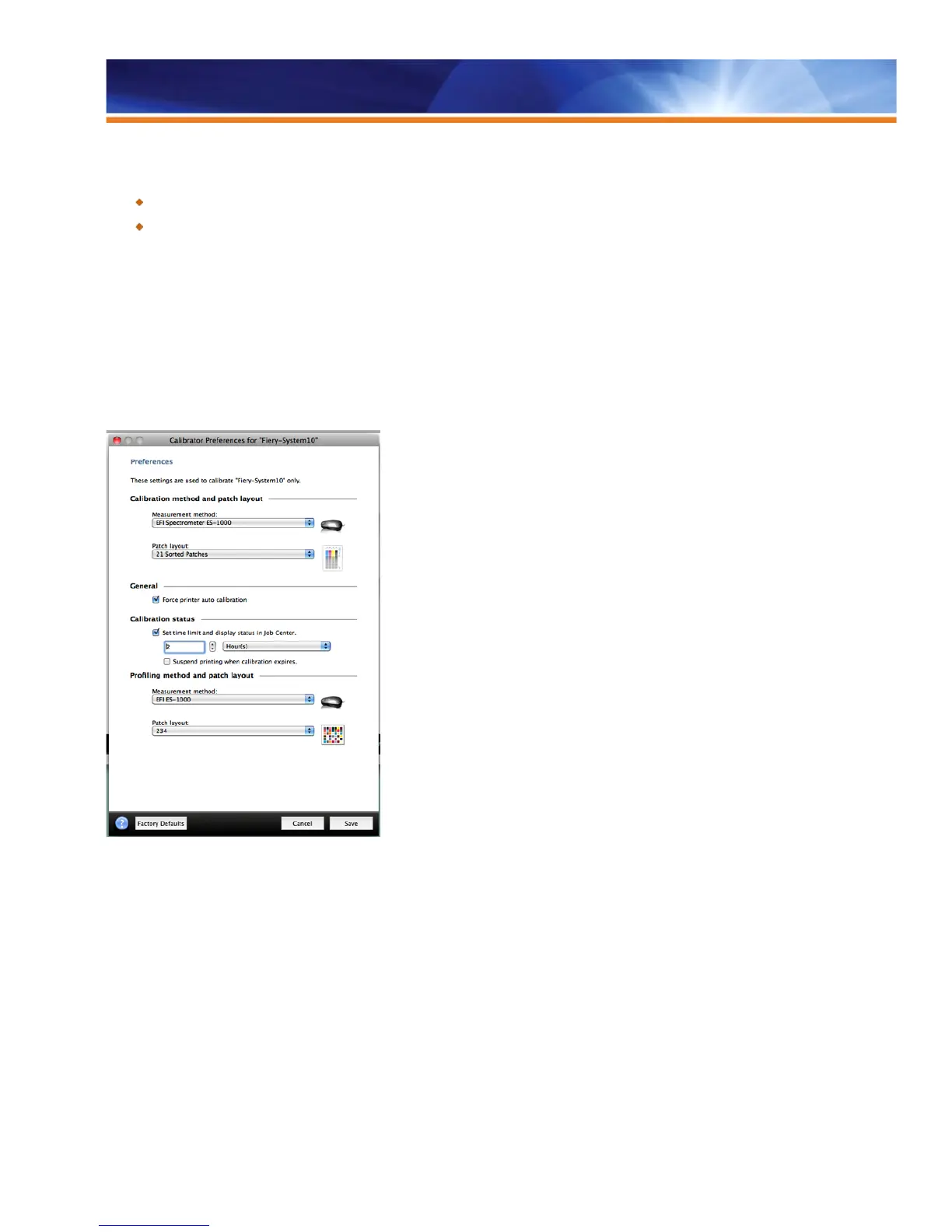
The new Calibrator Preferences include the settings to activate Calibration Guard. To configure the guard, administrators simply check the
box “Set time limit and display status in Job Center” in the Calibration status section of the Calibrate window. They must also specify the
time frame for which the calibration will remain valid. If calibration and color consistency are critical, they should also check the “Suspend
printing when calibration has expired” preference box. Jobs sent to the Print queue with an expired calibration date will move to the Hold
queue without printing. This saves money and resources by not printing jobs with expired calibration.
Calibrator Preferences
The Calibration Guard displays the Calibration Status in two areas:
• The Calibrator window
• In the job summary for a selected job
The calibration status will also include a status icon: A green check signifies that calibration is current, a yellow triangle warns that the
calibration time limit is near and a red triangle indicates that calibration has expired. Fiery servers make it very easy to see and determine
the calibration status of jobs.



 To Next Page