132
Option Sub Option Description
TRAP SHAPE Ellipse
Diamond
Rectangle
This feature represents how traps around
object corners are shaped.
TRAP OBJECT TYPES (Checkbox) When no selection is made in this area,
only trapping of objects (text and graphics)
against objects is applied.
Trap Image Internally
(Checkbox)
The trapping algorithm is applied to every
abutting pixel of an image.
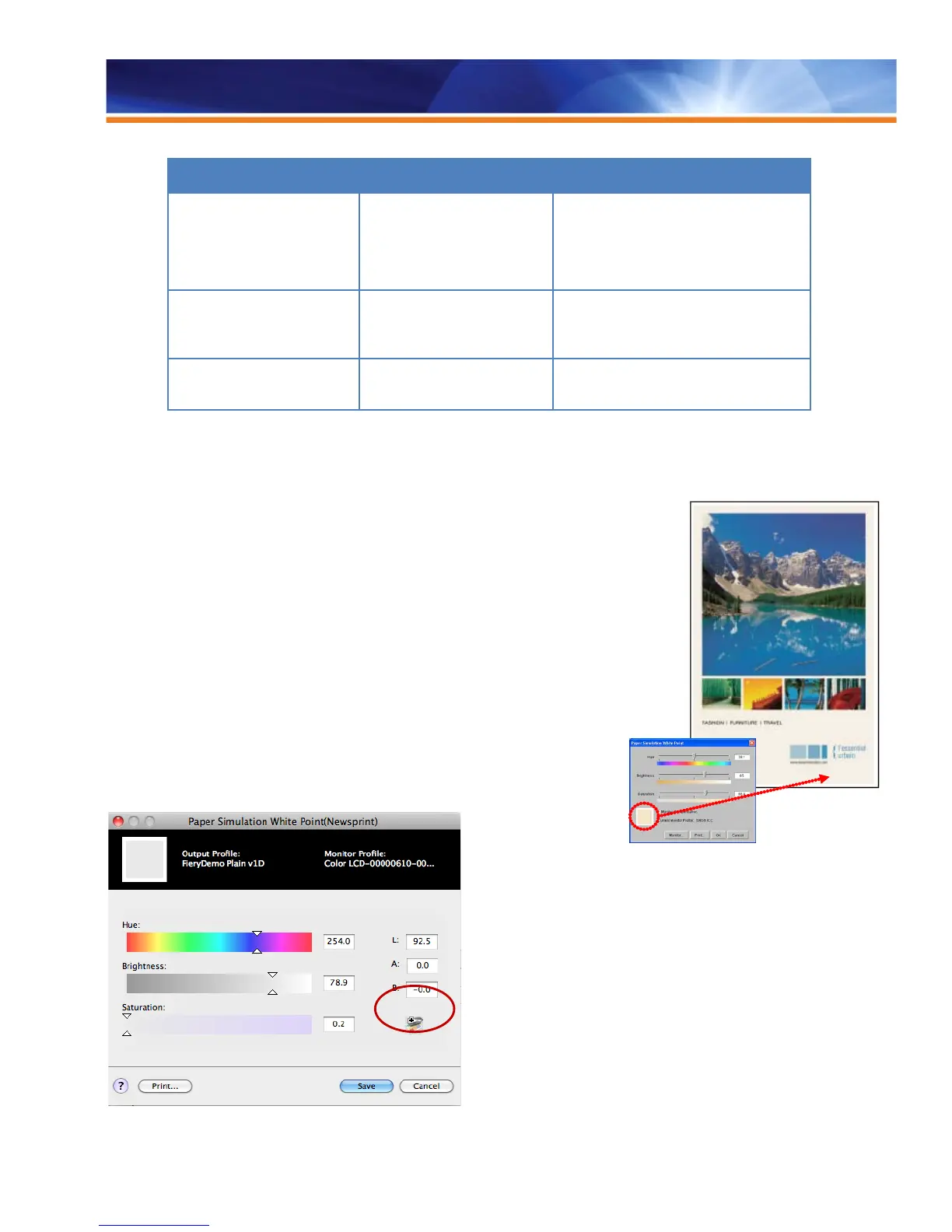
Paper Simulation with White Point Editing
The color or white point of paper used in the printing process can dramatically affect the
final color of a job. When proofing, it is sometimes desirable to simulate the paper white
that the final press run will have on a proof. Consider the noticeable difference between
“newsprint” and “bright white” paper. The Paper Simulation with the White Point Editing
utility in the Graphic Arts Package, Premium Edition provides users with intuitive tools to
enter and edit the white point of a source profile so that a different paper white than the
actual source profile can be simulated for proofing.
Paper Simulation with ES-2000
Paper Simulation editing enables more accurate simulation of special media such as
newspaper, yellow pages and packaging. Previously, the L*a*b values defining the white
point of the paper had to be entered manually. Fiery servers integrate the use of an ES-
2000 spectrophotometer into the user interface of the Paper Simulation feature. The ES-
2000 reads the white point value of the paper and automatically populates the L*a*b
values.



 To Next Page