71
Benefits:
Simplifies media selection at job submission, reducing both manual steps and material waste resulting from incorrect media
usage.
Provides interactive feedback to reduce mistakes at the time of associating paper stock to paper loaded in the trays, increasing
overall production.
Offers easy-to-relate color profiles for each media through a simplified interface for best quality color output.
Translates the paper selection to the shop’s classification system for paper stock, helping keep inventories up to date and
reducing obsolescence.
Creates an open architecture environment with an engine-agnostic approach to paper catalog management.
Integrates use of Fiery JDF to reduce the number of times an operator needs to configure the same media for the same job in
different workflow steps.
Paper Catalog Based on PPD Specifications
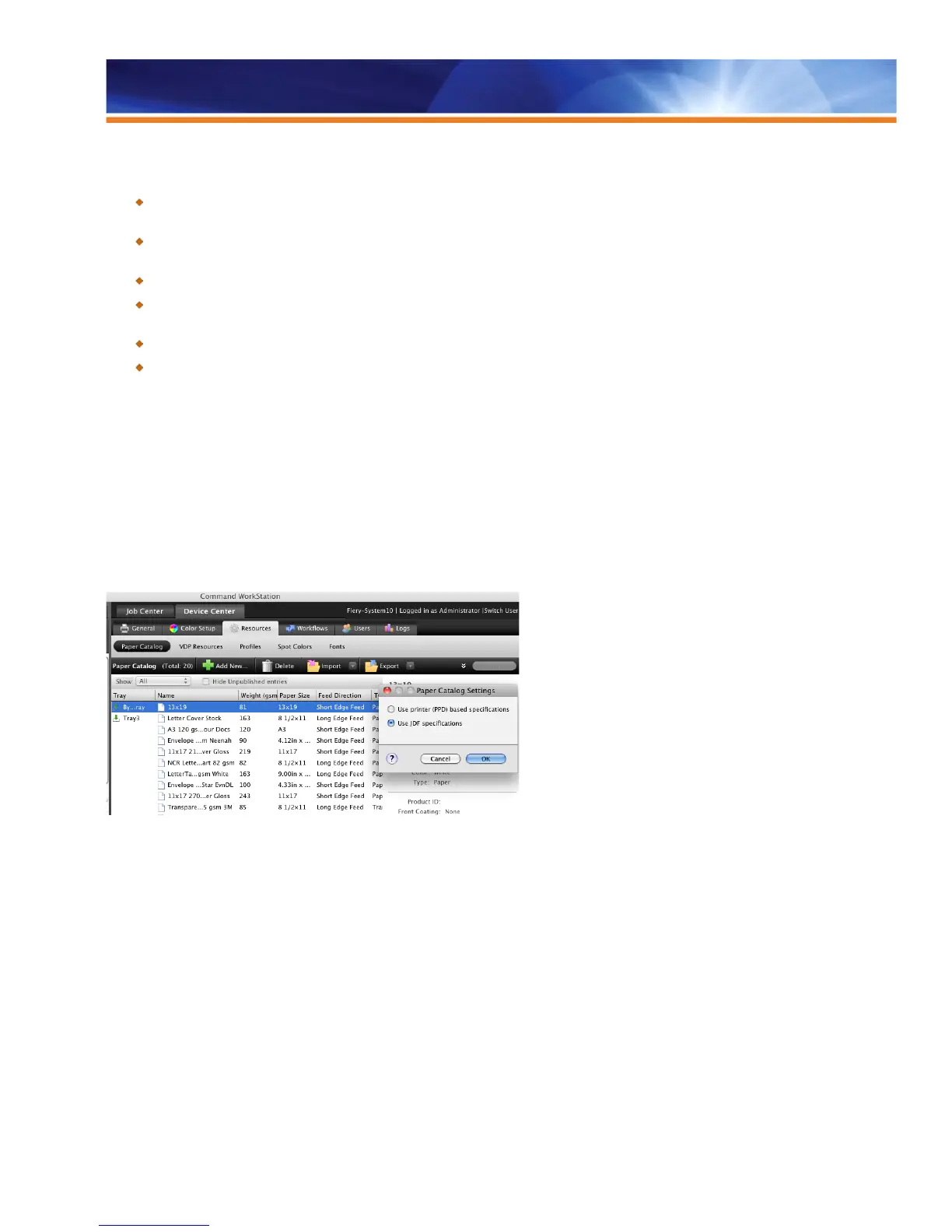
Paper Catalog on the Fiery server is a saved collection of attributes associated with a specific media. Most frequently used attributes are
paper type, paper weight, paper size and color profile.
JDF media specifications can have over 35 different attributes per media entry in the Paper Catalog. However, customers can now also
use Paper Catalog with non-JDF workflows.
In this case, Fiery servers provide users with the choice to create a Paper Catalog based on the engine’s media attributes or PPD
definitions. This means users see only a few choices that are specific to their printer when adding and viewing Paper Catalog entries. This
new simple mode is designed to make Paper Catalog use faster and easier to use.
Operators have the option to choose a simplified mode to input new entries in Paper Catalog.



 To Next Page