72
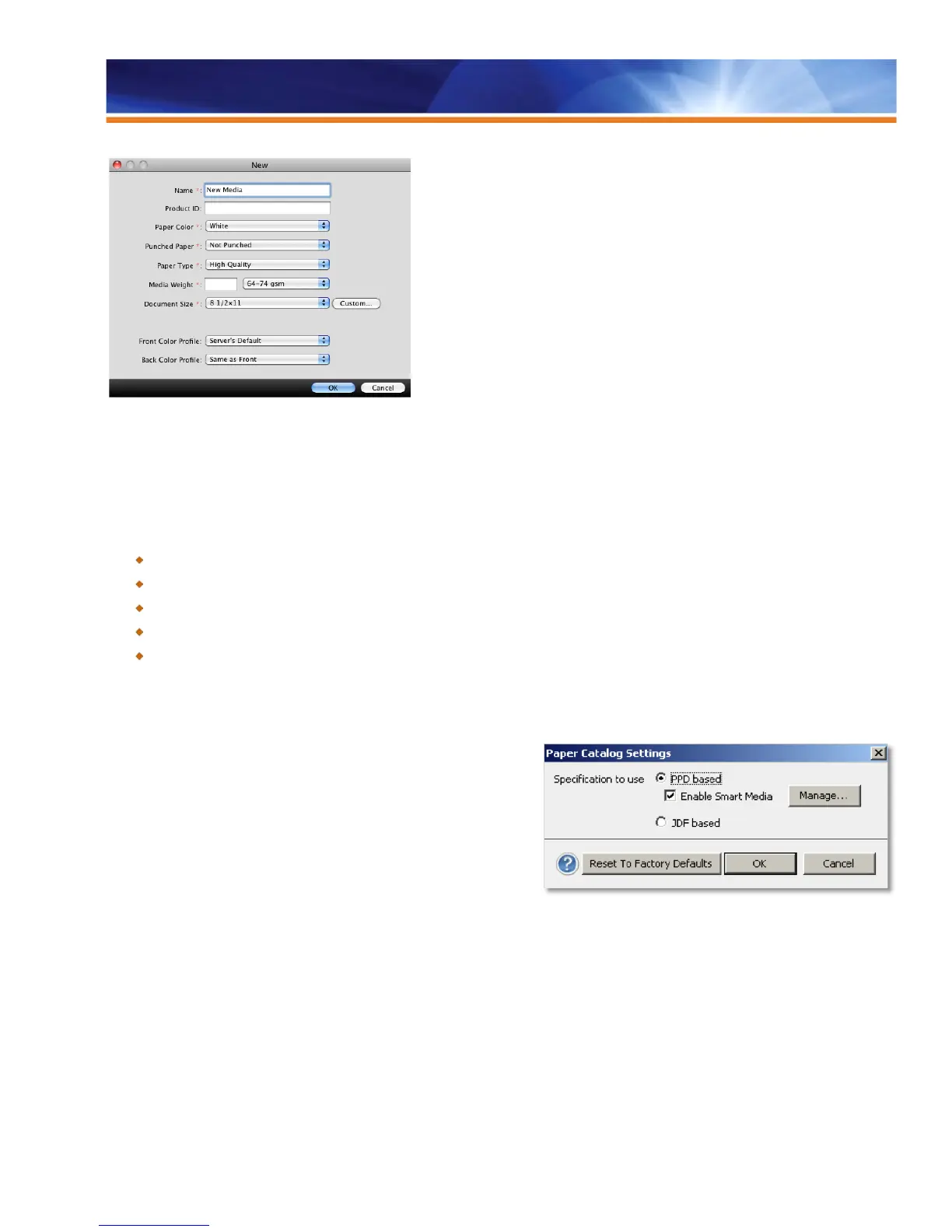
New Paper Catalog simple mode
Paper Catalog functionality is now standard in embedded servers for corporate and light production markets. It also features a simple
mode to input new entries.
Benefits:
Engine-driven media offers faster, easier setup..
Setup is easier for non-JDF workflows.
Paper Catalog for embedded servers enhances productivity.
Administrators can now define some options when adding entries in Paper catalog to enhance ease of use.
Job Properties and bidirectional drivers can show which Paper Catalog entries are loaded in the printer trays.
Paper Catalog Smart Media
Smart Media is a feature designed to automatically assign a Paper Catalog
entry based on the characteristics of the media loaded in the tray. This
feature is most beneficial for customers with a specific workflow whereby the
printer is usually configured with the same paper in the trays most of the
time. Often, users stick the paper labels onto the trays to remind the
operators which paper to load. Smart media allows the Fiery server to
remember these favorite media and perform an automatic tray association
when any media with the same attributes is loaded in the tray. Smart Media
“Add from Tray” pre-populates all properties for a new Paper Catalog media,
using the tray attributes set by the end user. With this new enhancement,
the user just has to load media into the tray and to name that media in the
Paper Catalog. It’s that simple. For the majority of users with a limited paper
stock, automatically assigning media when loaded in a tray reduces the number of errors and improves media-based workflows. For office
environments, for instance, users can now set up Paper Catalog so that tray 1 always assigns the correct Paper Catalog entry when a
plain letter-sized media is loaded.



 To Next Page