Eldan Recycling A/S Page 7
2. FAULT MESSAGES
The fault
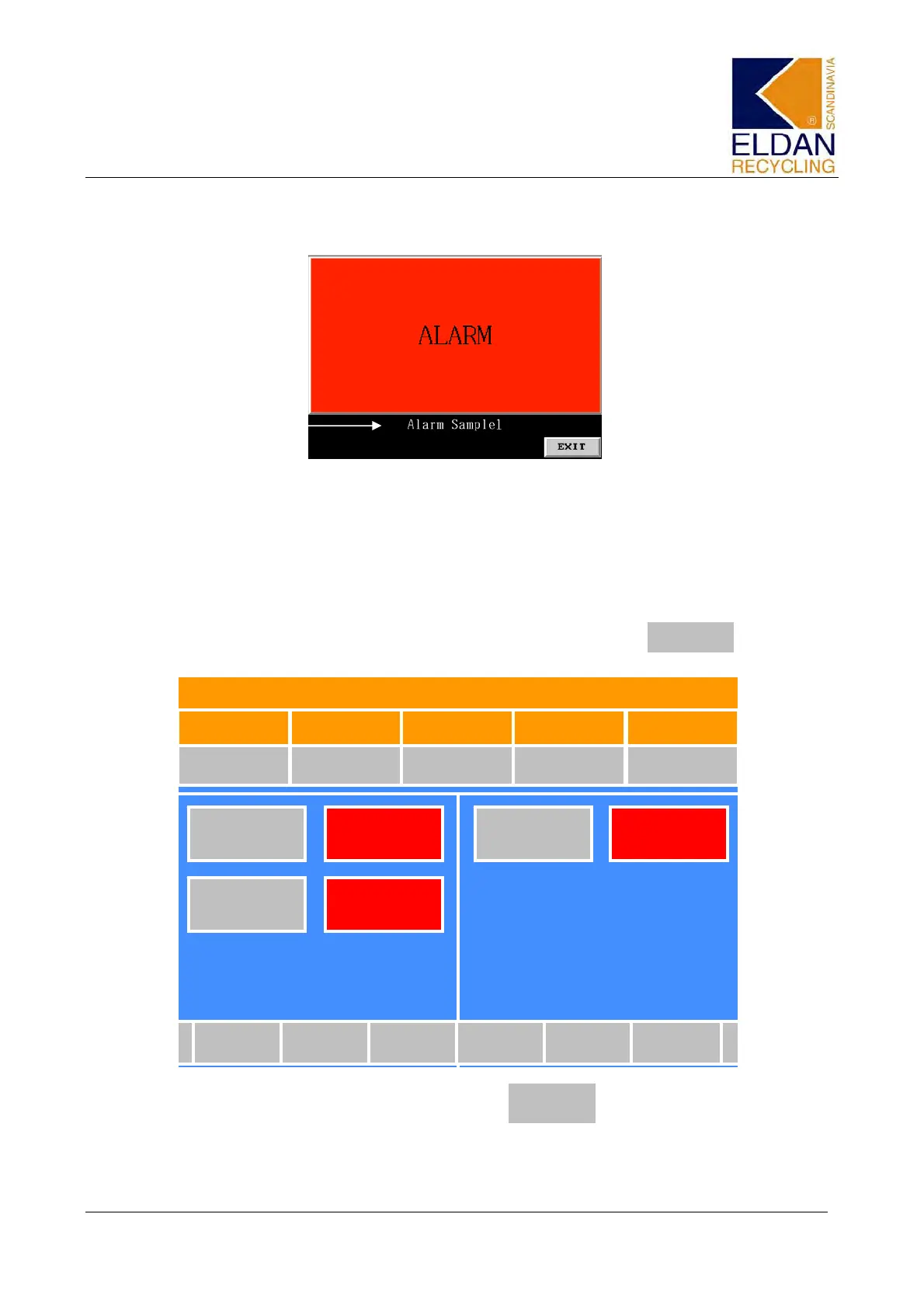
In the event of a fault in the system, a flashing Alarm screen will appear on the
touch panel. The fault can be read at the bottom of the Alarm screen. If the
alarm fault is corrected, the Alarm screen will disappear and the Start screen
will be brought up.
If more than one fault occurs, only the most recent fault can be read on the
Alarm screen. To view all faults on this screen, press .
EXIT
The Start screen now appears. Press.
NB: The pushbutton (Alarm list) will flash if there is a fault in the system.
Load %
Motor 1
0 %
Rasper
ON
Outlet
ON
Inlet
ON
Rasper
OFF
Outlet
OFF
Inlet
ON
Curve Language
Alarm
List
Alarm
History
Adjustment
Load %
Motor 2
0 %
Rotor Speed
0
Temperatur
Fahrenheit MPR200
Temperatur
Fahrenheit Outlet
0 0
Time
Alarm
List


 To Next Page