Appendix 4: Expert Mode
© Elma Schmidbauer GmbH BA_Elmasolvex_VA_EN_Vers.05.2018
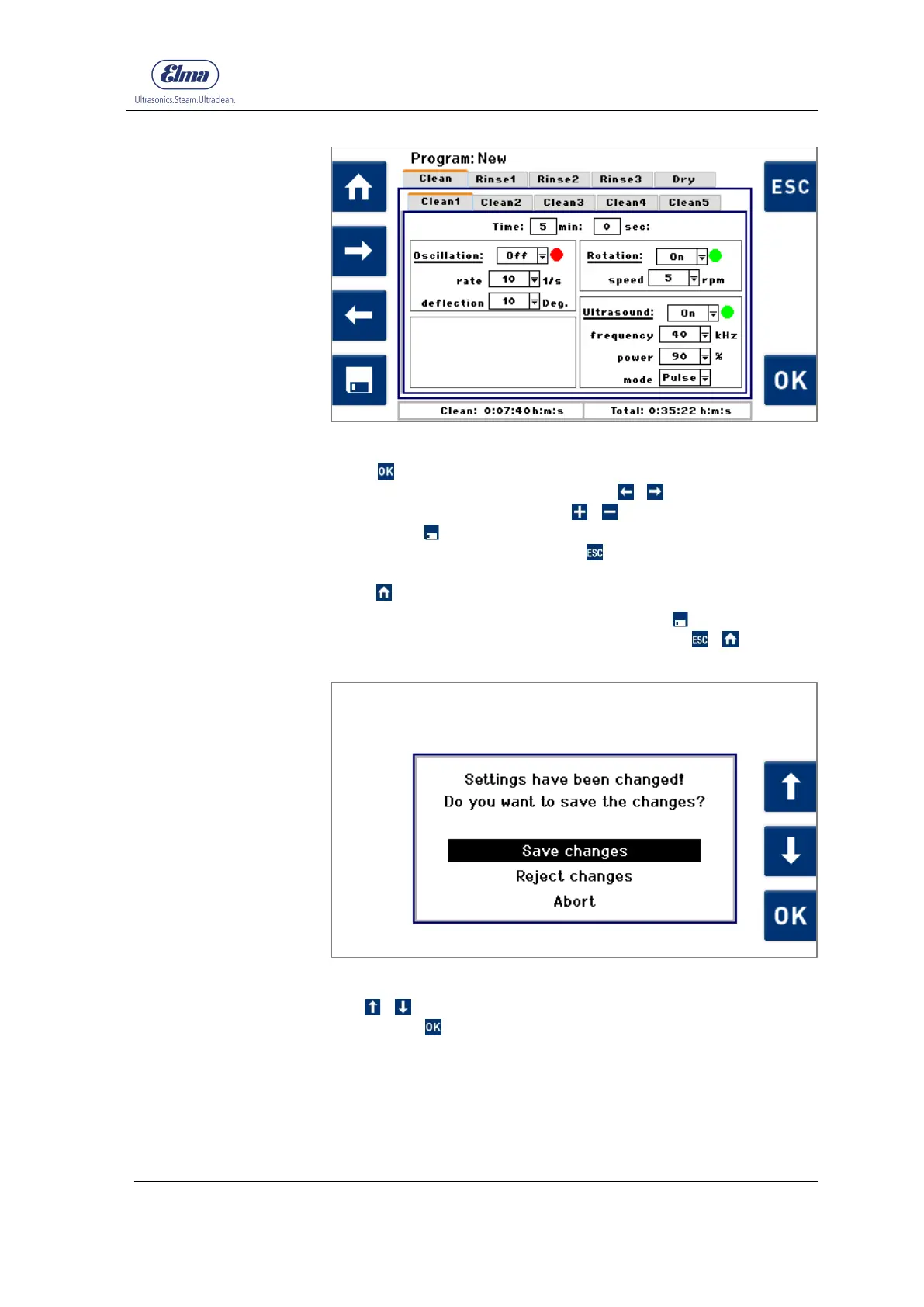
Fig. 7.2.1.4 Display screen – process step Cleaning
Press on the Cleaning1 tab to be able to modify the process
parameters for this process step. Use
/ to navigate
between the parameters. Press / to change the preset
values. Use to save changes at any time. When you have
made the desired changes, press to return to the display
screen with the process step tabs (Fig. 7.2.1.3). You can also
press to return to the Program Selection display.
If you did not save your changes by pressing , you will be
prompted to save any changes when you press /
(Fig. 7.2.1.5).
Fig. 7.2.1.5 Save Settings display
Use / in the selection list to select the required action, and
confirm with .
Use Save Changes to save any amended settings and return to
the Program Selection display.
Use Discard Changes to return to the Program Selection
display without saving your changes.
Use Cancel to return to the previous display screen.




 To Next Page