Settings
BA_Elmasolvex_VA_EN_Vers.05.2018 © Elma Schmidbauer GmbH
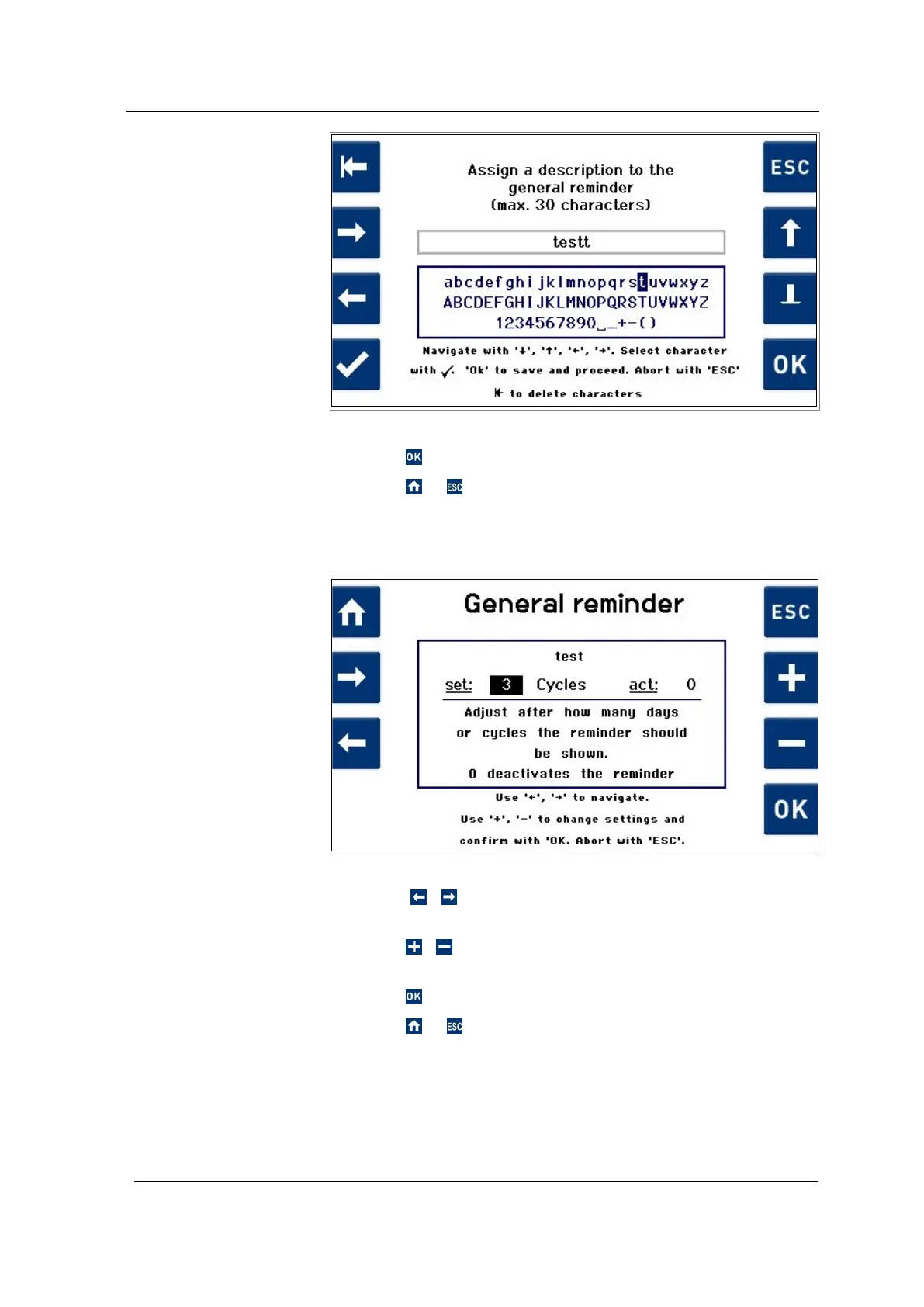
Fig. 7.1.6.9 Display description General Reminder
5. Press to save the settings.
6. Press or to exit from the settings without saving.
The reminder description
(example test Fig. 7.1.6.9) is shown in the reminder display for
setting the reminder interval.
Fig. 7.1.6.10 Display for setting reminder interval
7. Using / , select between the input value and the
cleaning machine Cycles / Days (see Fig. 7.1.6.10).
8. Press / , to adjust the input value or to change the
cleaning machine (Cycles / Days).
9. Press to save the settings.
10. Press or to exit from the settings without saving.
After the specified interval (Cycles / Days) has elapsed, the
Reminder display (example test Fig. 7.1.6.11) is shown.
Setting the reminder
interval




 To Next Page