ELNA XPRESSIVE II 27
User’s Guide
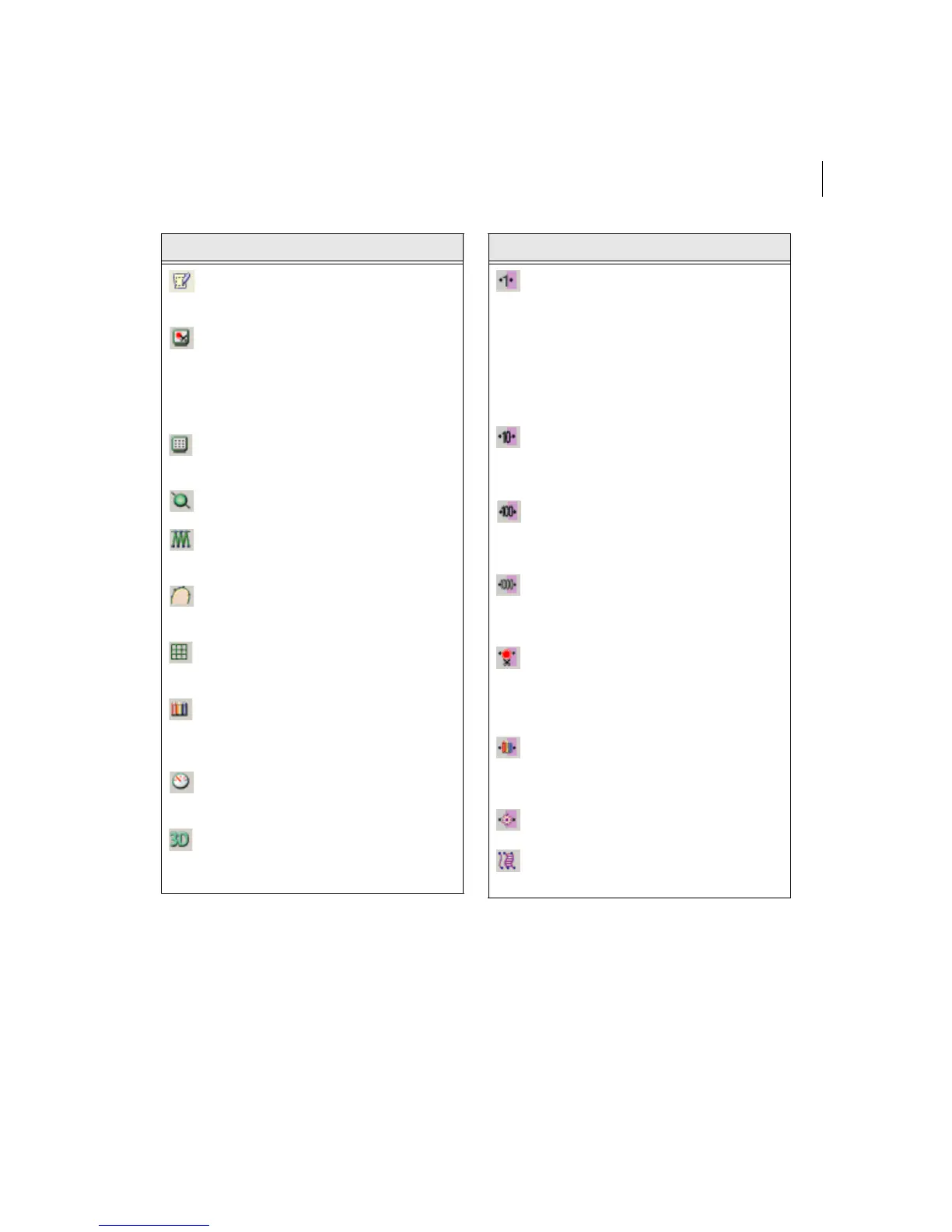
Autotrace: Detects contours and
traces an image to produce stitch
segments.
Show Commands: Shows
symbols at the locations on the
design where the embroidery
machine performs commands,
such as stop, trim, and
changeover.
Show Dots: Shows the stitch
penetrations represented by a
black dot.
Show Beads: Shows start, stop,
and angle line beads.
Show Stitches: Shows the
stitches of segments in the design
window (default setting).
Show outlines. Shows the outlines
of segments in the design window
(default setting).
Show Grid: Shows a background
grid to help you align anchor points
or measure a design.
Change Background Color:
Displays a color palette that allows
you to change the background
color of the window.
Hides/shows the draw ribbon:
Hides or shows the design draw
ribbon.
Show 3-D Stitches: Use to provide
a realistic view of your design and
give a better idea of how stitches
will look.
Tool What it means
Move by 1: Use to move backward
or forward through a design by 1
unit (segment or stitch).
Left-click the tool to move
backward through the design by 1
unit. Right-click to move forward,
by 1 unit, from the currently
selected stitch or segment.
Move by 10: Use to move
backward or forward through a
design by 10 units (segment or
stitch).
Move by 100: Use to move
backward or forward through a
design by 100 units (segment or
stitch).
Move by 1000: Use to move
backward or forward through a
design by 1000 units (segment or
stitch).
Move to Previous/Next
Command: (Only available in
Stitch Mode). Use to move the
stitch select pointer to the previous
or next command in a design.
Move to Previous/Next Color:
Use to change the selection to the
previous or next color change in
the design.
Move to Start/End: Use to move to
the start or end of the design.
Convert: Use to convert lettering
to segments or segments to other
stitch types.
Tool What it means



 To Next Page